File Converter Tools Online – Convert PDF, Video, Audio
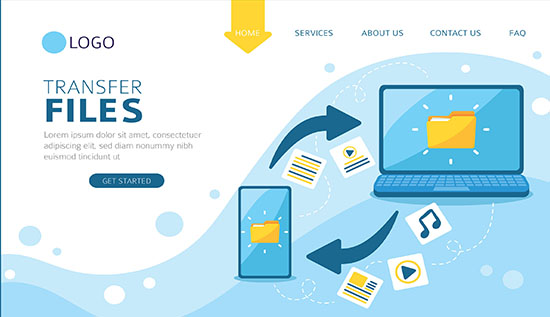
Explore file converter tools online to easily convert PDF, video, and audio files. Learn simple, free, and effective ways to manage file formats.
In today's digital environment, where individuals often work with many file formats, file converter software are indispensable. File converter software make it easy and quick to convert a PDF into a Word document or a video into audio. By guaranteeing interoperability across platforms and devices, these products contribute to increased productivity.
For users in Cambodia, especially beginners, using these tools is easy and practical. In simple terms, file converter tools mean “ឧបករណ៍បម្លែងឯកសារ” that help change one file type into another without losing important data. Many platforms are now available online, making access convenient without installing software.
Understanding Online File Converter and Its Benefits
Online file converter service users can submit files and convert them simply using a web browser. This removes the need for you to download huge software or worry about storage space. An online file converter can be quite useful for office professionals and students who need quick responses.
Some key benefits include:
- No installation required
- Works on any device (phone, laptop, tablet)
- Fast and user-friendly interface
“ប្រើតាមអ៊ីនធឺណិត មិនចាំបាច់ដំឡើងកម្មវិធី” which means you can use it online without installing anything.
Exploring Free File Converter Tools for Daily Use
Free file converter tools for windows have become an important part of daily digital activities because they offer practical solutions without requiring any payment. These tools are designed to support users in handling different file formats quickly and efficiently, making them ideal for students, office workers, and freelancers.
The availability of free file converter programs is one of their primary benefits. The majority of platforms have straightforward user interfaces that walk you through each step, so users do not require sophisticated technical knowledge to utilize them. These tools assist save time and effort while preserving the original file quality, whether you're working with photographs, documents, or media files.
Common uses include:
- Converting school assignments into required formats such as PDF or Word
- Changing file formats for job applications to meet employer requirements
- Preparing files for sharing through email, social media, or cloud storage
- Adjusting file sizes to make uploading and downloading faster
Additionally, people who prefer offline solutions have an alternative thanks to free file converter applications for Windows. These technologies are particularly helpful in situations when internet connectivity is erratic or restricted, which can occur frequently in some places. Users can convert files at any time without relying on an online connection by installing software on a PC.
In general, free file converter programs are useful for increasing productivity and flexibility in daily chores in addition to being convenient. They provide seamless communication in both academic and professional settings, let users manage files more efficiently, and prevent compatibility problems.
How PDF Converter Tools Simplify Document Work
One of the most important digital tools for effectively managing documents is a PDF converter. They make it simpler to update, alter, and reuse content without having to start from scratch by assisting users in converting non-editable PDF files into adaptable forms like Word, Excel, or PowerPoint. Students, office workers, and job seekers who frequently deal with reports, assignments, and formal documents will find these tools very helpful.
Here is a deeper look at how PDF converter tools simplify document work:
- Convert PDF into editable formats
PDF files are usually fixed and cannot be edited directly. PDF converter tools allow users to convert them into Word or Excel files, making it easy to modify text, adjust layouts, or update data. This is very useful for editing reports or correcting mistakes. - Save time and reduce manual typing
Instead of retyping the entire document, users can quickly convert and edit the file. This significantly reduces workload and improves efficiency, especially when dealing with long documents. - Maintain original formatting
Advanced tools help keep the original structure, including fonts, images, and tables. This ensures that the converted document looks professional and does not require major adjustments. - Support academic and professional tasks
Students can convert lecture notes or assignments, while professionals can edit contracts, proposals. - Easy access through online tools
Using an online PDF to Word converter free allows users to perform conversions anytime through a browser. “បម្លែង PDF ទៅ Word ដើម្បីកែប្រែបានងាយស្រួល” — converting PDF to Word so you can edit it easily. - Improve workflow and productivity
By simplifying document editing and conversion, these tools help users focus on more important tasks instead of spending time on repetitive work.
Using Video File Converter for Media Flexibility
To ensure compatibility with various systems or devices, users can convert video formats with the use of a video file converter. For instance, it is simpler to share or upload a huge video file online when it is converted into a smaller format.
Common reasons to use a video file converter:
- Reduce file size
- Change format for mobile devices
- Improve playback compatibility
Users who create content or share videos frequently will find this tool very useful. It also supports the growing trend to convert video and audio files online for quick access.
Read more: Video Downloader (2026) – Free Online Tools, No Watermark
Audio File Converter for Easy Sound Management
An audio file converter allows users to switch between formats like MP3, WAV, or AAC. This is helpful for music lovers, content creators, or anyone working with sound files.
Benefits include:
- Adjusting file size
- Ensuring compatibility with devices
- Improving audio quality
Document Converter Tools for Office Efficiency
Document converter tools are widely used in offices and educational environments. These tools support multiple formats such as Word, Excel, PowerPoint, and PDF.
They help users:
- Maintain formatting when converting files
- Share documents across different platforms
- Save time in editing and formatting
For job seekers in Cambodia, these tools are especially helpful when preparing CVs and reports in different formats.
Best Online File Converter Tools 2026 Trends
In order to satisfy the increasing need for speed, security, and a smooth user experience, the top online file converter tools of 2026 are changing quickly. These tools are become more sophisticated, intelligent, and user-friendly as more people in offices, organizations, and education depend on digital documents.
Below are the key trends shaping file converter tools in 2026:
• AI-Powered File Conversion
Artificial intelligence is being used more and more in modern converter tools to increase efficiency and accuracy. AI ensures that formatting, including fonts, pictures, tables, and alignment, is maintained during conversion by automatically detecting file structure, layout, and content. This lessens the requirement for manual editing following file conversion.
• Faster Processing Time
Speed is becoming a top priority for users. In 2026, file converters are designed with optimized servers and cloud-based technology to deliver faster results. Even large files like PDFs, videos, or presentations can be converted within seconds, helping users save time and increase productivity.
• Enhanced Data Security and Privacy
With rising concerns about data protection, converter tools now include stronger security features. These include encrypted file transfers, automatic file deletion after processing, and secure cloud storage. Users can convert sensitive documents such as contracts, CVs, or reports with confidence, knowing their data is protected.
• Multi-Format Compatibility
File converter tools are expanding their supported formats. Users can now easily convert between a wide range of file types such as Word, Excel, PowerPoint, PDF, images, and even audio or video files. This flexibility makes it easier to work across different platforms and systems.
• Mobile-Friendly and Cross-Platform Access
As mobile usage continues to grow; many file converter tools are optimized for smartphones and tablets. Whether using Android, iOS, or desktop devices, users can access these tools anytime and anywhere, making file conversion more convenient than ever.
• Cloud Integration and Storage Support
Many modern tools now integrate directly with cloud platforms like Google Drive or Dropbox. This allows users to upload, convert, and save files without downloading them manually, creating a smoother and more efficient workflow.
• User-Friendly Interface and Automation
Simplicity is key in 2026. File converter tools are designed with clean interfaces and easy navigation so even beginners can use them without difficulty. Some platforms also offer automation features, allowing users to convert multiple files in bulk with just one click.
These trends show that file converter tools in 2026 are not just about converting files anymore—they are about delivering a fast, secure, and smart digital experience.
Tips for Choosing the Right File Converter Tools
Selecting the right file converter tools depends on your needs and usage. Not all tools offer the same features, so it is important to choose wisely.
Consider the following tips:
- Check supported file formats
- Ensure data security and privacy
- Look for user-friendly interfaces
- Choose tools with fast processing speed
For beginners, start with simple tools that are easy to understand and gradually explore advanced features.
Conclusion
Tools for file conversion are essential for effectively handling digital data. These technologies offer adaptable solutions for daily work, ranging from documents to media files. The objective is to streamline your workflow and save time, regardless of whether you utilize a free or online file converter.
File converter programs will become progressively more sophisticated and available as technology advances. Knowing how to use these technologies can significantly improve productivity and digital skills for people in Cambodia and elsewhere.
Frequently Asked Questions
1. What are file converter tools?
File converter tools are applications or platforms that change files from one format to another, such as PDF to Word or MP4 to MP3.
2. Are online file converter tools safe to use?
Most online file converter tools are safe, but users should choose trusted platforms and avoid uploading sensitive files.
3. Can I use free file converter tools without limitations?
Yes, but some free tools may have limits on file size or number of conversions.
4. What is the best online PDF to Word converter free?
The best tools are those that maintain formatting accuracy and provide fast conversion.
5. Why should I use a video file converter?
A video file converter helps adjust formats for compatibility and reduces file size for easier sharing.
6. How does an audio file converter work?
It converts audio files into different formats, making them compatible with various devices and improving usability.
7. What are document converter tools used for?
Document converter tools are used to change file formats like Word, Excel, and PDF for easier editing and sharing.
More Articles
 30 Apr 2026
How to Avoid Telegram Scams | Warning Signs & Safety Tips
Stop fraudsters in their tracks. Use these 2026 safety tips on how to avoid Telegram scams, spot red flags, and secure your account from hackers.
 29 Apr 2026
How to Use Proxy in Cambodia (Step-by-Step Setup Guide)
Learn how to use proxy in Cambodia with this complete step-by-step guide. Discover setup methods for Android, iPhone, free proxy options, and safety tips for 2026.
 29 Apr 2026
Is Public WiFi Safe to Use? How to Stay Protected
Is public WiFi safe in 2026? Key risks, hacker tactics, and simple ways to protect personal data on public networks.
 29 Apr 2026
How to Build AI Agents Without Coding | No-Code AI Tools
Stop waiting for developers. See how to build AI agents without coding to handle emails, research, and data tasks. Perfect for total beginners.