Google Classroom App & Tutorial for Students 2026
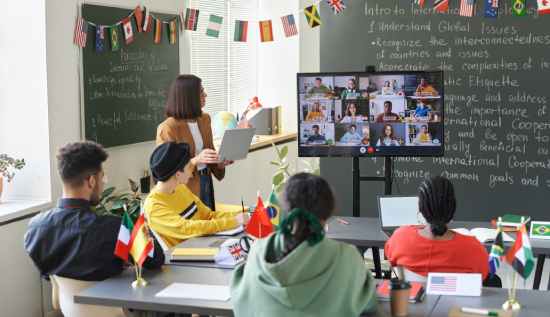
This Google Classroom tutorial covers the Google Classroom login and top Google Classroom tips and tricks 2026.
The landscape of modern education has undergone a profound shift, and in 2026, the Google Classroom app stands at the very center of this digital revolution. The platform, has developed from a straightforward assignment repository into a sophisticated ecosystem, that is strengthened by artificial intelligence. This ecosystem offers learners in Southeast Asia and beyond the opportunity to bridge the gap between traditional schooling and the future of employment. In order to achieve academic success, it is vital to have a solid understanding of, how to use this tool, regardless of whether you are participating, in Google Classroom Cambodia projects or attending an international university.
It is certain that you will have no trouble managing your digital life with the help of this comprehensive article which offers an in-depth Google Classroom’s tutorial that has been built precisely for the requirements of today's students.
Why Google Classroom Matters in 2026
In 2026, the integration of artificial intelligence through Gemini, has transformed how we perceive the Google Classroom app. It is no longer merely a location, where PDFs may be downloaded; rather, it has evolved into a central center for collaborative learning, where students can interact with "Gems" (custom artificial intelligence teachers) take part in interactive video classes, and receive feedback on their progress in real time.
In the context of Google Classroom Cambodia, a large number of public and private institutions, have implemented the platform in order to provide equal access to resources of a high quality. With the advent of mobile devices like smartphones and tablets, students in Phnom Penh and other rural regions now have the opportunity to gain access to a world-class education remotely. With that being said, in order to get the most of these capabilities, you will first need to become proficient in the fundamentals of the Google Classroom login process, and the daily interface.
Getting Started: The Google Classroom Login for Students 2026
The initial obstacle that every pupil must overcome is the entry point. In the year 2026, the security standards have been enhanced, which has resulted in the Google Classroom login for students 2026 being slightly more robust than it was in the years prior.
1. Preparing Your Credentials
It is imperative that you have your school-issued workspace account in your possession before you attempt to Google Classroom for login. If you are a member of the Google Classroom Cambodia network, this will typically appear as studentname@schoolname.edu.kh rather than the usual format. Because school-managed accounts offer substantially greater storage space and artificial intelligence features, you should avoid using a personal email address, such as @gmail.com, unless your instructor has specifically requested you to participate in a private tutoring session or club.
2. The Login Process
In order to get started, use the Google Classroom’s app on your mobile device or go to classroom.google.com using a web browser. Make sure to click the "Sign In" button. In order to finish the Google Classroom for login process, you might be required to click on your profile picture and select "Add another account" if you are already logged into a personal Google account instead of the Google Classroom for login.
Mastering the Interface: A Google Classroom Tutorial for Students
If you have successfully passed the Google Classroom for login process, you will be presented with the "Class Cards" screen as your first experience. There are a variety of subjects represented by each card, including science, mathematics, and Khmer literature, among others.
The Three Core Tabs
Inside of each and every session, there are three primary areas that you are need to comprehend. Specifically, this Google Classroom’s tutorial will teach you how to navigate them in an efficient manner:
- The Stream: You can think of this as your social media feed for the class when you are using The Stream. This is the section of the Google Classroom’s tutorial for teachers that often places an emphasis on publishing announcements, reminders for forthcoming examinations, and links to live Google Meet sessions.
- Classwork: Work done in class is the most important part of your educational experience. In this section, you will discover all of your Google Classroom assignments, organized according to the subject matter. The due dates, the rubrics, and the items that you have already handed in can all be viewed using this feature.
- People: This section contains a list of your instructors as well as your classmates. As of the year 2026, it is possible to initiate a collaborative Google Doc or send an encrypted communication by simply clicking on the name of a fellow student, provided that your school has allowed the aforementioned features.
Working on the Go: The Google Classroom App
Students today have access to a number of benefits, one of the most significant of which is the portability of the Google Classroom’s app. The mobile experience is flawless, regardless of whether you are studying at a café in Siem Reap or commuting back and forth to work.
Offline Mode and Mobile Features
A sophisticated offline option is included in the version of the Google Classroom’s app that was released in 2026. This is especially helpful for Google Classroom for students Cambodia and there is a possibility that they will have sporadic internet connectivity. Downloading your Google Classroom assignments while connected to Wi-Fi allows you to complete them without an internet connection. Your work will be instantly synchronized to the cloud after you have successfully reconnected.
In addition, the Google Classroom’s app makes use of the camera on your mobile device to facilitate submissions. In the event that you have handwritten mathematical problems on paper, you can submit your work by utilizing the "Scan to PDF" feature that is built immediately into the application. Because it eliminates the need for third-party scanning software, this is an essential component of any Google Classroom’s tutorial.
Completing and Turning in Google Classroom Assignments
Utilizing the platform with the intention of managing your workload is the key objective. A disciplined approach to the digital workflow is required in order to efficiently manage Google Classroom assignments.
How to Submit Your Work
- Navigate to the Classwork tab.
- Click on the specific assignment to expand the details.
- Click "View Assignment."
- Under the "Your Work" section on the right (or bottom on mobile), click "Add or Create."
- Select the file from your Google Drive or upload it from your device.
- CRITICAL STEP: You must click the "Turn In" button. Simply attaching the file does not notify your teacher that the work is finished.
In the year 2026, the Google Classroom tutorial for teachers typically includes a portion titled "Originality Reports." This means that when you hand in your Google Classroom’s assignments, the system will automatically check for instances of plagiarism and make certain that your citations are appropriately formatted. Make use of this to your advantage by running a report on your own before the final submission in order to identify any faults that may have been made by accident.
Advanced Google Classroom Tips and Tricks 2026
In order to achieve true success, you must go beyond the fundamentals. You will be able to save a significant amount of time by utilizing the following secret Google Classroom tips and tricks for 2026:
- Gemini Study Buddy: During the 2026 update, the Gemini Study Buddy will allow you to use the @Classroom feature within the Gemini side panel. In response to questions such as "What is my next assignment due for History?" or "Summarize the notes from last Tuesday's lecture," the artificial intelligence will retrieve the information immediately from the Google Classroom’s app on your device.
- The "To-Do" List: Do not hand verify each and every class card, as stated on the "To-Do" list. Using the "To-Do" global view, which can be located in the hamburger menu on the upper left, you will be able to examine a unified list of all of the tasks that are still outstanding between all of your subjects.
- Notification Management: The ability to personalize your push alerts is one of the most useful Google Classroom tips and tricks 2026 concerning notification management. Turn off the "New post" alerts by going to the options menu, but make sure to keep the "Private comment" and "Returned work" alerts turned on. This will keep your phone from vibrating continuously while also ensuring that you will never miss any feedback from your instructor.
- Calendar Integration: When it comes to calendar integration, each and every class has its own Google Calendar. To ensure that your Google Classroom’s assignments are displayed alongside your personal appointments, you should sync these to the primary calendar app on your phone.
Google Classroom for Students: Navigating Challenges in Cambodia
Infrastructure is typically the obstacle that people in Cambodia face when they are trying to figure out how to use Google Classroom in Cambodia. On the other hand, during the 2026 environment, "Lite" versions of the Google Classroom’s app were introduced. These versions consume forty percent less data.
Furthermore, if you are looking for a Google Classroom’s tutorial for teachers may share with their local school, you should advise that they make use of the "Practice Sets" option from Google Classroom. This makes it possible for students to receive fast tips while they are working on arithmetic problems, which is extremely beneficial in situations where a teacher is not immediately present to answer queries in person.
The utilization of local community centers or school laboratories for high-speed uploads is another component of the strategy for how to use Google Classroom in Cambodia by the Cambodian government. In the event that your internet connection at home is slow, you should save any heavy video projects or huge files and then utilize the "Schedule Upload" feature of the Google Classroom app to schedule the submission at a time when you are in an area with a high bandwidth.
The Teacher's Perspective: A Google Classroom Tutorial for Teachers
Grasp the Google Classroom’s tutorial for teachers is helpful in gaining a grasp of what your instructors view, despite the fact that this guide is geared at students. Teachers in the year 2026 make use of a "Dashboard of Insights" that displays the amount of time you spend working on a document as well as the areas in which you may be having difficulty.
If your instructor is unfamiliar with the platform, a fundamental Google Classroom tutorial for teachers will often focus on the following:
- Scheduling Posts: teachers have the ability to plan out an entire semester's worth of Google Classroom assignments in advance.
- Rubric Grading: The use of a rubric for grading provides for transparent scoring, which means that you are aware of the specific reasons behind the score you obtained.
- Guardian Summaries: A feature that is extensively used in Google Classroom Cambodia to keep family involved in the learning process is called Guardian Summaries. Teachers have the ability to ask your parents to receive weekly emails about your progress.
Security and Best Practices for 2026
You can access your academic identity through your Google Classroom for login, which is becoming increasingly important as we move farther into the digital age. Never reveal your password to other students in your class. There is a widespread adoption of multi-factor authentication (MFA) for the Google Classroom login for students 2026. There is a possibility that a popup to "Approve" a login attempt will appear on your mobile device.
Additionally, when utilizing the Google Classroom’s app, you should always make sure that you are operating the most recent version from Google. Google is always releasing new security patches and updates for Google Classroom tips and tricks for 2026. These updates are designed to enhance performance and safeguard your data from being accessed by unscrupulous individuals.
Conclusion
It is not a one-time exercise but rather a journey to become proficient with the Google Classroom’s app. Every stage of the process, beginning with the initial Google Classroom for login and ending with the submission of your Google Classroom’s assignments is intended to make you a better organized and efficient student. The most important thing is to have an open mind and investigate the new artificial intelligence features as they become available. This is true whether you are looking for information on how to use Google Classroom in Cambodia or the most recent Google Classroom tips and tricks for 2026.
By following this Google Classroom’s tutorial, you are not only able to keep up with your schoolwork, but you are also preparing yourself for the digital workplace of the future.
Read More: Best Digital Note-Taking Tools for Professionals in 2026
More Articles
 30 Apr 2026
How to Avoid Telegram Scams | Warning Signs & Safety Tips
Stop fraudsters in their tracks. Use these 2026 safety tips on how to avoid Telegram scams, spot red flags, and secure your account from hackers.
 29 Apr 2026
How to Use Proxy in Cambodia (Step-by-Step Setup Guide)
Learn how to use proxy in Cambodia with this complete step-by-step guide. Discover setup methods for Android, iPhone, free proxy options, and safety tips for 2026.
 29 Apr 2026
Is Public WiFi Safe to Use? How to Stay Protected
Is public WiFi safe in 2026? Key risks, hacker tactics, and simple ways to protect personal data on public networks.
 29 Apr 2026
How to Build AI Agents Without Coding | No-Code AI Tools
Stop waiting for developers. See how to build AI agents without coding to handle emails, research, and data tasks. Perfect for total beginners.