How to Protect Your Facebook Account (2026 Guide)
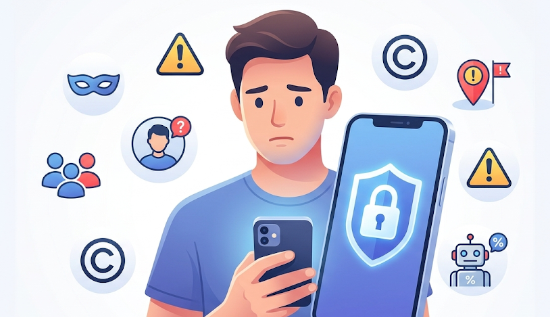
Learn how to protect your Facebook account in 2026 with proven security tips, privacy settings, two-factor authentication, and anti-hacking strategies to keep your profile safe from cyber threats.
How to Protect Your Facebook Account (2026 Guide)
Facebook remains one of the world’s most-used social platforms, but it also remains one of the most targeted platforms for cybercriminals. Account takeovers, phishing attacks, fake login pages, impersonation scams, and stolen passwords continue to affect users globally. As security threats evolve, learning how to protect Facebook account access has become essential for everyone—from casual users to content creators and business owners.
In 2026, Meta has expanded account protection with stronger login systems, passkeys, enhanced threat detection, AI-driven scam monitoring, and improved account recovery tools. Passkeys and centralized security features within Meta Accounts are increasingly becoming part of Facebook's security ecosystem.
This guide explains practical methods for improving Facebook account security, preventing hacking attempts, and using the best Facebook security settings in 2026.
Why Facebook Accounts Are Frequently Targeted
Cybercriminals target Facebook accounts because they often contain:
- Personal information
- Photos and videos
- Payment details
- Business pages
- Messenger conversations
- Connected apps
- Contacts and friend networks
Once an account is compromised, attackers may:
- Impersonate users
- Send scam messages
- Steal sensitive information
- Lock owners out of accounts
- Spread phishing links
- Access connected services
This is why understanding how to protect Facebook account from hackers matters more than ever.
Meta reports continued investment in AI-driven security tools and stronger account defenses designed to detect suspicious activity before damage occurs.
1. Create a Strong and Unique Password
The first step in how to secure Facebook account access is using a password that is difficult to guess.
Avoid passwords such as:
- 123456789
- Your birthday
- Your pet's name
- Password123
- Phone numbers
Instead:
Use:
- Uppercase letters
- Lowercase letters
- Numbers
- Special characters
Example:
T8#RiverMoon!Cloud2026
Better yet, use a password manager to generate and store passwords securely.
Important rules:
- Never reuse passwords across websites
- Change passwords if you suspect a breach
- Avoid sharing passwords with anyone
Strong passwords are still among the easiest ways to prevent Facebook account hacking.
2. Enable Two-Factor Authentication (2FA)
Two-factor authentication adds a second security layer beyond your password.
Even if someone steals your password, they still need a verification code to access your account.
Facebook supports:
- Authentication apps
- Security keys
- SMS verification
Authenticator apps generally provide stronger security than SMS because phone numbers can be vulnerable to SIM-swapping attacks. Security guidance continues to emphasize multi-factor authentication as one of the strongest defenses against account compromise.
To enable it:
- Open Facebook Settings
- Go to Password and Security
- Select Two-Factor Authentication
- Choose your preferred method
If you want to know how to make Facebook account more secure, this is one of the most effective actions you can take.
3. Use Passkeys in 2026
One of the biggest developments in Facebook account security is passkey support.
Passkeys replace traditional passwords using:
- Fingerprints
- Face recognition
- Device PINs
Advantages include:
- Harder to steal
- Resistant to phishing
- Faster login process
- No need to remember passwords
Meta introduced passkey support across Facebook and expanded it as part of broader account security improvements.
For users seeking the best Facebook security settings in 2026, enabling passkeys should be near the top of the list.
4. Turn On Login Alerts
Facebook can notify you whenever someone logs into your account from:
- Unknown devices
- New browsers
- Different locations
Enable login alerts:
- Go to Settings
- Open Password and Security
- Enable Login Alerts
You may receive notifications through:
- Facebook app
- Messenger
These alerts can help you react quickly before attackers gain full access.
5. Review Active Login Sessions
Many users stay logged in on:
- Old phones
- Shared computers
- Public devices
To review:
- Open Settings
- Go to Password and Security
- Find "Where You're Logged In"
Check for:
- Unknown devices
- Suspicious locations
- Old devices you no longer use
Log out of anything unfamiliar immediately.
This simple action is one of the easy ways to protect Facebook account access.
6. Adjust Facebook Privacy Settings
Strong security and privacy work together.
Review your Facebook privacy settings regularly.
Recommended privacy options:
Who can see future posts?
Set to:
Friends
Who can see your friend list?
Set to:
Only Me
Who can look you up using your email?
Set to:
Friends
Search engine indexing
Disable external search engine linking.
Tag review
Enable:
- Review posts before tags appear
- Review tags added by others
These adjustments reduce exposure and limit what attackers can learn about you.
7. Avoid Phishing Attacks
Phishing remains one of the biggest threats to Facebook users.
Common scam messages include:
- "Your account will be deleted."
- "You won a prize."
- "Someone reported your account."
- "Click here to verify your identity."
Scammers create fake pages that look identical to Facebook login screens.
Warning signs:
- Strange URLs
- Misspellings
- Urgent language
- Unexpected messages
Meta continues adding scam detection and suspicious activity alerts across its services.
To protect Facebook from hackers, always verify the website before entering credentials.
8. Remove Unused Connected Apps
Many people connect Facebook accounts to:
- Games
- Quizzes
- Shopping apps
- Productivity tools
Unused apps can become security risks.
Review connected apps:
- Open Settings
- Go to Apps and Websites
- Remove unused apps
Keep only services you trust.
9. Secure Your Email Account Too
Your Facebook account is only as secure as your email account.
If hackers gain email access, they may:
- Reset your password
- Bypass security checks
- Take over your account
Protect email accounts by:
- Enabling two-factor authentication
- Using strong passwords
- Reviewing recovery settings
- Removing unknown devices
10. Be Careful With Public Wi-Fi
Public networks in:
- Cafes
- Airports
- Schools
- Hotels
can expose users to security risks.
Avoid:
- Logging into Facebook on unsecured networks
- Entering passwords on unknown Wi-Fi
If necessary:
- Use mobile data
- Use a trusted VPN
11. Enable Advanced Protection Features
Facebook now offers stronger protection for accounts considered higher risk.
Advanced Protection includes:
- Enhanced monitoring
- Stronger authentication requirements
- Threat detection tools
Meta has transitioned Facebook Protect into Advanced Protection features for eligible users.
This is among the best Facebook security settings in 2026 for users managing large audiences or business pages.
12. Keep Devices Updated
Hackers often exploit outdated software.
Keep updated:
- Phone operating systems
- Browsers
- Facebook app versions
- Antivirus software
Updates frequently include security fixes.
13. Watch for Suspicious Friend Requests
Scammers often create fake profiles that imitate:
- Friends
- Celebrities
- Brands
- Businesses
Red flags:
- Few photos
- No mutual friends
- Strange messages
- Recently created accounts
Meta has introduced new alerts designed to identify suspicious requests and potential scams.
Quick Facebook Security Checklist for 2026
Use this checklist to prevent Facebook account hacking:
✅ Strong password
✅ Unique password
✅ Two-factor authentication
✅ Passkeys enabled
✅ Login alerts activated
✅ Privacy settings updated
✅ Connected apps reviewed
✅ Email account secured
✅ Device software updated
✅ Suspicious sessions removed
✅ Advanced Protection enabled
Common Mistakes Users Still Make
Many hacked users:
- Reuse passwords
- Click unknown links
- Ignore login alerts
- Accept fake friend requests
- Share too much publicly
- Leave old devices connected
Avoiding these mistakes dramatically improves Facebook account security.
Final Thoughts
Learning how to protect Facebook account access is no longer optional. Cyber threats continue evolving, and attackers constantly adapt their techniques. Fortunately, Facebook has added stronger security tools in 2026, including passkeys, AI-driven threat monitoring, improved recovery systems, and Advanced Protection features. (About Facebook)
Combining strong passwords, two-factor authentication, updated Facebook privacy settings, and regular account reviews creates a much stronger defense.
If you're wondering how to protect Facebook account from hackers, the answer isn't a single feature—it's several security habits working together.
By following these Facebook security tips, you can greatly reduce risks and keep your account safer in 2026.
More Articles
 03 Jul 2026
Best Backup Software for Windows & Mac - Top Solutions
Compare the best backup software for Windows and Mac with top features and reliable solutions to protect your important data.
 01 Jul 2026
Best Scheduling Tools in 2026 | Top Apps for Productivity
Best scheduling tools in 2026 help automate appointments and improve productivity for individuals and businesses worldwide.
 30 Jun 2026
Best AI Voice Generators in 2026 | Top AI Voice Tools
Discover the best AI voice generators in 2026. Explore top AI voice tools, AI text to speech software, free AI voice generators, features, pricing, and the best AI voice generator for every need.
 29 Jun 2026
AI Search Engines vs Google: Which One is Better?
Compare AI search engines vs Google to see which delivers better accuracy and search results for research, productivity.