Website Security Vulnerabilities: How to Find & Fix
Learn how to find website security vulnerabilities, use vulnerability scanners, perform security testing, and fix common website security issues.
Website security is an important part of running a successful website. Whether you manage a personal blog, an online store, a business website, or a web application, protecting your website from cyber threats should always be a priority. Every website can face security risks, especially when it uses outdated software, weak passwords, insecure plugins, or poorly configured servers.
Website security vulnerabilities are weaknesses in a website's software, design, configuration, or infrastructure that could allow unauthorized people to access information, change website content, or disrupt normal operations. Some vulnerabilities are easy to overlook because a website may look and work normally while security problems exist in the background.
Understanding how to find website vulnerabilities is the first step toward protecting your website. Website owners should regularly review their security settings, update their software, monitor suspicious activity, and use trusted security tools to identify potential problems before they become serious incidents.
In this guide, we explain common website security vulnerabilities, how to detect security vulnerabilities on a website, which scanning tools can help, and how to fix website security issues using practical security measures.
What Are Website Security Vulnerabilities?
Website security vulnerabilities are weaknesses that may affect the confidentiality, integrity, or availability of a website and its information.
In simple terms, a vulnerability is a security problem that could create an opportunity for unauthorized access or harmful activity.
For example, imagine that a website uses an outdated content management system (CMS). The old version may contain a known security weakness that has already been fixed in a newer release. If the website owner does not install the update, the website may remain exposed to that problem.
Other vulnerabilities can come from weak authentication, incorrect server settings, insecure data storage, or third-party software.
Website vulnerabilities can affect different parts of a website, including:
- Website applications and source code.
- Web servers and hosting environments.
- Databases and stored information.
- Login systems and user accounts.
- Plugins, themes, and external libraries.
- APIs and third-party integrations.
- Website configuration and security settings.
Identifying these weaknesses through regular website security testing helps website owners reduce risks and maintain a safer online environment.
Why Are Website Security Vulnerabilities Dangerous?
A website vulnerability does not always mean that a website has already been attacked. However, an unaddressed weakness can increase the possibility of a security incident.
Understanding the potential impact helps website owners decide which problems need attention first.
Data Breaches and Information Exposure
Websites often collect personal information, including names, email addresses, contact details, and account information.
If a website has weak access controls or insecure data storage, unauthorized people may gain access to information that should remain private.
For businesses, a data breach can damage customer trust and create financial or legal consequences.
Website Defacement
Website defacement happens when someone changes website content without permission.
For example, an unauthorized person may replace a homepage message, modify business information, or publish unwanted content.
This can harm a company's reputation and make visitors question whether the website is trustworthy.
Malware and Malicious Software
Poorly maintained websites may become vulnerable to malware-related incidents.
Malicious software can affect website files, redirect visitors, or interfere with normal website operations.
Website owners should regularly monitor their website files and hosting environment for unexpected changes.
Website Downtime
Some security problems can affect website availability.
A website may become slow, unavailable, or unable to process normal requests.
For an online business, extended downtime can result in lost visitors, interrupted services, and reduced customer confidence.
SEO and Search Visibility Problems
Security incidents can also affect SEO performance.
For example, a compromised website may contain unwanted pages, suspicious redirects, or harmful content. Search engines may respond to security problems by displaying warnings or limiting visibility.
Maintaining website security helps protect both user trust and long-term search performance.
Common Types of Website Security Vulnerabilities
Before learning how to find website vulnerabilities, it is important to understand the most common weaknesses that affect websites.
SQL Injection
SQL injection is a vulnerability that occurs when an application handles database-related user input insecurely.
A poorly designed application may allow untrusted input to interfere with database operations.
Depending on the application's security controls, this weakness could expose, modify, or damage stored information.
How to prevent it:
- Use parameterized queries and prepared statements.
- Avoid building database queries by directly combining user input with SQL commands.
- Apply input validation.
- Limit database account permissions.
- Use secure coding practices.
Cross-Site Scripting (XSS)
Cross-site scripting (XSS) is a vulnerability that can occur when a website displays untrusted content without proper handling.
It may allow harmful scripts to run in a visitor's browser under certain conditions.
XSS can affect user sessions, website interactions, and the trust visitors place in a website.
How to prevent it:
- Encode output according to its context.
- Validate and sanitize untrusted input.
- Use a properly configured Content Security Policy (CSP).
- Avoid inserting untrusted content into unsafe browser contexts.
- Review third-party scripts.
Broken Authentication
Authentication verifies whether someone is allowed to access an account.
Broken authentication happens when login systems or account-management processes do not provide sufficient protection.
Examples include weak password policies, poor session management, and missing protections for sensitive account actions.
How to prevent it:
- Require strong, unique passwords.
- Enable multi-factor authentication (MFA).
- Use secure session management.
- Apply appropriate login protections.
- Provide safe account recovery procedures.
Broken Access Control
Access control determines what users can see and do after signing in.
A website may have an access control vulnerability if users can access information or functions that should be restricted to other accounts or administrators.
How to prevent it:
- Apply role-based access control.
- Verify permissions on the server side.
- Follow the principle of least privilege.
- Review administrator and user permissions.
- Test access rules whenever application features change.
Security Misconfiguration
Security misconfiguration is one of the most common website security problems.
It occurs when a server, application, database, or hosting environment has incorrect or unnecessary settings.
Examples include:
- Unnecessary services being enabled.
- Default accounts remaining active.
- Debugging features exposed publicly.
- Missing security headers.
- Incorrect file permissions.
- Sensitive configuration information being exposed.
How to prevent it:
Review server settings regularly, disable unnecessary features, remove default accounts, and follow secure configuration guidelines.
Outdated Software and Vulnerable Plugins
Websites often depend on CMS platforms, themes, plugins, frameworks, and external libraries.
When these components become outdated, they may contain known security vulnerabilities.
For example, an old plugin may no longer receive security updates, making it a potential source of risk.
How to prevent it:
- Update CMS software regularly.
- Keep plugins and themes current.
- Remove unused extensions.
- Monitor security announcements.
- Replace unsupported components.
Insecure File Uploads
File upload features allow visitors or registered users to submit documents, images, and other files.
If these features do not have appropriate security controls, uploaded files may create risks for the website.
How to prevent it:
- Allow only necessary file types.
- Validate uploaded files on the server.
- Set reasonable file-size limits.
- Store uploads in appropriately restricted locations.
- Apply access controls to uploaded content.
Weak HTTPS and TLS Configuration
HTTPS protects information exchanged between a visitor's browser and a website.
However, simply installing an SSL/TLS certificate does not guarantee that every security setting is correct.
An outdated TLS configuration, expired certificate, or insecure connection setup may create additional risks.
How to prevent it:
- Use a valid SSL/TLS certificate.
- Configure supported modern TLS versions.
- Redirect HTTP traffic to HTTPS.
- Renew certificates before expiration.
- Review mixed-content warnings.
How to Find Website Vulnerabilities
Finding website security weaknesses requires a systematic approach. Website owners should not depend on a single scanner because different testing methods identify different types of problems.
Here are several safe and practical approaches for identifying vulnerabilities on websites you own or are authorized to assess.
Step 1: Review Your Website Software
Start by checking the software and services your website uses.
Identify:
- CMS version.
- Plugin and theme versions.
- Server software.
- Programming frameworks.
- Database software.
- Third-party libraries.
Compare the installed versions with official release information and security advisories.
If a component is outdated or unsupported, investigate whether a security update or replacement is available.
Step 2: Check Website Security Settings
Review your website's basic security configuration.
Pay attention to:
- HTTPS availability.
- SSL/TLS certificate validity.
- Security-related HTTP headers.
- File and directory permissions.
- Publicly accessible administrative areas.
- Unnecessary services and features.
- Backup and recovery settings.
These checks can reveal configuration problems without requiring invasive testing.
Step 3: Review Login and Account Security
Authentication is an important part of website protection.
Review how your website handles login sessions, passwords, password recovery, administrator accounts, and user permissions.
Confirm that sensitive account functions have appropriate security controls.
Also check whether multi-factor authentication is available for administrator accounts.
Step 4: Use a Website Vulnerability Scanner
A website vulnerability scanner can help identify common security weaknesses automatically.
Depending on the tool, it may review website configuration, detect known software issues, identify insecure headers, or analyze application behavior.
When selecting a scanner, consider:
- Supported website technologies.
- Types of vulnerabilities detected.
- Report quality.
- False-positive handling.
- Scan frequency.
- Data privacy.
- Permission and authorization requirements.
Only scan websites that you own or have explicit permission to assess.
Step 5: Review Website Logs
Server and application logs can provide useful information about website activity.
Look for unusual patterns, such as:
- Unexpected administrator login activity.
- Repeated failed login attempts.
- Unusual server errors.
- Unexpected file changes.
- Unfamiliar account activity.
- Unexpected increases in resource usage.
Logs do not identify every vulnerability, but they can help security teams recognize suspicious behavior and investigate potential incidents.
Step 6: Review Website Code and Dependencies
If you manage website development, review the application code and third-party dependencies.
Static code analysis tools can identify potentially unsafe coding patterns without executing the application.
Dependency analysis tools can also identify outdated libraries with known security issues.
This approach is especially useful for websites with custom applications or complex integrations.
How to Check If a Website Has Security Vulnerabilities
Website owners can combine several security checks to understand whether their websites have weaknesses.
A useful starting point is to divide the assessment into different areas.
| Security area | What to check |
| HTTPS | Certificate validity and secure connections |
| Software | Outdated CMS, plugins, and frameworks |
| Authentication | Password and login protections |
| Access control | User and administrator permissions |
| Database | Secure storage and restricted access |
| Server | Configuration and unnecessary services |
| Dependencies | Known vulnerabilities in third-party libraries |
| Website files | Unexpected or unauthorized changes |
| Security headers | Important browser security policies |
| Backups | Availability and recovery readiness |
A website vulnerability assessment should also consider how sensitive the information is, how important the website is to business operations, and what could happen if a particular weakness were exploited.
For a small informational website, checking software updates, HTTPS, administrator accounts, and backups may be a reasonable starting point.
For an e-commerce platform or website that stores customer information, a more comprehensive assessment is appropriate.
The goal is not simply to collect as many security warnings as possible. It is to understand which findings represent meaningful risks and address them correctly.
Best Tools to Scan Websites for Security Vulnerabilities
Security tools make website security testing more organized and efficient. Some tools focus on website applications, while others analyze source code, software dependencies, or server configurations.
Here are several established tools and resources that can support defensive security work.
OWASP ZAP
<text>OWASP ZAP (Zed Attack Proxy) is an open-source web application security testing tool maintained by the OWASP community.</text>
It supports automated security checks and helps security professionals assess web applications.
Useful features include:
- Automated application scanning.
- Website crawling.
- Security finding reports.
- Manual testing support.
- Integration with development workflows.
OWASP ZAP is useful for developers and security teams who want to include website security testing in their development process.
Burp Suite
Burp Suite is a web application security testing platform used by security professionals.
It provides tools for examining website requests, responses, and application behavior.
Its features support application testing, security reviews, and vulnerability assessment.
Different editions offer different capabilities, so users should review the official product information before selecting an edition.
Nessus
Nessus is a vulnerability assessment solution that helps identify security weaknesses across supported systems and infrastructure.
It can help organizations review known vulnerabilities, configuration problems, and potential security risks.
It is particularly relevant when website security depends on the wider server and network environment.
Snyk
Snyk focuses on identifying security issues in software code, open-source dependencies, containers, and cloud-related environments.
For website developers, dependency scanning is especially useful because applications frequently rely on third-party libraries.
Snyk can help development teams understand which components may require updates or security attention.
SonarQube
SonarQube is a code-quality and security analysis platform.
It can help developers identify certain security-related coding problems and maintain code quality across projects.
It is useful for teams that want to include automated code checks during software development.
Mozilla Observatory
Mozilla Observatory provides website security configuration checks, including information about important security headers.
It can help website administrators understand whether their websites follow several recommended browser security practices.
It is useful for reviewing publicly visible security configuration.
Qualys SSL Labs
Qualys SSL Labs provides SSL/TLS server testing.
Website administrators can use it to review certificate and TLS configuration details.
It is especially helpful when checking whether HTTPS is configured appropriately.
OWASP Web Security Testing Guide
The OWASP Web Security Testing Guide is not simply a scanner. It is a detailed reference for understanding and organizing web application security testing.
It covers important areas such as:
- Authentication.
- Authorization.
- Session management.
- Input validation.
- Error handling.
- Cryptography.
- API security.
- Application configuration.
It is useful for developers and security professionals who want a structured approach to website security testing.
No single tool can detect every vulnerability. Combining automated scanning, code review, configuration checks, and professional security assessment provides a more complete picture.
How to Fix Common Website Security Vulnerabilities
After identifying security weaknesses, the next step is remediation.
Knowing how to fix website security issues helps prevent small technical problems from becoming larger security incidents.
The following practices provide a practical starting point.
Update Website Software
Outdated software can expose websites to known security problems.
Keep your CMS, plugins, themes, frameworks, and server software updated.
Before installing major updates:
- Create a backup.
- Review the update information.
- Test changes in a staging environment when possible.
- Confirm that important website features still work.
- Remove unsupported software.
Do not keep unused plugins or themes simply because they are installed.
Improve Password and Login Security
Weak passwords can put administrator accounts at risk.
Use unique passwords for website administration, hosting accounts, databases, and other important services.
Additional protections include:
- Multi-factor authentication.
- Secure password-reset procedures.
- Appropriate login attempt protections.
- Regular account permission reviews.
- Removal of inactive accounts.
Avoid sharing administrator credentials among multiple people.
Fix Access Control Problems
Review which users can access sensitive information and administrative features.
Apply the principle of least privilege, meaning every account should receive only the permissions needed for its responsibilities.
For example, a content editor should not automatically receive full server administration permissions.
Developers should also ensure that access checks happen on the server rather than relying only on what a browser displays.
Secure Database Connections
Databases often store important website information.
Use secure database connections and restrict database permissions.
Recommended practices include:
- Avoid exposing database credentials.
- Store secrets securely.
- Use dedicated database accounts.
- Limit database access to necessary services.
- Apply parameterized queries.
- Encrypt sensitive information when appropriate.
Database backups should also be protected against unauthorized access.
Improve Input Validation and Output Encoding
Websites receive information through forms, search fields, account settings, and other interactive features.
Developers should validate incoming information and handle displayed content safely.
Use established framework protections, parameterized database operations, and context-aware output encoding.
These practices help reduce common application weaknesses, including SQL injection and cross-site scripting.
Configure HTTPS Correctly
A secure HTTPS configuration helps protect information while it travels between browsers and website servers.
Make sure the certificate is valid and properly maintained.
Also review TLS configuration, HTTP-to-HTTPS redirects, and mixed-content warnings.
For websites that handle personal or payment information, secure connections should be treated as an essential requirement.
Add Appropriate Security Headers
Security headers provide browsers with additional instructions about how website content should be handled.
Examples include:
- Content-Security-Policy (CSP).
- Strict-Transport-Security (HSTS).
- X-Content-Type-Options.
- Referrer-Policy.
- Permissions-Policy.
These headers should be configured according to the website's features and requirements. Incorrect settings may interfere with normal website functionality.
Remove Unnecessary Software and Features
Every additional plugin, service, or integration may introduce another area that needs maintenance.
Remove software that is no longer needed.
Disable unnecessary services and review publicly accessible administrative features.
Keeping the website environment simple makes it easier to maintain and secure.
Create Regular Backups
Backups help website owners recover after technical failures, accidental changes, or security incidents.
A reliable backup strategy should include:
- Regular automated backups.
- Secure backup storage.
- Restricted backup access.
- Multiple recovery points.
- Periodic restoration tests.
A backup is only useful if it can be restored successfully.
Monitor and Investigate Security Alerts
Security monitoring helps website administrators identify new problems after the initial assessment.
Review security alerts, server logs, software advisories, and unexpected website changes.
If a website is suspected of being compromised, involve a qualified security professional. Preserve relevant records, investigate the cause, and restore affected systems from verified clean backups when appropriate.
Website Vulnerability Assessment: A Step-by-Step Approach
A website vulnerability assessment is a structured process for identifying, evaluating, and prioritizing website security weaknesses.
Instead of checking random security settings, website owners should follow a consistent assessment process.
Step 1: Define the assessment scope
Identify which websites, applications, servers, and APIs are included.
Confirm ownership and obtain written permission before any active testing.
Step 2: Identify important assets
List important website components, including databases, user accounts, administrator functions, payment integrations, and sensitive information.
Step 3: Review existing security controls
Check software versions, account permissions, server configurations, HTTPS, and backup arrangements.
Step 4: Perform security scanning
Use suitable security tools to identify known weaknesses and configuration problems.
Step 5: Validate findings
Automated scanners may produce false positives or miss important issues.
Review findings carefully and confirm whether each issue applies to the website.
Step 6: Prioritize security risks
Consider severity, likelihood, business impact, and the sensitivity of affected information.
Step 7: Apply fixes
Update affected software, improve configurations, correct coding problems, and strengthen access controls.
Step 8: Test the improvements
Repeat appropriate security checks to confirm that the identified problems have been addressed.
Step 9: Document the results
Keep records of findings, remediation actions, responsible team members, and follow-up dates.
This process makes website security testing more consistent and easier to manage.
How Often Should You Test Website Security?
Website security testing should not happen only once.
New vulnerabilities can appear when software is updated, plugins are installed, website features change, or hosting configurations are modified.
A practical security schedule may look like this:
| Security activity | Suggested frequency |
| Software and plugin updates | Whenever security updates become available |
| Automated vulnerability scans | Monthly or according to risk |
| Administrator account review | Monthly |
| Website log monitoring | Regularly or continuously |
| Backup verification | Periodically |
| Security configuration review | Quarterly |
| Professional security assessment | Annually or after major changes |
Websites handling sensitive information or important business operations may require more frequent assessments.
The exact schedule should depend on the website's size, technology, business needs, and security risks.
Best Practices for Preventing Website Security Vulnerabilities
Preventing vulnerabilities is usually more effective than waiting for a security incident.
Website owners and development teams should build security into their normal website management processes.
Here are important practices to follow:
Use secure hosting: Choose a hosting provider that offers appropriate security controls, system updates, monitoring, and backup options.
Follow secure development practices: Developers should review code, validate inputs, protect sensitive information, and use established security frameworks.
Limit administrator access: Give users only the permissions necessary for their responsibilities.
Protect sensitive information: Avoid collecting unnecessary personal data and store required information securely.
Monitor third-party software: Check plugins, libraries, themes, and external services for security updates.
Educate website administrators: Teach team members about phishing, password security, suspicious attachments, and account protection.
Maintain an incident response plan: Prepare procedures for investigating and responding to potential security incidents.
Use regular security assessments: Combine automated scanning with manual reviews and professional testing when necessary.
These measures help reduce security risks while supporting a more reliable website environment.
Common Mistakes to Avoid During Website Security Testing
Even when website owners understand the importance of security, some mistakes can reduce the effectiveness of their testing efforts.
Depending Only on Automated Scanners
Automated tools are useful, but they cannot identify every application weakness.
Business logic problems, complicated access control issues, and certain design flaws may require manual review.
Ignoring Low-Severity Findings
A low-severity finding may become more important when combined with another weakness.
Review findings in context rather than dismissing them automatically.
Scanning Without Permission
Website security testing must be authorized.
Do not scan or test websites belonging to other people or organizations without permission. Unauthorized testing can disrupt services and create legal or privacy problems.
Forgetting to Test After Fixing Issues
Installing an update or changing a configuration does not automatically prove that the vulnerability has been resolved.
Repeat the relevant checks and confirm that the website continues to function correctly.
Ignoring Backups
Security improvements cannot replace a recovery plan.
Maintain secure backups and verify that important website data can be restored.
Conclusion
Website security is an ongoing responsibility for website owners, developers, and organizations. Common weaknesses such as SQL injection, cross-site scripting, broken authentication, outdated software, and security misconfiguration can affect website safety, user privacy, and business operations.
Learning how to find website vulnerabilities allows website administrators to identify problems before they develop into more serious incidents. A combination of website vulnerability scanners, code reviews, configuration checks, and regular monitoring can provide a clearer understanding of potential security risks.
However, finding vulnerabilities is only part of the process. Website owners must also understand how to fix common website security vulnerabilities by updating software, improving access controls, securing databases, configuring HTTPS, and maintaining reliable backups.
Most importantly, website security testing should become a regular part of website maintenance rather than a one-time activity. By following a structured website vulnerability assessment process and addressing security issues according to their risk, website owners can build safer, more reliable, and more trustworthy online experiences.
Frequently Asked Questions (FAQs)
1. What are website security vulnerabilities?
Website security vulnerabilities are weaknesses in website software, code, configuration, or infrastructure that could allow unauthorized access, information exposure, or disruption of website services.
2. How to find website vulnerabilities?
You can identify website vulnerabilities by reviewing software versions, checking security configurations, examining website logs, reviewing application code, and using trusted vulnerability scanning tools. Only assess websites you own or have permission to test.
3. How to check if a website has security vulnerabilities?
Start by checking HTTPS, software updates, administrator permissions, security headers, and website configurations. You can also use automated scanners and professional security assessments to identify additional weaknesses.
4. What is a website vulnerability scanner?
A website vulnerability scanner is a security tool that checks websites or web applications for known security weaknesses, outdated components, and configuration problems.
5. What are the best tools to scan websites for security vulnerabilities?
Commonly used tools include OWASP ZAP, Burp Suite, Nessus, Snyk, SonarQube, Mozilla Observatory, and Qualys SSL Labs. Each tool focuses on different areas of website security.
6. How to fix website security issues?
Fixing website security issues involves updating outdated software, improving password protection, enabling multi-factor authentication, correcting access control problems, securing databases, configuring HTTPS, and maintaining regular backups.
7. How often should I perform website security testing?
Website security testing should be performed regularly. Many website owners schedule automated scans monthly, review configurations quarterly, and arrange professional assessments periodically or after major website changes.
8. Can a website be secure without a vulnerability scanner?
Yes. Security scanners are helpful, but they are not the only way to protect a website. Secure development, software updates, strong authentication, access controls, monitoring, and regular security reviews are also important.
More Articles
 30 Oct 2026
How to Get Your Website Mentioned in AI Search Results
Learn how to get your website mentioned in AI search with proven SEO strategies technical improvements and authority-building tips.
 28 Oct 2026
Broken Internal Links: How to Find and Fix Them
Learn how to find and fix broken internal links, resolve 404 errors, improve user experience, and strengthen your website's internal linking SEO.
 27 Oct 2026
Core Web Vitals Explained: Metrics & How to Fix Them
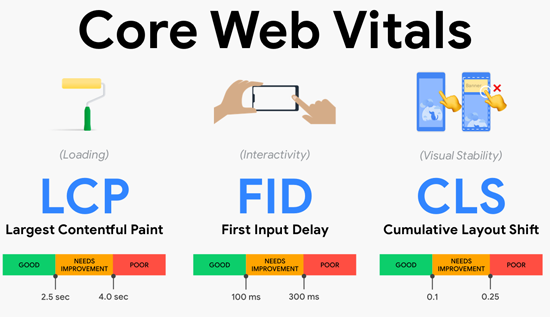
Learn what Core Web Vitals are, how LCP, INP, and CLS affect user experience and SEO, and practical ways to fix performance issues and improve your website.
 23 Oct 2026
Website Audit Score: How to Check and Improve It
Check your website audit score, identify SEO issues, improve technical performance, site health and search visibility.