Credential Theft: How Hackers Steal Your Passwords
See how hackers steal passwords through phishing, malware, fake websites and plus practical steps for stronger account security.
Even though it's one of the smallest bits of information you use online, your password may safeguard some of your most important digital possessions. Passwords or other login credentials may be required for email accounts, social media profiles, online banking, cloud storage, company systems, shopping accounts and workplace platforms also.
Criminals may be able to access accounts, steal personal data, pose as victims or utilize one hacked account to access other systems once they have these credentials. Because of this, credential fraud continues to be a major cybersecurity threat for both individuals and businesses.
Many people see hackers stealing passwords by getting past complex technical protections. In actuality, attackers frequently use much more straightforward strategies. Sometimes the information they require can be obtained by a convincing phishing message, a phony login page, malicious software, a reused password from an earlier data theft or an insecure browser extension. Regardless of technological expertise, these methods can be applied to anyone.
So, what is credential theft? To put it simply, it is the illegal acquisition of usernames, passwords, authentication tokens, session data or any other information that could be used to access a system or account. After that, the stolen data may be sold, repurposed or mixed with other data to carry out more assaults also.
Understanding how credential theft works is an important part of protecting your digital identity. Attackers often exploit human behavior, such as using the same password across several services, opening an urgent-looking link or downloading an unexpected attachment. Additionally, they might take advantage of flaws in networks, devices, software and authentication systems.
The good news is that sensible security practices may greatly increase the difficulty of many attacks. Exposure can be decreased by using strong, one-of-a-kind passwords, multifactor authentication, password managers, software upgrades, phishing awareness, endpoint protection and frequent account monitoring.
This article explains the common methods behind credential fraud, including phishing, credential-stealing malware, fake websites, password reuse, social engineering and data breaches. It also provides practical examples, warning signs, evidence guides and credential fraud prevention strategies that individuals and organizations can use to protect their accounts.
What Is Credential Theft?
At its core, credential fraud involves obtaining authentication information without the owner's authorization. Credentials can include much more than a traditional username and password. Depending on the system, attackers may target authentication cookies, session tokens, security answers, API keys, recovery codes, access tokens or other information that can help them authenticate as another person.
The stolen information can be used for different purposes. An attacker might log into an email account, access confidential business documents, take over a social media account, attempt financial fraud or use an employee's account to enter a corporate network.
What is credential fraud in practical terms?
Imagine receiving an email that appears to come from your company's cloud-storage provider. The message says your account will be suspended unless you verify your password immediately. You click the link and arrive at a login page that looks almost identical to the legitimate website.
You enter your username and password. Instead of authenticating you, the fraudulent website sends those details to the attacker. That is a basic example of credential fraud.
The important point is that the attacker did not necessarily need to break the legitimate service's security. Instead, they manipulated the user into voluntarily entering information into a fraudulent system.
Credentials can be stolen through several major categories of techniques:
- Phishing: Fake emails, messages or websites designed to capture login information.
- Malware: Malicious software that can collect credentials from devices.
- Data breaches: Stolen databases containing usernames, passwords or other account information.
- Password reuse: Attackers use credentials leaked from one service against another.
- Social engineering: Attackers manipulate people into revealing sensitive information.
- Browser or session theft: Attackers attempt to obtain stored credentials, cookies or authentication tokens.
- Fake applications: Malicious or fraudulent apps may request information that legitimate software would not need.
What is a credential theft attack can therefore range from a simple phishing campaign to a sophisticated intrusion involving several techniques?
Why stolen credentials are valuable
Passwords can provide a direct route into accounts. An email account can be particularly valuable because it may contain password-reset messages and personal information. A workplace account could provide access to internal documents, customer information, communication platforms or business applications.
For organizations, compromised credentials can also create a pathway for broader attacks. A criminal may initially obtain one employee's login details and then attempt to access additional resources. This makes credential security an important part of broader cybersecurity rather than merely a personal password-management issue.
Evidence Guide: Signs that credentials may have been compromised
Users should pay attention to unusual activity such as: login notifications from unfamiliar locations or devices, password-reset emails that the user did not request, unexpected multifactor authentication prompts, messages sent from an account without the owner's knowledge, changes to account recovery information, new devices appearing in account-security settings, unexpected financial transactions, security alerts from online services and passwords suddenly becoming invalid.
One suspicious event does not automatically prove an account has been compromised. However, multiple unexplained security events should be investigated promptly.
How Hackers Steal Credentials
Understanding how hackers steal credentials makes it easier to recognize the warning signs before an account is compromised. Attackers generally look for the easiest available path rather than relying on one technique.
1. Phishing and Fake Login Pages: Phishing is one of the most common ways criminals attempt to obtain passwords. An attacker may send an email, SMS message, social-media message or other communication designed to create urgency.
Common themes include: "Your account will be closed." "Your payment failed." "Verify your identity." "Your package cannot be delivered." "Your password has expired." "Suspicious activity was detected."
The message may contain a link to a fraudulent website. The page may copy the branding, colors and layout of a legitimate service. The attacker is trying to make the victim trust the page long enough to enter their credentials.
2. Credential-Stealing Malware: Another important threat is credential stealing malware. This refers to malicious software designed, among other purposes, to obtain authentication information from an infected device.
Malware may arrive through: malicious email attachments, fake software downloads, pirated applications, malicious advertisements, compromised websites, untrusted browser extensions, fake updates and infected files. Once malicious software is installed, it may attempt to collect information stored or entered on the device.
Different malware families have different capabilities. Some may target browser-stored passwords, while others may attempt to collect information entered into applications or obtain authentication-related data.
3. Password Reuse and Data Breaches: Sometimes attackers do not need to steal a password directly. Suppose a person uses the same password for: Email, Social media, shopping, a forum and an old website.
If one of those services suffers a data breach and the password becomes available to criminals, attackers may attempt to use the same credentials on other websites. This is one reason password reuse creates significant risk.
A unique password means that a compromise at one service does not automatically expose every other account using the same password.
How Does Credential Theft Work?
The answer to how does credential theft work depends on the technique being used, but many attacks follow a similar lifecycle.
Step 1: Target selection
An attacker identifies a potential victim. This could be an individual, employee, administrator, customer or organization. Public information can sometimes help attackers create convincing messages. For example, information from social media or company websites may reveal names, job roles, suppliers or frequently used services.
Step 2: Delivery
The attacker delivers the malicious content through a channel such as: Email, SMS, Social media, Messaging applications, Websites, Malicious software and Phone calls.
Step 3: Deception or exploitation
The victim may be encouraged to click a link, open an attachment, install software, or provide authentication information. In other cases, attackers exploit a technical vulnerability rather than directly manipulating the victim.
Step 4: Credential acquisition
The attacker obtains the targeted information. This might be: username and password, authentication token, session cookie, recovery information, API key and other authentication material.
Step 5: Account access
The attacker may attempt to use the stolen information to access the legitimate account. Whether this succeeds depends on security controls such as multifactor authentication, device verification, risk-based authentication and account monitoring.
Step 6: Further abuse
If access is successful, criminals may attempt additional actions, such as: changing passwords, changing recovery information, reading private messages, accessing documents, sending fraudulent messages, stealing additional information and attempting to access other systems. This is why a compromised credential should be treated seriously even when no obvious damage has occurred.
Common Credential Theft Scams and Attack Techniques
Modern credential theft scams often combine technical tricks with psychological manipulation.
1. Social engineering: Social engineering involves manipulating people into taking an action that benefits the attacker. For example, an attacker may pretend to be: a manager, a bank employee, a delivery company, an IT administrator, a colleague, a customer and government organization. The attacker may create urgency or fear to reduce the victim's time to think.
2. Business email compromise: A criminal may impersonate a manager or business partner and request sensitive information or an urgent action. For example: "Please send the login information immediately because we need to complete the account setup."
A legitimate organization should not normally require employees to disclose passwords through email or chat.
3. Fake technical support: Another approach involves pretending to be technical support. The attacker may claim that suspicious activity has been detected and ask the victim to visit a website or install remote-access software. The safest response is to verify the request through an independently known support channel.
Credential Theft Prevention: Practical Ways to Protect Your Accounts
Effective credential theft prevention combines technology, good habits and awareness.
1. Use unique passwords: Avoid using the same password across multiple accounts. A password manager can help generate and store unique passwords so users do not need to remember dozens of complex credentials.
2. Enable multifactor authentication: Multifactor authentication adds another security layer beyond the password. Depending on the service, this may involve: authentication apps, security keys, passkeys, one-time codes and biometric authentication. MFA does not eliminate every form of account compromise, but it can significantly strengthen account protection.
3. Be cautious with unexpected links: Do not automatically click login links in unexpected emails or messages. Instead: open the official website directly, use a trusted bookmark, open the organization's official app and verify unusual requests independently.
4. Keep software updated: Security updates can address vulnerabilities that attackers may exploit. Keep updated: operating systems, browsers, mobile applications, security software., business applications, plugins and extensions.
5. Avoid storing passwords carelessly: Do not keep passwords in easily accessible text files, screenshots or messages. A reputable password manager provides a more appropriate way to manage credentials.
6. Monitor account activity: Regularly check: recent login activity, connected devices, account recovery settings, authorized applications and security notifications. Quick detection can limit the damage from compromised credentials.
7. Protect recovery accounts: Your primary email account often acts as a recovery point for other services. Protect it with strong authentication because control over an email account can potentially help an attacker reset passwords for other services.
How Organizations Can Reduce Credential Theft Risks
Businesses need a broader approach because one compromised employee account can sometimes expose organizational information.
A practical security program can include:
- Identity and access management: Organizations should give employees only the access they need for their roles. Limiting unnecessary privileges can reduce the potential impact of compromised credentials.
- Multifactor authentication: MFA should be applied to important business services, particularly administrator and remote-access accounts.
- Employee awareness training: Training should cover: phishing recognition, password security, suspicious login alerts, social engineering, safe handling of attachments and reporting procedures. Training should focus on practical scenarios rather than simply telling employees to "be careful."
- Security monitoring: Organizations can monitor authentication activity for unusual patterns, including suspicious login locations, unfamiliar devices, repeated authentication failures and unexpected access behavior.
- Incident-response planning: Businesses should know what to do when credentials are suspected of being compromised. A response plan may include: disable or secure the affected account, reset the password, revoke active sessions where appropriate, review MFA and recovery settings, check recent account activity, investigate other potentially affected accounts, preserve relevant evidence, notify appropriate security personnel and follow applicable legal and regulatory requirements.
Evidence Guide: How to Investigate a Suspected Credential Theft Attack
If you suspect a credential theft attack, avoid immediately deleting everything or wiping the affected device if the incident may require investigation. Important evidence can sometimes be lost.
Useful evidence may include: security-alert emails, login-history records, authentication logs, device information, browser-extension lists, recently installed applications, password-reset notifications, suspicious emails and their headers, screenshots of unusual activity, antivirus or endpoint-security alerts and records of when suspicious activity began.
For businesses, security teams may also review identity-provider logs, endpoint telemetry, network activity and cloud-service audit logs.
Individuals should avoid interacting further with suspicious messages while investigating. If an account is actively compromised, contacting the affected service through its official support or security channel is generally safer than replying to the suspicious message.
Why Credential Security Matters in 2026
Digital accounts are increasingly connected. A single identity may provide access to email, cloud storage, workplace tools, social networks, financial services and other platforms. This interconnected environment means stolen credentials can have consequences beyond one account.
At the same time, authentication is evolving. Passkeys, stronger multifactor authentication, security keys, device-based authentication and improved risk detection can reduce dependence on passwords.
However, users still need to recognize suspicious requests and protect their devices. The central lesson is simple: a password should not be treated as the only layer of security.
A strong security strategy combines: unique credentials, multifactor authentication, secure devices, updated software, careful browsing, account monitoring, security awareness and fast incident response.
Conclusion
Credential theft is a broad cybersecurity threat that can affect individuals, employees, businesses, and organizations of every size. Attackers do not always need advanced technical skills to obtain valuable login information. A convincing phishing message, a fraudulent website, malicious software, a reused password or a successful social-engineering attempt can sometimes provide the access they are seeking.
Understanding what is a credential fraud attack is therefore an important first step toward better digital security. Rather than thinking of password theft as a single type of hacking, it is more useful to recognize the different paths attackers may use to obtain authentication information.
The key to reducing risk is to create multiple layers of protection. Unique passwords prevent a password exposed through one service from automatically putting other accounts at risk. Multifactor authentication adds another barrier when passwords are compromised. Password managers make it easier to maintain unique credentials, while software updates and endpoint protection can reduce exposure to malicious software.
Users should also pay attention to suspicious messages and unexpected account activity. Urgent requests for passwords, unfamiliar login pages, unexpected MFA prompts, and unexplained password-reset notifications deserve careful attention. Instead of following links or replying to suspicious messages, users can independently visit the legitimate service or contact the organization through a trusted channel.
For organizations, credential fraud prevention should extend beyond employee awareness. Identity and access management, least-privilege permissions, multifactor authentication, security monitoring, endpoint protection, employee training and incident-response procedures can work together to reduce the potential impact of compromised accounts.
Most importantly, knowing how hackers steal credentials helps people recognize that cybersecurity is not only a technical responsibility. Everyday decisions where you enter a password, which links you click, whether you reuse credentials, what software you install and how quickly you respond to unusual account activity can all influence your security.
No single security measure can guarantee that credentials will never be compromised. However, layered defenses can make attacks harder to execute and can limit what happens if one credential is exposed.
By combining strong authentication practices, security awareness, device protection and continuous monitoring, individuals and organizations can significantly strengthen their defenses against credential fraud.
Read More: QR Code Scams: How to Spot and Avoid Fake QR Codes
More Articles
 21 Oct 2026
Low-Value Content: How to Identify and Fix It
Identify low-value content, improve content quality and fix SEO issues with practical strategies to boost website usefulness.
 20 Oct 2026
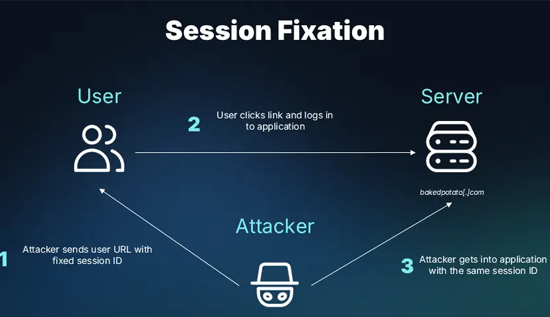
Session Hijacking: How It Works and How to Prevent It
Learn what session hijacking is, how session cookie theft works, common attack signs, and effective prevention strategies to protect accounts and web applications.
 16 Oct 2026
Orphan Pages in SEO: How to Find and Fix Them
Identify orphan pages in SEO and apply practical strategies to improve internal linking and discoverability.
 14 Oct 2026
Topical Authority vs Keyword Density: Which is Better?
Learn the difference between topical authority vs keyword density, how both affect SEO, and how to create helpful content that improves relevance, builds trust, and supports better search rankings.