Fake Browser Update Scams: How to Avoid Them
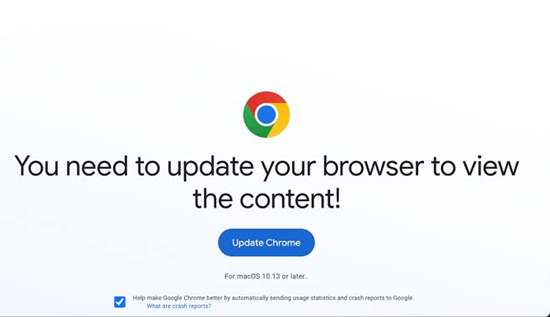
Learn how fake browser update scams work, how to spot fake Chrome update warnings, avoid malware, and safely update your browser.
The internet is full of useful websites, online services, and digital tools, but it also contains scams designed to trick people into installing harmful software. One common example is fake browser update scams, where a website displays a convincing warning claiming that your browser needs an urgent update.
These warnings can look surprisingly realistic. They may use browser logos, familiar colors, technical language, countdown timers, or messages such as “Your browser is out of date.” In some cases, the page may even imitate a legitimate Google Chrome, Microsoft Edge, Firefox, or Safari notification.
The goal is usually not to help you update your browser. Instead, the attacker wants you to download a malicious file, install unwanted software, reveal information, or interact with a dangerous website.
Understanding what is a fake browser update scam, how these attacks operate, and how to recognize suspicious update messages can help you stay safer online.
What Is a Fake Browser Update Scam?
A fake browser update scam is an online deception that falsely claims your web browser requires an update. The warning typically appears while you are visiting a compromised, malicious, or low-quality website.
The message may say:
- “Your browser is out of date.”
- “Update required to continue.”
- “Critical security update available.”
- “Your Chrome version is no longer supported.”
- “Click here to update your browser.”
- “Install the latest version to watch this video.”
The page may provide an Update button that downloads a file. However, instead of installing a legitimate browser update, the file could contain malware or unwanted software.
The important distinction is that a legitimate browser update comes from the browser's official update mechanism or official website. A random webpage generally should not be trusted simply because it displays a browser logo or a professional-looking warning.
How Do Fake Browser Update Scams Work?
Understanding how do fake browser update scams work makes them easier to recognize.
These scams commonly rely on social engineering rather than sophisticated technical attacks. The scammer creates a sense of urgency and convinces the visitor to take an action without checking whether the warning is genuine.
A typical attack can follow several stages.
1. You Visit a Website
The process often begins when someone visits a website. The website itself may be legitimate but compromised, or it may be controlled by an attacker.
Malicious advertising networks, hacked websites, redirects, and suspicious links can all expose users to fake update pages.
2. A Fake Warning Appears
A pop-up or full-page message appears claiming that the browser needs an update.
The page may imitate the appearance of a legitimate browser notification. It may use familiar logos, colors, icons, and terminology.
3. The Message Creates Urgency
The scam may claim that your browser has a security problem or that the website will not work unless you install the update.
Urgent language is useful to scammers because people are more likely to click quickly instead of investigating.
4. You Are Asked to Download a File
The page provides an update button. Clicking it may download an executable program, archive, script, or another potentially dangerous file.
The downloaded file may have a name that looks legitimate.
5. Malware May Be Installed
If the user opens and installs the downloaded file, it may introduce malicious software onto the computer.
Depending on the malware, the consequences could include stolen passwords, browser data theft, unwanted extensions, remote access, or other security problems.
This is why fake browser update malware can be more dangerous than an ordinary misleading advertisement.
Why Are Fake Browser Updates Dangerous?
A fake update can create several cybersecurity risks.
Malware Installation
The most obvious danger is malware. A fake update installer can contain malicious code that attempts to compromise the device.
Password Theft
Some malware is designed to collect saved credentials or information stored in browsers.
If sensitive accounts are compromised, attackers may attempt to access email, social media, shopping, financial, or other online services.
Browser Hijacking
Some unwanted programs modify browser settings. They may change the homepage, default search engine, or new-tab page.
Malicious Browser Extensions
A fake update may encourage users to install an extension. A malicious extension could potentially access browser information or monitor browsing activity.
Unwanted Software
Not every fake update installs traditional malware. Some install potentially unwanted applications that display advertisements, change browser settings, or interfere with normal computer use.
Identity and Privacy Risks
A compromised browser can expose personal information, browsing data, and other sensitive details.
For this reason, an unexpected browser update warning should be treated carefully.
How to Spot a Fake Browser Update
Learning how to spot a fake browser update is one of the simplest ways to reduce your risk.
1. Look at Where the Message Appears
A major warning sign is an update message appearing inside a random webpage.
For example, you visit a website and suddenly see:
“Your Chrome browser needs an immediate security update.”
That does not automatically mean the message is legitimate.
A website can display almost any text it wants. Seeing a Chrome logo does not prove that Google generated the warning.
2. Check the Website Address
Look carefully at the address bar.
If the page is claiming to provide a Chrome update but the domain looks unrelated, misspelled, or suspicious, do not download anything.
For example, a website using a strange domain while pretending to be an official browser update source should raise suspicion.
However, remember that attackers can sometimes compromise legitimate websites. The safest approach is to update through the browser itself rather than trusting a webpage.
3. Be Suspicious of Urgent Messages
Messages such as:
- “Update now or your computer will be damaged.”
- “Your browser expires today.”
- “Immediate action required.”
- “Critical infection detected.”
- “You have 30 seconds to update.”
are common social-engineering techniques.
A legitimate update does not normally need to frighten you into clicking an unknown download button.
4. Watch for Strange Pop-Ups
A browser update notification that looks like an advertisement or webpage pop-up deserves extra attention.
A genuine browser may show update information through its own interface rather than a random website.
5. Check the Downloaded File
Do not assume that a file is safe because its filename contains words such as:
- Chrome
- Browser
- Update
- Security
- Installer
File names can be changed easily.
The appearance of a file is not proof of its legitimacy.
How to Identify a Fake Chrome Update
Learning how to identify a fake Chrome update is particularly important because Google Chrome is widely used.
A fake Chrome update may imitate Google's branding and display a message telling you that Chrome is outdated.
Here are several warning signs.
The Warning Comes From a Website
If a website suddenly tells you to download a Chrome update, do not immediately trust it.
Chrome can update through its normal built-in update system. You do not need to rely on an unexpected download from a random webpage.
The Download Uses an Unfamiliar Website
A suspicious domain, strange URL, excessive redirects, or an unexpected file-hosting website can indicate a scam.
The Message Contains Poor Grammar
Spelling and grammar errors can sometimes expose fraudulent pages.
However, good grammar does not guarantee that a website is legitimate. Modern scams can be professionally designed.
The Update Requires Unusual Actions
Be cautious if a supposed browser update tells you to:
- Disable security software
- Turn off antivirus protection
- Install an unknown extension
- Run commands
- Open unusual system tools
- Give an unknown program administrator access
- Download several unrelated files
A browser update should not require suspicious workarounds.
The Page Uses Fear
A message saying your files will immediately disappear unless you click an update button is highly suspicious.
Scammers often use fear to prevent users from thinking carefully.
Fake Browser Update vs Real Browser Update
Understanding the difference between legitimate and fake updates can help.
| Fake Browser Update | Legitimate Browser Update |
|---|---|
| Often appears as a webpage pop-up | Usually handled by the browser |
| May use suspicious websites | Uses the browser's legitimate update system |
| Creates extreme urgency | Provides normal update information |
| May download an unknown file | Uses trusted update mechanisms |
| May ask you to disable security tools | Should not require suspicious security changes |
| Often relies on fear or deception | Provides standard update controls |
There can be exceptions, so the appearance of an update alone is not enough to determine whether it is genuine.
The safest habit is to avoid clicking unexpected update advertisements and check the browser's own settings.
How to Avoid Fake Browser Updates
If you want to know how to avoid fake browser updates, the most important rule is simple: do not download browser updates from unexpected pop-ups.
Instead, use the browser's built-in update process.
Use the Browser's Official Update System
Modern browsers generally provide their own method for checking updates.
If you think your browser may be outdated, open the browser's settings yourself rather than clicking an update advertisement.
This prevents a suspicious webpage from controlling where your download comes from.
Keep Your Operating System Updated
Browser security also depends on the operating system.
Keep Windows, macOS, Linux, Android, or other supported systems updated according to the manufacturer's recommendations.
Operating system updates can include important security fixes.
Use Security Software
A reputable security solution can provide another layer of protection against malicious downloads.
Keep your security software and its detection database updated.
However, security software should not replace careful browsing habits.
Think Before Downloading
Before downloading an installer, ask:
- Did I request this update?
- Where did this download come from?
- Is the source official?
- Does my browser actually report that an update is needed?
- Is the website trying to scare me?
- Does the file look unusual?
Taking a few seconds to check can prevent a serious mistake.
Do Not Trust Browser Logos Alone
One common mistake is assuming that a familiar logo means the message is genuine.
Scammers can copy:
- Chrome logos
- Firefox logos
- Edge branding
- Safari-style icons
- Security company logos
- Operating system graphics
A logo is simply an image. It does not prove who created the page.
Instead of asking, “Does this look like Chrome?” ask, “Did Chrome itself provide this notification through its normal update system?”
That change in thinking can make suspicious messages easier to identify.
Common Types of Fake Browser Update Scams
Fake update attacks can appear in different forms.
Fake Video Player Update
A website may claim that you need a browser update to watch a video.
The page then provides a download.
This technique can be especially effective because the user wants to access the content quickly.
Fake Security Update
A warning may claim that the browser has a serious security vulnerability.
The user is encouraged to install a supposed security update.
The irony is that the “security update” may actually be the source of the security problem.
Fake Browser Extension Update
Some scams encourage users to install or update a browser extension.
The extension may have unwanted or malicious behavior.
Fake System Warning
The message may look like an operating system warning instead of a browser notification.
It could claim that the computer is infected or that browser functionality has been blocked.
Fake Chrome Update
A fake Chrome update may copy Google's visual branding and tell users that their Chrome version is outdated.
This is one reason users should learn how to identify a fake Chrome update instead of trusting visual appearance.
What Is Fake Browser Update Malware?
Fake browser update malware refers to malicious software distributed through fraudulent browser-update messages.
The fake update itself is often the delivery mechanism.
For example, an attacker may create a webpage that says:
“Chrome update required.”
The user downloads an installer believing it is legitimate.
The downloaded program may instead contain malware.
The exact consequences depend on the type of malicious software involved. Some malware can steal information, while other types may modify system settings or provide unauthorized access.
This is why users should never assume that a file is safe simply because a webpage calls it an “update.”
What to Do If You Clicked a Fake Update
Accidentally clicking a suspicious update does not necessarily mean your device has been compromised.
The response depends on what happened.
If You Only Opened the Webpage
Close the tab or browser window.
Do not download or install anything.
If a File Was Downloaded
Do not open it.
Delete the suspicious download if you are confident it is unwanted, and run a security scan using trusted security software.
If You Installed the Program
Take the situation more seriously.
Disconnecting the affected device from the internet can be a reasonable precaution while you investigate, particularly if you suspect malware has been installed.
Run a security scan using reputable security software and consider asking a qualified technician for assistance.
If You Entered a Password
If you entered credentials into a suspicious website, change the affected password through the legitimate service's official website.
If the account supports multi-factor authentication, enable it.
Also review recent account activity for anything unusual.
How to Safely Update Your Browser
The safest approach is to initiate the update yourself.
Instead of clicking an unexpected message:
- Open your browser normally.
- Open its settings or help/about section.
- Find the browser's update information.
- Allow the browser to check for updates.
- Install an available legitimate update.
- Restart the browser if required.
The exact menu names vary between browsers and operating systems.
The key principle remains the same: start the update from the browser itself rather than from a suspicious webpage.
Fake Browser Update Scams on Mobile Devices
Fake browser updates are not limited to desktop computers.
Mobile users can also encounter deceptive pop-ups claiming that their browser or device requires an update.
For example, a website may display a message saying:
“Your browser is outdated. Download the latest version.”
The safest approach is to update mobile applications through the official app store or the device's normal software-update mechanism.
Avoid installing applications from unfamiliar websites simply because a pop-up tells you that an update is necessary.
Why People Fall for Browser Update Scams
These scams work because they exploit normal online behavior.
People expect browsers to receive updates. They also understand that security updates are important.
Scammers take advantage of that knowledge.
A fake message can therefore sound believable:
“Your browser requires a security update.”
The problem is not the idea that browsers need updates. They do. The problem is allowing an untrusted webpage to decide when and where you should install one.
Other psychological techniques include:
- Urgency
- Fear
- Authority
- Familiar branding
- Fake technical language
- Countdown timers
- Warnings about security problems
Recognizing these techniques can help users slow down before clicking.
Browser Update Scam Red Flags Checklist
When you see a suspicious update message, look for several warning signs at once.
Be cautious if:
- The message appears unexpectedly.
- It comes from a random website.
- The page uses aggressive warnings.
- The download button is prominent and urgent.
- The domain looks unfamiliar.
- The downloaded file has an unusual extension.
- You are asked to disable antivirus protection.
- You are told to install an unknown extension.
- The message contains strange grammar.
- The page claims your device is infected without performing a legitimate scan.
- The browser's own settings do not show an update.
One warning sign does not always prove that a page is malicious. However, several warning signs together should make you stop and verify the message.
Best Practices for Safer Browsing
Avoiding fake update scams is part of a broader cybersecurity routine.
Keep Software Updated
Use official update channels for browsers, operating systems, applications, and security software.
Use Strong, Unique Passwords
Do not reuse the same password across important accounts.
Enable Multi-Factor Authentication
MFA can provide additional protection if a password is compromised.
Be Careful With Downloads
Only download software from trusted sources.
Avoid Suspicious Links
Be cautious with links received through unexpected emails, messages, advertisements, or social media posts.
Back Up Important Files
Regular backups can reduce the impact of certain security incidents.
Educate Other Users
If you share a computer with family members, friends, or colleagues, explain how fake update scams work.
A single person clicking a malicious installer can create a security problem for an entire environment.
Frequently Asked Questions
What is a fake browser update scam?
A fake browser update scam is a deceptive message that falsely claims a browser needs an update. The scam may attempt to convince users to download malware or unwanted software.
How do fake browser update scams work?
They usually use a fraudulent webpage, pop-up, advertisement, or redirect to display a convincing update warning. The user is then encouraged to download and install a supposedly legitimate browser update.
How can I spot a fake browser update?
Check where the warning came from, avoid unexpected downloads, inspect the website address, and verify the browser's update status through its own settings.
How can I identify a fake Chrome update?
Do not rely on the Chrome logo or appearance of a webpage. Instead, open Chrome yourself and check its built-in update section. Avoid downloading Chrome updates from unexpected pop-ups.
Can a fake browser update install malware?
Yes. A fraudulent update installer can potentially distribute malware or unwanted software.
Should I click an update pop-up?
If the pop-up appears unexpectedly on a website, avoid clicking it. Instead, check for updates through the browser's legitimate settings.
Are fake browser updates only a desktop problem?
No. Similar deceptive messages can target mobile users. Mobile software should be updated through the device's legitimate app store or system-update mechanism.
Final Thoughts
Fake browser update scams are a simple but effective form of online deception. They take something normal—browser updates—and use it to make a malicious download appear trustworthy.
The best defense is to control the update process yourself.
If a random webpage tells you that Chrome, Edge, Firefox, or another browser needs an urgent update, do not immediately click the download button. Close the message, open your browser directly, and check for updates through its legitimate settings.
Remember these basic rules:
- Do not trust unexpected update pop-ups.
- Do not download browser updates from random websites.
- Do not disable security software because a webpage tells you to.
- Check updates through the browser itself.
- Be cautious with downloaded installers.
- Keep your browser and operating system updated.
- Use security software and multi-factor authentication where appropriate.
Knowing how to avoid fake browser updates, how to spot a fake browser update, and how to identify a fake Chrome update can significantly reduce the chances of accidentally installing malicious software. A few seconds of verification can be much safer than clicking an urgent-looking update message.
More Articles
 21 Oct 2026
Low-Value Content: How to Identify and Fix It
Identify low-value content, improve content quality and fix SEO issues with practical strategies to boost website usefulness.
 20 Oct 2026
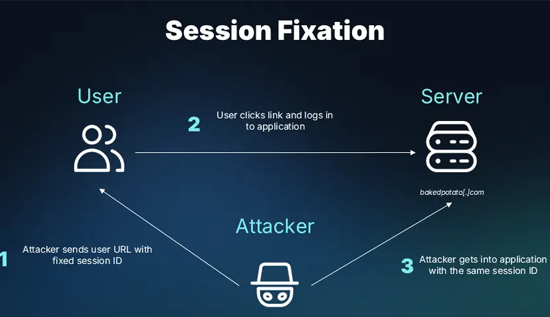
Session Hijacking: How It Works and How to Prevent It
Learn what session hijacking is, how session cookie theft works, common attack signs, and effective prevention strategies to protect accounts and web applications.
 16 Oct 2026
Orphan Pages in SEO: How to Find and Fix Them
Identify orphan pages in SEO and apply practical strategies to improve internal linking and discoverability.
 14 Oct 2026
Topical Authority vs Keyword Density: Which is Better?
Learn the difference between topical authority vs keyword density, how both affect SEO, and how to create helpful content that improves relevance, builds trust, and supports better search rankings.