Can AI Replace UX/UI Designers? The Future of Design
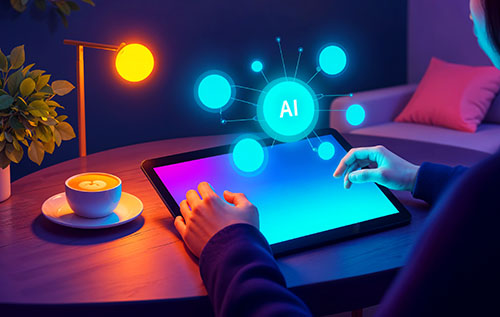
Will AI replace UX/UI designers completely? Explore AI capabilities, design industry changes and future career opportunities.
The way companies make websites, mobile apps and other digital products is changing because of AI. With AI-powered tools, design jobs can be done faster and by more people also. For example, they can make interactive prototypes and website layouts. As these technologies continue to develop, designers and business owners are asking an important question: will AI replace UX designers, or will human creativity remain essential to the future of digital design?
Designing for user experience (UX) and user interface (UI) is an important part of making digital products that people will want to use also. UX design is all about getting to know users, figuring out what they need and making experiences that run smoothly. UI design is all about things that you can see, like colors, fonts, buttons, layouts and interactive parts. Both fields need people who are creative, can solve problems, do research and understand how people act.
AI is changing how these tasks are done. Modern tools can come up with ideas for interfaces, color schemes, how to arrange design elements, how to look at user feedback and how to make prototypes from simple text instructions. These features cut down on work that needs to be done over and over and they let creators try out ideas faster.
The growing influence of AI in UX/UI design has also raised concerns about employment opportunities. Some professionals are afraid that companies will replace whole design teams with AI systems, while others think AI will be more of an aid than a replacement also.
The truth is more complicated. AI can make interfaces that look good but looks aren't the only thing that makes a digital experience good. Designers need to know about the company's goals, what customers want, how to make the site accessible and how people use it.
The article talks about whether AI will replace UX/UI designers, how AI is changing design workflows, which tasks can be done by AI and what skills professionals should get to stay competitive in the design industry as it changes.
Whethever AI is transforming industries beyond design, with new technologies creating opportunities and changing how businesses operate. Read more about the top AI innovations in 2026 to understand the latest developments.
How AI Is Transforming UX/UI Design
Today, AI is becoming an important part of how designers do their work. Usually, UX/UI designers spend a lot of time researching users, making wireframes, prototyping and tweaking visual elements. Many of these tasks can now be done with the help of AI, which helps professionals finish jobs faster.
How AI Is Changing the Design Process
A traditional UX/UI design process usually includes:
- User research: Understanding customer needs, expectations and problems.
- Information architecture: Organizing content and navigation.
- Wireframing: Creating basic layouts and structures.
- Visual design: Selecting colors, typography, images and components.
- Prototyping: Building interactive representations of the product.
- Usability testing: Identifying problems through user feedback.
- Design improvements: Refining the experience based on research.
AI can help with different parts of this process. For instance, will AI replace UX designers use a text prompt to describe a website or app and then get a first plan. AI can also suggest different designs, make up content to fill in gaps, summarize research notes and look for problems that might make something inaccessible also. This means that designers can spend less time making the same things again and more time making the whole experience better for users.
AI is also changing how people discover and interact with online information. Read our guide to AI Overviews vs. Traditional Google Search to see how AI is reshaping digital experiences.
Common Applications of AI in UX/UI Design
Different steps in the design process are getting faster and better with AI, which is changing how designers do their daily work. Artificial intelligence can help professionals save time and find new creative ways to do things, like making website layouts, visual assets and better user experiences. The following are some of the most popular uses:
1. Automatic creation of wireframes and layouts: AI can take written descriptions and turn them into simple layouts for websites or apps also. Instead of building everything by hand, designers can use these ideas as starting points.
2. Prototyping with AI: Some tools can take text descriptions and visual references and turn them into prototypes. This helps teams share their ideas and test concepts faster.
3. Writing about UX and making content: AI can suggest what to call buttons, error messages, onboarding steps and other material for user interfaces. Then, designers can change the words to make them fit with the brand and what users expect.
4. Create support for the system: AI can help you order parts that can be used again, suggest consistent design patterns and find differences between interface elements.
5. Help with accessibility: AI can find possible accessibility problems, such as labels that aren't clear, images that don't have descriptions and colors that don't contrast well enough. But professional review is still important.
Popular AI UI Design Tools
Several tools are becoming useful additions to professional design workflows:
- Figma AI: Supports AI-assisted design workflows and productivity features.
- Uizard: Helps transform text descriptions and sketches into interface concepts.
- Google Stitch: Generates interface designs and frontend code from natural-language prompts.
- Adobe Firefly: Supports the creation and editing of visual assets.
- Galileo AI: Helps generate UI concepts from text descriptions also.
- ChatGPT: Assists with UX brainstorming, research planning, interface copy and design documentation.
These AI UI design tools and AI UX design tools can accelerate design work, but their output still requires professional evaluation. A generated interface may look attractive while containing confusing navigation or poor usability.
Evidence of Growing AI Adoption
The design industry using AI for UX Work are increasingly. Figma polled 2,500 product builders in seven countries for its 2025 AI report to find out how AI was being used by professionals in their daily work.
The Future of Jobs Report 2025 from the World Economic Forum also talks about how technology skills are becoming more important along with human skills like being able to think creatively, be flexible and work with others.
Based on these changes, it looks like AI is starting to be used in everyday professional tasks. But just because adoption is growing doesn't mean that human creators are no longer needed. Professionals are instead learning how to combine old design skills with new technologies.
Will AI Replace UX Designers? What AI Can and Cannot Do
The question will AI replace UX designers does not have a simple yes-or-no answer. Artificial intelligence can already do a few tasks that used to require a lot of manual work also. But there are more duties that come with UX design than just making screens and visual elements.
Tasks AI Can Automate
AI is very good at doing things again, recognizing patterns, and coming up with different versions of designs. Here are some examples:
- Generating design concepts: AI can produce several interface concepts from a short prompt, allowing designers to explore different directions quickly.
- Creating initial wireframes: AI can generate basic layouts for websites, dashboards and mobile applications.
- Producing visual assets: AI image-generation systems can create illustrations, backgrounds, icons and other creative materials.
- Writing interface content: AI can generate draft headlines, navigation labels, product descriptions, and notification messages.
- Summarizing research information: AI can sort feedback, summarize interview transcripts, and find issues that customers keep raising. But the conclusions must be checked against the research that led to them.
- Supporting design quality checks: AI can help find problems with consistency, missing interface parts and possible accessibility issues. This is why companies are adding AI to their design teams: to do these things. Things that used to take hours may now only take a few minutes.
Tasks That Still Require Human Designers
Although AI is becoming more capable, several important responsibilities remain difficult to automate reliably.
- Understanding human emotions and behavior: will AI replace UX designers need to know what makes users angry or excited, as well as why they act the way they do. For example, people may abandon an online shopping cart because there are hidden fees, not enough payment choices, or security concerns.
- Conducting meaningful user research: To find out what real people's experiences are like, professional designers and researchers do things like usability tests, surveys and observation sessions. AI can summarize data, but made-up customers and fake feedback shouldn't be used instead of real customer proof.
- Making complex design decisions: Designers must balance usability, accessibility, branding, technical limitations and business objectives.
- Building a consistent brand experience: For a digital product to be successful, it needs to show the right character and personality. When making creative choices, designers think about how to position a brand, what people expect from them and how people feel.
- Collaborating with stakeholders: People who work in UX/UI talk to business owners, product managers, developers and marketers.
Human Designers vs AI: Understanding the Differences
The comparison between human designer’s vs Ai is not necessarily about determining which is better. Each one is strong in different ways.
AI offers speed, automation and coming up with ideas quickly. Human designers bring empathy, creativity, the ability to think strategically and good professional sense to the job. Rather than relying on just one ability, the best method is used together.
Can AI Replace UX/UI Designers Completely?
The question AI replacing graphic and UI designers completely becomes easier to answer when we distinguish between producing an interface and designing an entire user experience.
AI might be able to make a simple website layout, but to make a full digital product, you must think about things like customer needs, navigation, accessibility, information architecture and business goals.
Example: Building a Website for a Small Business
A small restaurant wants a professional website but has a limited design budget. AI-powered tools can generate an initial website structure, suggest color combinations, create promotional graphics and draft menu descriptions.
A human designer can then refine the website by establishing a consistent brand identity, organizing menu and booking information, improving mobile usability, making contact details easy to access and reviewing the final layout.
These examples demonstrate how AI is changing UX/UI design is closely connected to productivity and collaboration. AI can make design work faster, but the quality of the final experience still depends on understanding users.
Good UX design also contributes to website performance and usability. Learn how to evaluate your website using a website audit score and identify areas for improvement.
The Future of UX Design: Will AI Replace UI Designers?
The future of UX design will combine automation, human creativity and collaboration between design and development teams. As AI gets better, it might get easier to do things repeatedly, but people with design and technical skills will also be able to find new jobs.
1. Designers Will Focus More on Strategy: AI can do jobs that need to be done again, so designers have more time to learn about what customers want and how to meet business goals. Their duties will include more of the following: creating strategies that focus on the person, making the customer journey better, finding problems with usability and judging how well a product works.
2. AI-Assisted Design Will Become More Common: AI will become more a part of everyday design work. Design professionals can use it to make layouts, prototypes, documentation and to find mistakes. However, human knowledge will still be needed to check the results that AI produces and make sure of the quality of the designs.
3. UX Research Will Become More Data-Driven: AI can help researchers analyze customer feedback, summarize interviews and identify recurring problems also. However, will AI replace UX researchers remain an important question. Research professionals are still needed to conduct interviews, identify biases and understand real user behavior.
4. Demand for AI and Design Skills Will Increase: People who work in design will need to learn skills that work with AI technology, such as prototyping with the help of AI, needs to write and evaluate quickly, plan how to manage the system, UX research and testing for ease of use, designing for accessibility and inclusion and analyzing data and making plans for products also.
The Future of Jobs Report 2025 from World Economic Forum shows that technological skills are becoming more important along with human skills like creativity and teamwork.
5. New Design Opportunities Will Emerge: Adopting AI could lead to opportunities in a few areas, such as: AI design for product experience, designing a conversational interface, AI and human relationship design, AI design for mobility, planning how to manage automation and digital experiences that are unique to you.
Will AI Replace UI Designers in the Future?
AI replacing graphic and UI designers in the future depends on the complexity of their responsibilities. Basic visual production, layouts that are used again and small changes to interfaces may be automated increasingly.
One the other hand, a good UI designer who knows about branding, visual hierarchy, accessibility and interaction design can do a lot more than just make things work automatically. To stay competitive, you need to learn how to use AI well, be creative and solve problems.
As technology evolves, professionals need to develop skills that combine technical knowledge and creative problem-solving. Explore the essential embedded software developer skills to learn more about emerging technology careers.
How UX/UI Designers Can Prepare for an AI-Powered Future
People who work in UX/UI shouldn't just worry about AI taking their jobs; they should also work on getting AI to help them do their jobs. Being able to use AI well and still having strong design fundamentals is important for professionals who want to stay competitive.
1. Get to know how to use AI design tools: will AI replace UX designers should learn how to use tools that help them do their jobs. Try out these things to begin: Figma AI for design workflows with AI help, Wiz for wireframing and coming up with ideas for interfaces, Google Stitch for making prompt-based interfaces, adobe Firefly for making graphic assets and ChatGPT to come up with ideas, write UX content and plan research.
2. Strengthen User Research Skills: One of the most important areas where understanding people makes a difference is in user research. Designers should learn how to talk to customers, come up with good research questions, test usability, look at feedback and figure out what users don't like about a product.
3. Develop Strong UX Strategy Skills: It's important for designers to know why a product needs certain features and how those features help the business reach its goals. As an example, making the checkout process better is more than just making the interface look better. It could mean getting rid of steps that aren't needed, building trust and responding to customer concerns.
Developing skills in conversational interfaces can also help designers prepare for new digital experiences. Read our guide to conversational UX design for practical tips and examples.
4. Improve Communication and Collaboration: People who work in design should learn how to clearly explain their choices. They talk to business owners, developers, product managers and marketers daily. Good communication is important to make sure that design solutions work and meet the needs of the business.
5. Build a Portfolio That Demonstrates Problem-Solving: There should be more than just pretty screenshots in a strong UX/UI portfolio. Include case studies that show how: what you were trying to fix, the research method and the people you want to reach, your choices about design, how AI was used in the work process, the difficulties you faced and changes were made after testing when they can be measured, final results also.
6. Understand the Limitations of AI: The designs made by AI are not always correct, unique, easy to use or right. AI output should be checked by designers for wrong data, visual elements that don't match up, accessibility issues, privacy risks and cultural misunderstandings. Professionals who know these limits can use AI in a smart way that keeps the quality of their work high also.
Beyond design knowledge, developing relevant technical abilities can help professionals stay competitive. Check out the top technology skills in Cambodia to identify valuable skills for the evolving technology industry.
Conclusion
So, will AI replace UX designers? The most realistic answer is that AI will transform UX/UI design, automate repetitive tasks and change the skills that employers want from workers. Human designers probably won't be completely replaced, though, because good digital experiences need more than just nice graphics and automated layouts.
AI can generate wireframes, create visual assets, suggest interface improvements and produce prototypes. These capabilities demonstrate how AI is changing UX/UI design, making the design process faster and creating new opportunities for innovation.
Despite this, human expertise is still needed to understand how customers feel, do useful research and create accessible experiences also. Although AI can analyze feedback, will AI replace UX researchers remains an important question because human researchers are still needed to understand real user behavior and motivations.
Similarly, will AI replace UI designers in the future depends on how the roles of designers change over time also. Some visual jobs and basic layouts might be automated, but creative designers who know about brands can think strategically and understand what users want will still be in high demand.
AI should not be seen as a threat to designers; instead, it should be seen as a tool that helps them do their job. Professionals can stay competitive by learning AI tools, improving their UX research skills and getting better at fixing problems.
In the end, the future of design will belong to people who use technology, creativity and thinking about people to make better digital experiences.
With the right combination of creativity, technical knowledge and adaptability, UX/UI professionals can continue building rewarding careers. Explore UX/UI designer career opportunities at Loma Technology to learn more about working in the digital design industry.
Read More:
More Articles
 04 Nov 2026
Sovereign Cloud: Benefits, Security & How It Works
Understand sovereign cloud benefits, security challenges, data sovereignty and how to choose the right cloud services for your business.
 03 Nov 2026
Website Security Vulnerabilities: How to Find & Fix
Learn how to find website security vulnerabilities, use vulnerability scanners, perform security testing, and fix common website security issues.
 30 Oct 2026
How to Get Your Website Mentioned in AI Search Results
Learn how to get your website mentioned in AI search with proven SEO strategies technical improvements and authority-building tips.
 28 Oct 2026
Broken Internal Links: How to Find and Fix Them
Learn how to find and fix broken internal links, resolve 404 errors, improve user experience, and strengthen your website's internal linking SEO.