How to Protect Your Passwords in the AI World
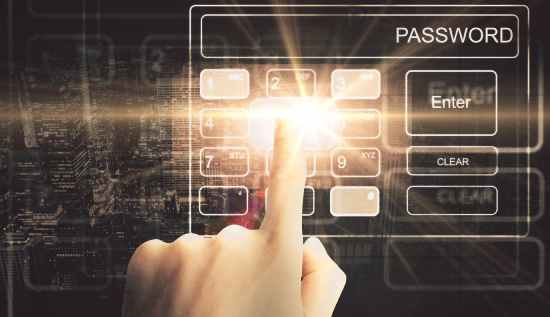
How to protect your passwords in the AI era with stronger passphrases, secure apps, and online safety methods.
Artificial intelligence is already revolutionizing the way people work, interact and secure their digital lives. The internet has seen significant transformations in recent years, and these changes are currently taking place. Despite the fact that, AI technologies increase efficiency and convenience, they also introduce new cybersecurity concerns. Questions such as "can AI guess your password” and “how hackers use AI to steal passwords" are being asked by a significant number of people at the moment. These fears are warranted due to the fact, that cybercriminals are increasingly employing technologies powered by artificial intelligence in order to automate assaults and find weak passwords more quickly than ever before.
Having a solid understanding of, how to protect your passwords has become an absolute necessity for anyone who makes use of social media platforms, online banking, gaming accounts, email services, or cloud storage. The conventional methods of generating passwords are no longer sufficient in the contemporary digital environment. In this day and age of how to protect passwords in AI era in a matter of seconds, people need to learn how to protect their passwords securely.
This article analyzes the most recent dangers to passwords, provides an AI hacking passwords explained in terms that are easy to understand and offers practical recommendations for enhancing digital security. You will also discover the most effective strategies for generating secure passwords, keeping them in a secure location and protecting your accounts from online attacks, that are driven by current artificial intelligence.
Why Password Security Matters More Than Ever
Almost all internet services will need users to have passwords by the year 2026. Passwords are used to safeguard personal information and financial data across a variety of platforms, including banking apps, school accounts and streaming sites. Notwithstanding this, weak passwords continue to be one of the most significant cybersecurity risks across the globe.
Hackers of today no longer rely solely on guesswork to accomplish their goals. The usage of artificial intelligence systems that study user activity, leaked databases and common password patterns is now commonplace. This is the reason why it is essential for individuals and organizations alike to have a solid understanding of password security in AI world 2026.
The following are examples of passwords that are still used by many people:
- 123456
- password123
- qwerty
- birthdays
- pet names
These patterns can be instantaneously identified by AI systems. It is common practice for cybersecurity experts to use machine learning algorithms when discussing the AI hacking passwords explained. These algorithms analyze millions of real-world passwords in order to make more accurate predictions about future password combinations.
As a result of this, it is no longer a choice to acquire the knowledge necessary, how to protect your passwords. Being safe when using the internet requires that you do this.
Can AI Guess Your Password?
The issue "can AI guess your password?", is currently one of the most frequently asked questions regarding cybersecurity.
The answer is yes, particularly in the case where the password is straightforward, easily guessed, or overused.
In order to function, password-cracking algorithms, that are driven by artificial intelligence analyze massive numbers of stolen login credentials from previous data breaches. In comparison to traditional software, these algorithms are able to recognize patterns and produce likely password combinations on a much faster basis.
On the other hand, AI is able to recognize patterns such as:
- Replacing “a” with “@”
- Adding “123” at the end
- Using common words with symbols
- Combining names with birthdays
Users are cautioned by professionals in the field of cybersecurity to avoid making simple changes to passwords that are not strong enough.
When specialists are addressing the AI hacking passwords explained, they point out that AI is capable of processing billions of different password combinations in a very short amount of time. Artificial intelligence algorithms may ultimately be able to predict your password if it follows common human tendencies.
Therefore, when people question, "can AI guess your password?" the answer that is really possible is that those with weak passwords are extremely susceptible to attacks from modern AI.
How Hackers Use AI to Steal Passwords
Users can better appreciate the gravity of today's cyber risks, if they have a better understanding of how hackers use AI to steal passwords.
Artificial intelligence is used by hackers in a number of risky ways:
1. Automated Password Cracking
AI tools are able to test millions of different password combinations against login pages and hashes of passwords, that have been compromised.
2. Phishing Email Generation
AI is capable of producing phishing communications that, are convincing, and, impersonate well-known businesses. These bogus emails, are designed to deceive people into divulging their passwords.
3. Social Media Analysis
In order to gather personal information, such as birthdays, interests, pet names or preferred sports teams, artificial intelligence (AI) searches through public profiles. The data is then utilized by hackers in order to guess passwords.
4. Credential Stuffing
Using stolen credentials from one website, artificial intelligence can automate assaults, that allow users to access accounts on other sites.
5. Voice and Deepfake Attacks
In order, to trick consumers into divulging their login information, advanced artificial intelligence may imitate voices or produce false films.
Experts now place a greater emphasis on the importance of how to protect your passwords in AI era, which are characterized by attacks that, are more clever and automated than in the past.
AI Cyber Attacks on Passwords Are Increasing
There has been a significant increase in the number of AI cyber attacks on passwords in recent years. Hacking groups that are fueled by artificial intelligence are constantly launching attacks against businesses, schools, hospitals and government systems.
AI-driven attacks, in contrast to traditional forms of cybercrime, are able to adapt in real time. If a particular attack tactic is unsuccessful, artificial intelligence systems are able to rapidly switch strategies and continue investigating new weaknesses.
The following are some examples of AI cyber attacks on passwords:
- Smart brute-force attacks
- AI-generated phishing campaigns
- Automated credential theft
- Behavioral password prediction
- AI-enhanced malware
Cybercriminals gaining access to more sophisticated tools as artificial intelligence technology continues to advance. It is for this reason that it is becoming increasingly vital for people all over the world who use the internet to learn, how to protect your passwords.
How to Create Strong Password That Cannot Be Hacked
There are a lot of users that look for, how to create strong password that cannot be hacked on the internet because they want to have the highest possible level of security against hackers.
A strong password significantly reduces the likelihood of a password being compromised, even if there is no password that is totally impossible to crack.
These are the most effective procedures:
Use Long Passwords
AI algorithms have a more difficult time cracking passwords, that are longer. Attempt to get a minimum of 14–18 characters.
Combine Different Character Types
Use:
- Uppercase letters
- Lowercase letters
- Numbers
- Symbols
Avoid Personal Information
Never include:
- Birthdays
- Names
- Phone numbers
- Addresses
Use Random Passphrases
It is simpler to remember a passphrase, but it is more difficult to decipher.
Take, for instance:
BlueTiger$Mountain!Coffee92
Never Reuse Passwords
The use of the same password across several websites exposes users to significant dangers.
It is necessary to understand these principles in order to learn how to create strong password that cannot be hacked, in the current cybersecurity landscape, which is driven by artificial intelligence.
Best Way to Store Passwords Safely Online
Another essential aspect of cybersecurity is determining the best way to store passwords safely online.
There are still a lot of individuals, who store their credentials in risky areas like:
- Notes apps
- Text documents
- Browsers without security settings
- Messaging apps
In the event that devices become infected with malware, this produces significant concerns.
Utilizing a reliable password manager serves as, the best way to store passwords safely online. Users can establish one-of-a-kind passwords for each account with the assistance of password managers which encrypt login credentials in a secure manner.
Some advantages include:
- Encrypted password storage
- Automatic password generation
- Cross-device syncing
- Security alerts
- Two-factor authentication support
Users are also notified by certain password managers once their passwords, are discovered in vulnerable databases.
It is crucial to get knowledge on the best ways to store passwords safely online, because malware powered by artificial intelligence is increasingly targeting insecure password files.
How to Protect Passwords on Mobile Phone
Smartphones contain enormous amounts of personal information, making mobile security extremely important. Understanding how to protect passwords on mobile phone is now a critical cybersecurity skill.
Enable Biometric Security
Use:
- Fingerprint scanning
- Face recognition
- Secure PIN codes
Avoid Public Wi-Fi
Hackers can intercept login information on unsecured networks.
Keep Apps Updated
Security updates patch vulnerabilities that hackers exploit.
Use Mobile Antivirus Protection
Reliable security apps help detect malware and suspicious activity.
Lock Sensitive Apps
Some devices allow extra authentication for banking or password apps.
Avoid Downloading Unknown Apps
Malicious applications may steal login credentials in the background.
By following these steps, users can significantly improve how to protect passwords on mobile phone systems against AI-powered cyber threats.
How to Know If Your Password Is Hacked
Many people do not realize their accounts have already been compromised. Knowing how to know if your password is hacked can help users respond quickly before serious damage occurs.
Common warning signs include:
Unexpected Login Notifications
Emails about logins from unfamiliar devices or locations may indicate unauthorized access.
Password Reset Emails
Receiving password reset requests you did not initiate is a warning sign.
Locked Accounts
Repeated failed login attempts can temporarily lock accounts during attacks.
Strange Account Activity
Look for:
- Sent messages you did not create
- Unauthorized purchases
- Missing files
- Modified account settings
Security Alerts from Services
Some websites notify users when passwords appear in leaked databases.
Understanding how to know if your password is hacked allows users to act immediately by changing passwords and enabling additional security protections.
Why Two-Factor Authentication Matters
One of the best defenses against AI cyber attacks on passwords is two-factor authentication (2FA).
2FA requires two forms of verification:
- Your password
- A second code or device confirmation
Even if hackers steal your password, they usually cannot access the account without the second authentication factor.
Popular 2FA methods include:
- Authentication apps
- SMS verification
- Hardware security keys
- Email verification
Cybersecurity experts strongly recommend 2FA as part of modern password security in AI world 2026 strategies.
Common Password Mistakes People Still Make
Despite increased awareness, many users continue risky habits that make passwords vulnerable.
Reusing Passwords
This remains one of the biggest cybersecurity mistakes.
Using Short Passwords
Short passwords are easier for AI systems to crack.
Saving Passwords in Browsers Without Protection
Unsecured browsers can expose login credentials.
Sharing Passwords Through Messages
Messaging apps may not provide sufficient encryption.
Ignoring Security Updates
Outdated devices contain exploitable vulnerabilities.
Avoiding these mistakes is essential for anyone learning how to protect passwords in AI era environments.
Future Trends in Password Security
Experts believe password security will continue evolving rapidly.
Emerging technologies include:
- Passwordless authentication
- Biometric verification
- AI-driven threat detection
- Behavioral authentication
- Hardware security keys
However, passwords are unlikely to disappear completely anytime soon. This means understanding how to protect your passwords will remain important for years to come.
As AI becomes more advanced, both cybersecurity companies and hackers will continue developing smarter systems. The challenge for users is staying informed and practicing good security habits consistently.
Practical Daily Habits for Better Password Safety
Improving password security does not require advanced technical knowledge. Small daily habits can make a huge difference.
Recommended Habits
- Change passwords regularly
- Use unique passwords for every account
- Enable two-factor authentication
- Monitor account activity
- Avoid suspicious links
- Use encrypted password managers
- Keep devices updated
- Avoid sharing passwords
These habits strengthen overall password security in AI world 2026 and reduce vulnerability to AI-powered attacks.
Conclusion
Artificial intelligence is transforming cybersecurity in both positive and dangerous ways. While AI helps improve digital protection systems, hackers also use it to launch smarter attacks against individuals and organizations.
Understanding AI hacking passwords explained helps users recognize why modern password protection matters more than ever. Questions like “can AI guess your password” are no longer theoretical concerns. Weak passwords are highly vulnerable to AI-driven cracking systems.
Fortunately, users can still protect themselves effectively by learning how to protect your passwords, practicing better security habits, and using modern protection tools.
Strong passwords, password managers, two-factor authentication, and regular security awareness all play major roles in defending against AI cyber attacks on passwords.
Most importantly, people must stay informed about how hackers use AI to steal passwords so they can adapt to changing cybersecurity threats. By understanding how to protect passwords in AI era technologies, users can significantly reduce the risk of identity theft, financial loss, and account compromise.
The future of cybersecurity will continue evolving, but strong password habits remain one of the most powerful defenses available today.
Read More: AI for Carbon Reduction: Smarter, Data-Driven Sustainability in 2026
More Articles
 21 Oct 2026
Low-Value Content: How to Identify and Fix It
Identify low-value content, improve content quality and fix SEO issues with practical strategies to boost website usefulness.
 20 Oct 2026
Session Hijacking: How It Works and How to Prevent It
Learn what session hijacking is, how session cookie theft works, common attack signs, and effective prevention strategies to protect accounts and web applications.
 16 Oct 2026
Orphan Pages in SEO: How to Find and Fix Them
Identify orphan pages in SEO and apply practical strategies to improve internal linking and discoverability.
 14 Oct 2026
Topical Authority vs Keyword Density: Which is Better?
Learn the difference between topical authority vs keyword density, how both affect SEO, and how to create helpful content that improves relevance, builds trust, and supports better search rankings.