Mobile Security in Cambodia: How to Protect Your Phone
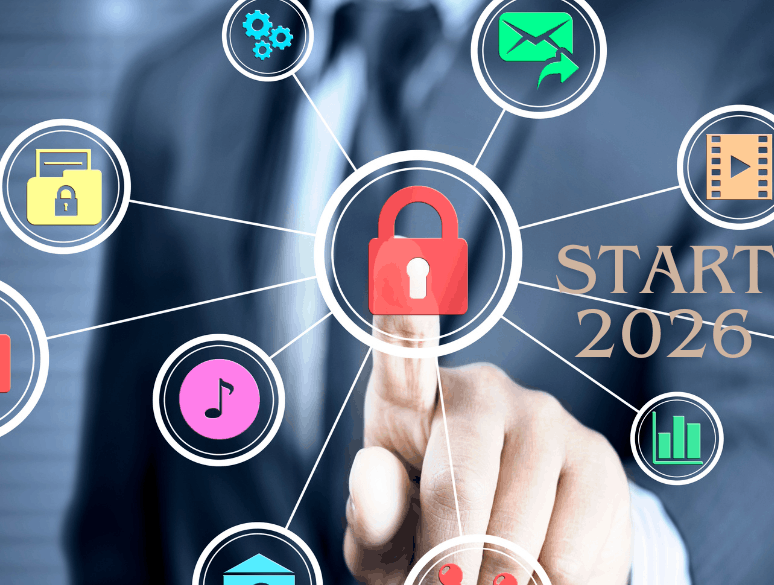
Learn essential mobile security in Cambodia tips to protect your smartphone from hackers, malware, scams, data theft, unsafe apps, and online threats.
Smartphones have become an essential part of everyday life in Cambodia. People use their phones for communication, social media, online shopping, banking, digital payments, work, education, entertainment, and accessing important personal accounts. With so much information stored on one device, mobile security in Cambodia is more important than ever.
A smartphone can contain private photos, messages, contacts, passwords, financial information, emails, documents, and access to social media accounts. If criminals gain access to the device or one of its accounts, the consequences can include identity theft, financial loss, privacy violations, or account takeover.
The good news is that improving smartphone security Cambodia does not require advanced technical knowledge. Simple habits such as keeping software updated, using strong screen locks, downloading apps carefully, and recognizing phishing messages can significantly reduce risk.
This guide explains practical phone security tips, common mobile threats, and steps you can take to improve your mobile cybersecurity.
Why Mobile Security Matters in Cambodia
Smartphones are increasingly connected to essential digital services. Many users rely on mobile apps for banking, payments, messaging, transportation, shopping, and business.
This makes a compromised phone potentially valuable to cybercriminals.
For example, an attacker might attempt to:
- Steal passwords or login credentials
- Access personal messages and photos
- Take control of social media accounts
- Trick users into installing malicious apps
- Capture sensitive information through phishing
- Access financial accounts
- Monitor activity through malicious software
- Use stolen accounts to scam friends and family
Mobile security therefore involves more than protecting the physical phone. It also means protecting your accounts, applications, connections, and personal information.
Common Mobile Security Threats
Understanding common threats is one of the best ways to improve mobile security Cambodia.
1. Phishing Messages
Phishing is a major cybersecurity problem across many countries, including Cambodia. Attackers may send messages through SMS, email, social media, or messaging platforms.
A message might claim that:
- Your account needs verification
- You have won a prize
- Your package requires payment
- Your bank account has a problem
- Your account will be suspended
- You need to click a link urgently
The goal is usually to convince you to provide information or visit a malicious website.
Never assume a message is genuine simply because it looks professional or uses a familiar company name.
2. Malicious Applications
Unofficial or modified applications can contain malware. Some apps may request excessive permissions or behave differently from what their description suggests.
For example, a simple utility app probably should not require access to your contacts, microphone, messages, and location without a clear reason.
Learning how to protect your smartphone from malware starts with downloading applications only from reputable sources and reviewing permissions carefully.
3. Fake Websites
Cybercriminals can create websites that closely resemble legitimate banking, shopping, social media, or payment services.
A fake website may attempt to collect your username, password, verification code, or payment information.
Before entering sensitive information, check the website address carefully and avoid clicking suspicious links.
4. Account Takeover
Even when your phone itself is secure, an online account can be compromised through a stolen password.
Using the same password across multiple services makes the problem worse. If one password is exposed, attackers may try it on other accounts.
Strong, unique passwords and multi-factor authentication are important parts of smartphone cybersecurity.
5. Unsafe Public Wi-Fi
Public Wi-Fi can be convenient in cafés, hotels, airports, shopping centers, and other locations. However, users should be cautious about unknown networks.
A fake Wi-Fi hotspot can potentially be used to trick people into connecting or visiting unsafe websites.
Avoid performing highly sensitive activities on unknown networks unless you have appropriate security protections.
10 Essential Mobile Security Tips for Cambodia
1. Use a Strong Screen Lock
Your screen lock is the first barrier protecting your phone if it is lost or stolen.
Use a strong PIN or password rather than an easily guessed number. If your device supports fingerprint or facial authentication, you can use it together with a secure backup PIN or password.
Avoid obvious combinations such as birthdays, repeated numbers, or simple patterns.
A screen lock is especially important because smartphones can provide access to email, social media, payment apps, and other accounts.
2. Keep Your Phone Updated
Software updates are an important part of mobile security in Cambodia.
Manufacturers regularly release updates that fix security vulnerabilities and improve device protection. Delaying updates can leave known weaknesses unpatched.
Enable automatic updates where practical, and install official operating-system updates promptly.
You should also update applications regularly because app developers may release security fixes separately from the phone's operating system.
3. Download Apps Carefully
One of the simplest mobile security tips for Cambodia is to be selective about applications.
Whenever possible:
- Use official app stores
- Check the developer's identity
- Review ratings and reviews carefully
- Examine requested permissions
- Avoid suspicious modified applications
- Remove apps you no longer use
- Be cautious with APK files from unknown websites
Do not install an application simply because someone sends you a download link through a message.
4. Review App Permissions
Apps can request access to different parts of your phone, including your camera, microphone, location, contacts, photos, and files.
Review these permissions periodically.
Ask yourself whether an app genuinely needs the requested access. If a basic application requests permissions that seem unrelated to its function, consider denying them or uninstalling the app.
Permission management is an important part of smartphone security tips in Cambodia because it limits how much information an application can access.
5. Enable Two-Factor Authentication
Two-factor authentication (2FA) provides an additional layer of protection.
Instead of relying only on a password, your account may require another verification method.
Where available, enable 2FA for important accounts such as:
- Social media
- Cloud storage
- Banking and financial services
- Business accounts
If someone obtains your password, the additional authentication requirement can make unauthorized access more difficult.
6. Be Careful With Links and QR Codes
QR codes are convenient, but they can also direct users to malicious websites.
Before opening a QR code destination, check where it leads. Do not enter passwords, payment information, or verification codes into websites simply because a QR code directed you there.
The same principle applies to links received through messages.
When a message creates urgency—such as demanding immediate payment or claiming your account will be closed—pause before acting.
7. Protect Your Financial Apps
Phones are frequently used for financial transactions and digital payments. This makes financial applications particularly important from a security perspective.
Use strong authentication and keep financial applications updated.
Never share passwords, PINs, or one-time verification codes with another person. Legitimate organizations generally should not require you to disclose confidential authentication codes through an unsolicited message or phone call.
If you receive a suspicious financial notification, contact the institution through an official channel rather than using contact details provided in the suspicious message.
8. Avoid Sharing Verification Codes
One-time passwords and verification codes can be extremely valuable to attackers.
A scammer may pretend to be a bank employee, delivery company representative, friend, or customer-support agent and ask you to provide a code.
Do not share authentication codes with strangers.
If someone asks for a code that has just arrived on your phone, stop and determine why the code was generated. It could indicate that someone is attempting to access your account.
9. Use Secure Connections
When using public Wi-Fi, avoid automatically connecting to unfamiliar networks.
Turn off automatic Wi-Fi connection features if appropriate, and use mobile data or a trusted network for sensitive activities when possible.
If a network requires unusual information or redirects you to an unexpected login page, leave the network rather than entering confidential information.
10. Back Up Important Data
Security is also about recovery.
Regular backups can help protect important photos, documents, contacts, and other information if your phone is lost, damaged, stolen, or affected by malware.
Use a reputable cloud backup service or another secure backup method. Make sure the account used for backup is protected with strong authentication.
How to Secure Your Phone From Hackers
If you are wondering how to secure your phone from hackers, focus on reducing the number of ways an attacker can gain access.
Start with these basic steps:
- Set a strong screen lock.
- Install operating-system updates.
- Keep applications updated.
- Use unique passwords.
- Enable two-factor authentication.
- Avoid suspicious links.
- Install apps only from trustworthy sources.
- Review application permissions.
- Lock down important financial and social-media accounts.
- Back up important information.
Security works best as a layered approach. No single feature can eliminate every risk.
How to Protect Your Smartphone From Malware
Malware is software designed to perform harmful or unwanted activities.
To reduce the risk of malware:
Download carefully: Avoid applications from unknown sources.
Check permissions: Be suspicious when an application requests unnecessary access.
Update regularly: Security patches can address vulnerabilities.
Avoid suspicious attachments: Do not open unexpected files or install software received from unknown contacts.
Use built-in security features: Modern smartphones include security protections that should remain enabled.
Remove suspicious apps: If an application behaves strangely, investigate it and consider uninstalling it.
Warning signs can include unusual pop-ups, unexpected redirects, unexplained battery or data usage, unfamiliar applications, or strange account activity. However, these symptoms can have many causes, so they do not automatically prove that malware is present.
Protect Your Phone If It Is Lost or Stolen
Physical security is another important part of mobile security Cambodia.
If your phone disappears, act quickly.
Use your device's built-in location and remote-management features when available. These may allow you to locate, lock, or erase the device remotely.
You should also contact relevant service providers if you believe your accounts or financial information could be at risk.
Do not wait until a phone is lost before thinking about recovery. Set up remote-device features and backups in advance.
Social Media Security on Your Smartphone
Social-media accounts can be attractive targets because criminals can use compromised accounts to impersonate the owner.
Use a unique password for each major account and enable two-factor authentication.
Be cautious when receiving unexpected messages from friends. If an account has been compromised, an attacker may use the person's profile to send suspicious links or requests for money.
If something seems unusual, contact the person through another trusted method.
Mobile Security for Students and Young Users
Young smartphone users should develop good security habits early.
Important rules include:
- Do not share passwords casually.
- Never share verification codes.
- Avoid unknown download links.
- Ask a trusted adult if a message seems suspicious.
- Keep the phone updated.
- Use privacy settings on social platforms.
- Think carefully before sharing personal information online.
Cybersecurity is not only a technical issue. Awareness and careful decision-making are equally important.
A Simple Mobile Security Checklist
Use this checklist to improve your smartphone protection:
| Security Measure | Recommended Action |
|---|---|
| Screen lock | Use a strong PIN or password |
| Updates | Install system and app updates |
| Apps | Download from trusted sources |
| Permissions | Review access regularly |
| Passwords | Use unique passwords |
| 2FA | Enable it for important accounts |
| Links | Avoid suspicious URLs |
| QR codes | Check destinations before opening |
| Wi-Fi | Avoid unknown networks for sensitive activities |
| Backups | Back up important data regularly |
| Lost phone | Enable remote location and locking |
| Financial apps | Use strong authentication |
What to Do After a Security Incident
If you believe your phone or account has been compromised, do not panic.
First, disconnect from suspicious networks or applications. From a trusted device, change important passwords, beginning with your email account because email can often be used to reset other passwords.
Review account activity and remove unfamiliar sessions or devices where the service provides that option.
If financial information may have been exposed, contact the relevant financial institution using an official channel.
For malware concerns, avoid downloading random "cleaner" applications recommended through pop-ups or suspicious messages. Use trusted security and device-management features instead.
Final Thoughts
Strong mobile security in Cambodia starts with simple everyday habits. You do not need to be a cybersecurity expert to make your smartphone safer.
Use a strong screen lock, keep software updated, download applications carefully, review permissions, protect your passwords, enable two-factor authentication, and think carefully before clicking links or scanning unfamiliar QR codes.
The most important principle is to slow down when something feels urgent or unusual. Many cyberattacks depend on people reacting quickly rather than checking whether a request is legitimate.
By following these phone security tips and developing consistent mobile cybersecurity habits, you can significantly reduce the risk of malware, phishing, account theft, and other threats affecting your smartphone and personal information.
More Articles
 21 Oct 2026
Low-Value Content: How to Identify and Fix It
Identify low-value content, improve content quality and fix SEO issues with practical strategies to boost website usefulness.
 20 Oct 2026
Session Hijacking: How It Works and How to Prevent It
Learn what session hijacking is, how session cookie theft works, common attack signs, and effective prevention strategies to protect accounts and web applications.
 16 Oct 2026
Orphan Pages in SEO: How to Find and Fix Them
Identify orphan pages in SEO and apply practical strategies to improve internal linking and discoverability.
 14 Oct 2026
Topical Authority vs Keyword Density: Which is Better?
Learn the difference between topical authority vs keyword density, how both affect SEO, and how to create helpful content that improves relevance, builds trust, and supports better search rankings.