Motion UI Trends 2026: Interactive Design & Examples
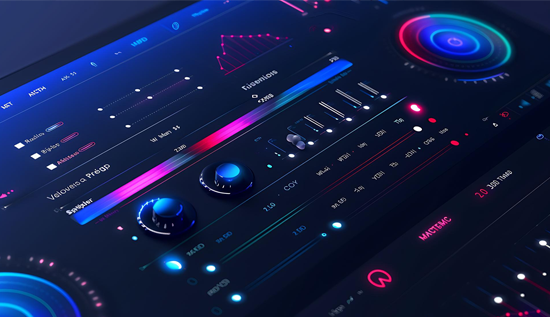
Explore the latest Motion UI trends for 2026, including UI animation techniques, interactive web design trends, and real-world motion UI examples that redefine modern digital experiences across web and mobile.
Introduction
As digital interfaces evolve, motion design in UI/UX has become a core part of crafting engaging, intuitive experiences. By 2026, motion UI trends have moved far beyond subtle transitions—they now shape how users perceive, navigate, and emotionally connect with digital environments. Designers leverage motion not only for aesthetics but to communicate functionality, hierarchy, and brand identity.
From websites and apps to AR/VR and wearable interfaces, motion adds life to static visuals. Understanding these latest motion UI trends for 2026 can help you design interactions that feel human, responsive, and meaningful.
The Rise of Meaningful Motion
Gone are the days when animations were added “just because.” Modern UI animation trends prioritize purposeful, context-aware movement. Every transition, hover, and fade tells a story.
For instance, instead of using simple fades, designers now employ micro interactions design to create feedback loops—confirming user actions or gently guiding them toward the next step. These motion UI examples include animated icons that acknowledge user input, loading sequences that visualize progress, and navigation flows that make transitions feel smooth and intentional.
Key takeaway: Meaningful motion enhances usability. By 2026, the focus is on why elements move—not just how they move.
Micro Interactions as Emotional Touchpoints
Micro interactions design has evolved into one of the most powerful interactive web design trends. They help humanize interfaces and build trust by providing real-time feedback.
Think of small details like a “like” button that ripples when tapped, or a form that gently shakes when input is invalid. These subtle motion graphics UI trends turn ordinary moments into emotionally resonant experiences.
In mobile apps, interactive design trends for mobile apps increasingly use micro interactions to reduce friction. For example, a button morphing into a checkmark upon completion not only looks beautiful—it reassures the user that their action succeeded.
Design tip: Use UI animation techniques for interactive design to create micro interactions that are fast, clear, and contextually relevant.
3D and Depth-Based Motion in Interfaces
With advances in WebGL, CSS animation, and GPU performance, motion design in UI/UX now embraces 3D motion as a storytelling medium. By 2026, interfaces incorporate dynamic depth, layered parallax effects, and 3D transitions to enhance realism and engagement.
A great motion UI example is Apple’s iOS weather app, where interactive 3D animations respond to real-time conditions. Similarly, websites use subtle depth shifts to simulate camera movement, making scrolling and navigation more cinematic.
These UI animation trends not only capture attention but improve comprehension by mimicking how users perceive depth in the real world.
Seamless Transitions Between States
Fluid state transitions are one of the defining latest motion UI trends for 2026. When users move between screens, the motion helps them understand spatial relationships within the interface.
This principle, known as “spatial continuity,” ensures users always know where they are. For instance, when a thumbnail expands into a full-screen view, the animation gives context rather than abruptly replacing the content.
Such motion UI examples are especially impactful in e-commerce and productivity apps, where they make navigation intuitive and visually satisfying.
Pro tip: Keep transitions under 300ms to maintain perceived responsiveness while preserving natural flow.
Kinetic Typography and Motion Branding
Typography is no longer static. In 2026, motion graphics UI trends emphasize kinetic type—animated text that captures brand tone and emotion.
When combined with sound or scroll-triggered motion, typography becomes a storytelling device. Interactive web design trends often feature dynamic text effects, such as letters morphing, bouncing, or fading in response to user gestures.
Brands like Spotify and Nike use kinetic typography to energize campaigns, merging motion design in UI/UX with brand identity.
Scroll-Triggered Animations and Storytelling
Scroll-based animation remains one of the top interactive web design trends. As users scroll, elements move, fade, or transform, creating a cinematic narrative.
In 2026, these effects are powered by lightweight JavaScript libraries like GSAP and Framer Motion. The result? Faster, smoother, and more responsive scroll-driven experiences.
Web designers increasingly use these UI animation techniques for interactive design to guide attention through visual hierarchy—drawing focus to calls-to-action or emphasizing key content.
Example: Product pages that reveal specifications as users scroll down, accompanied by subtle background motion, deliver immersive storytelling without overwhelming performance.
AI-Driven Adaptive Motion
AI personalization has merged with motion design in UI/UX to create adaptive motion systems. These systems analyze user behavior and adjust animations to suit user preferences or device performance.
For example, users who frequently skip animations may see reduced motion, while others experience enhanced transitions. This personalization is now considered a standard among motion UI trends for inclusive and accessible design.
Adaptive motion also aligns with green computing principles—reducing unnecessary GPU usage to optimize energy efficiency.
Cross-Platform Consistency in Motion
In 2026, consistent motion behavior across devices is a must. Users expect seamless experiences between desktop, mobile, smartwatch, and AR environments.
Interactive design trends for mobile apps show a strong move toward harmonized motion systems—using consistent easing curves, timing, and visual rhythm across touchpoints. This consistency helps brands maintain familiarity and trust.
For instance, Google’s Material You and Apple’s Human Interface Guidelines now include motion ecosystems that define how animations should behave across their platforms.
Accessibility-Focused Motion Design
Accessibility is central to motion design in UI/UX. Designers now recognize that excessive animation can cause motion sensitivity or cognitive overload.
Modern tools allow users to toggle “reduced motion” modes, ensuring inclusivity. Subtle micro interactions design replaces large-scale movement, and UI animation techniques for interactive design are optimized for readability and focus.
The best motion UI examples in accessibility show that animation can enhance usability without compromising comfort.
The Blend of Motion and Sound Design
One of the emerging UI animation trends for 2026 is the combination of motion with sonic feedback. Audio cues paired with motion guide users through actions like sending messages, unlocking achievements, or completing forms.
In this multisensory approach, designers integrate small chimes or tones that match the timing of visual motion. This creates a more immersive and emotionally resonant experience—especially in interactive design trends for mobile apps where haptics and sound amplify feedback.
Storytelling Through Sequential Motion
Story-driven UI design has become a hallmark of latest motion UI trends for 2026. Instead of showing everything at once, motion reveals information in steps—creating rhythm and anticipation.
Sequential animations help explain complex processes, like onboarding flows or tutorials, by visually breaking them down. This technique not only improves retention but keeps users engaged.
Motion UI examples: Educational apps that animate diagrams step-by-step, or travel websites that reveal itineraries through motion timelines.
Sustainable Motion Design
Sustainability is influencing every design discipline, including motion. Energy-efficient motion graphics UI trends prioritize lightweight animations and reduced data usage.
By optimizing file sizes, using vector-based assets, and minimizing constant loops, designers reduce load times and environmental impact—while keeping animations smooth and responsive.
This eco-conscious shift aligns with global efforts toward carbon reduction and digital responsibility.
Real-Time Motion Feedback with Gestures
Touchless interaction is on the rise, especially in interactive design trends for mobile apps and wearables. Real-time motion feedback makes gesture-based interfaces more intuitive.
Imagine a smartwatch that subtly vibrates and animates in response to hand movements, or a VR interface that reacts instantly to gaze direction. These responsive UI animation techniques for interactive design make digital interactions feel natural and human.
Motion-First Prototyping
In 2026, motion is no longer an afterthought—it’s built into the design process from day one. Tools like ProtoPie, Figma Motion, and Principle empower teams to prototype full motion flows early in development.
This approach allows stakeholders to experience interactions before coding begins, aligning design intent and implementation.
Motion-first workflows ensure that motion UI trends and UI animation trends translate consistently across devices and development stages.
Real-World Motion UI Examples (2026 Edition)
To better understand these trends, let’s explore some motion UI examples making waves in 2026:
- Airbnb 2026 Redesign: Uses motion to transition between destinations, making search results feel like unfolding travel stories.
- Spotify Motion Branding: Integrates waveform-based motion tied to the user’s listening activity.
- Notion AI Dashboard: Employs micro interactions design to visualize productivity stats dynamically.
- Nike Run App: Features interactive design trends for mobile apps with real-time animations that adapt to user speed.
- Tesla Website: A motion graphics UI trend example, showcasing 3D car renders that respond to cursor or scroll gestures.
These examples illustrate how the latest motion UI trends for 2026 blur the line between static design and living, breathing digital ecosystems.
How to Use Motion Design in Websites
If you’re wondering how to use motion design in websites, start with purpose and simplicity. Follow these principles:
- Guide, don’t distract. Use motion to highlight user flow, not to overwhelm.
- Use consistent timing. Keep duration and easing predictable for a smooth experience.
- Focus on feedback. Integrate micro interactions design that respond to user input.
- Test across devices. Verify that your animations are responsive, fast-loading, and accessible.
- Use motion as storytelling. Enhance brand narratives with sequential or scroll-based motion.
When applied with care, motion design in UI/UX becomes a language—one that speaks emotion, clarity, and creativity.
The Future of Motion: Predictive and Contextual Design
By 2026, predictive motion will become one of the defining motion UI trends. Interfaces will anticipate user behavior and trigger animations before interaction occurs—creating fluid, preemptive experiences.
For example, as a user approaches a button, it subtly reacts, guiding attention and reducing hesitation. This foresight-driven approach merges psychology, AI, and design craft into one seamless experience.
In mobile ecosystems, predictive motion also enables context-aware interactive design trends for mobile apps, adjusting motion intensity based on touch patterns or environmental light.
Key UI Animation Techniques for Interactive Design
Mastering the right UI animation techniques for interactive design ensures motion feels natural:
- Easing and Timing: Use “ease-in-out” for realistic acceleration and deceleration.
- Anticipation and Follow-Through: Prepare users for actions (like buttons compressing before expanding).
- Hierarchy Animation: Guide the eye to primary content first using staggered motion.
- Feedback Loops: Reinforce success or errors visually and emotionally.
- Delay and Overlap: Create rhythm by offsetting multiple motion layers.
Combining these techniques enhances the perceived quality and coherence of your interface.
Conclusion
As we enter 2026, motion UI trends reflect a broader movement toward empathy-driven, adaptive design. Whether through micro interactions design, motion graphics UI trends, or innovative UI animation techniques for interactive design, motion has become a universal language that transcends devices and cultures.
Designers who master how to use motion design in websites and apps will craft experiences that resonate—visually, emotionally, and intuitively.
Motion isn’t just about movement; it’s about meaning. The future belongs to interfaces that breathe, respond, and connect.
More Articles
 27 Oct 2026
Core Web Vitals Explained: Metrics & How to Fix Them
Learn what Core Web Vitals are, how LCP, INP, and CLS affect user experience and SEO, and practical ways to fix performance issues and improve your website.
 23 Oct 2026
Website Audit Score: How to Check and Improve It
Check your website audit score, identify SEO issues, improve technical performance, site health and search visibility.
 21 Oct 2026
Low-Value Content: How to Identify and Fix It
Identify low-value content, improve content quality and fix SEO issues with practical strategies to boost website usefulness.
 20 Oct 2026
Session Hijacking: How It Works and How to Prevent It
Learn what session hijacking is, how session cookie theft works, common attack signs, and effective prevention strategies to protect accounts and web applications.