Unsafe Websites to Avoid: 10 Warning Signs of a Scam
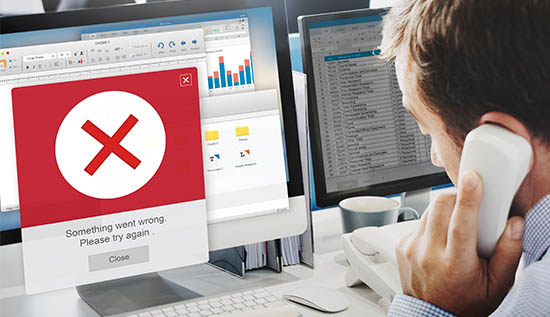
Spot unsafe websites to avoid with 10 key scam warning signs, including fake URLs, suspicious payments and fraudulent offers.
The internet is now an important part of daily life. Websites let people do many things, like shop, pay bills, apply for jobs, download software, read the news, manage their bank accounts, talk to other people and get to a huge number of online services. But because the internet is so useful, it also gives scammers, hackers and other cybercriminals chances to make money.
A website can have familiar logos, look professional and even use convincing language, all while trying to steal your money, passwords, personal information or device data. Knowing the unsafe websites to avoid is therefore an important part of staying safe online.
Many people think that a website is reliable just because it shows up in a search engine or looks good. Both aren't a guaranty of safety, though. Hackers can make websites that look a lot like real banks, online stores, government services, social media sites or well-known software companies. Some fake websites are only meant to be online for a short time before going away, while others stay up for months and keep trying to scam new people.
Knowing the websites, you should avoid is especially important when you are asked to provide sensitive information. Criminals can make a lot of money off of your passwords, credit card numbers, bank account information, identity papers, verification codes and other personal data. Making one mistake can sometimes cost you money, have your account hacked, have your name stolen or get malware on your computer.
This guide explains 10 important warning signs that can help you recognize unsafe websites before interacting with them. It also explains how to know if a website is unsafe to avoid, what evidence you should check and how to handle situations where something seems odd. These signs will help you whether you are shopping online, downloading an app, answering an email or clicking on a social media link.
The point is not to scare you about the web. Instead, it's meant to help you form easy habits that will make the choices you make online safer. There is no one warning sign that a website is fake, but if you see several of them at once, you should stop, check the website on your own and not enter any sensitive information.
1. The Website Address Looks Strange or Imitates a Real Brand
Is the website's URL one of the first things you should check? Intended to trick people, scammers often make addresses that look like those of real websites. Banks, online stores, email services, payment platforms and social media accounts are often the targets of phishing campaigns that use this method.
An honest business might use an easy domain like this as an example: Business.com, Service.com and example.com
This is an example of a name that a scammer might register: there are four websites that show examples of logins: example-security.com, example.support-login.com and example.company-login.net. The difference might not be seen by someone who clicks on a link quickly.
Misspelled words are also a big red flag. One or two characters may be changed when a criminal registers a domain name, hoping that people will not notice. Typo squatting is the word for this. Others add words like "secure" "verify" "account" or "login" to a fake address to make it look real.
When considering dangerous websites to avoid, pay close attention to the exact domain instead of just remembering the name of the company that is shown on the page.
Evidence to check
Looking at the following things before entering information:
- What the domain name is spelled.
- That part of the domain identity.
- The brand name plus things prior to or following it.
- The subdomains are not normal.
- Different letters and numbers put together in strange ways.
- Corporation names that are spelled wrong.
- URLs that have extra words in them, like "security" or "verification."
You might get an email saying that your bank account has been locked, for example. You are taken to a website that looks just like the login page for your bank when you click on the link in the email. Take a moment to look over the URL carefully before entering your password. Close the page and go to your bank by typing in its official address by hand if the name doesn't match.
Why these matters
The look of a website is pretty easy to copy. The site doesn't really belong to the company it says it does just because the branding, color scheme and login form look like they belong to that business. This is one of the most useful principles when deciding what websites should you avoid: do not trust a website simply because it looks familiar. Verify the domain first.
2. The Website Uses Aggressive Pop-Ups, Fake Alerts or Urgent Messages
Another important sign of unsafe websites to avoid is aggressive behavior designed to make visitors panic or act quickly.
This is a common message that scammers use:
"Your computer has a virus!" "We are going to delete your account today!" "Congratulations, you won a prize!" "Your transaction did not go through!" "Secure your account right now by clicking here!" "Please claim your prize within 30 seconds!"
These words are meant to make you feel something instead of thinking carefully.
A fake security alert might say that your device has harmful bugs and tell you to call a number or download software. A fake shopping site might put up a timer that says a special deal will end in a few minutes. If someone visits a fake investment website, it might show alerts that other customers have supposedly successfully withdrawn their money.
These tactics can make suspicious websites appear more convincing because visitors feel pressured to make an immediate decision.
Evidence Guide
Think about it:
- Is the website creating unnecessary urgency?
- Does it tell you to call a number you don't know?
- Does it want you to download software you don't want?
- Does it say you won something you didn't even enter?
- Does the message show up in your browser instead of your regular protection software?
A real business may use urgent language from time to time, but you should still check out important requests through a separate channel.
Example: Fake virus warning
Imagine going to a website to get a free file. A big message pops up all of a sudden telling you that your computer has five viruses and that you need to run a "security cleaner" right away.
Don't Freak Out
Instead of clicking the warning, close the tab or window in the browser. Use your usual security software and check your device with tools you know you can trust. Do not call a number that you do not know that is shown in the pop-up.
This is an important example of how to tell if a website is a scam: scammers frequently try to control your behavior through fear, urgency and confusion.
3. The Website Requests Too Much Personal or Financial Information
A real website will only ask for the details it needs to give you the service it offers. A website that seems sketchy might ask for a lot more than it needs to.
For instance, it makes sense for an online store to ask: name, address for shipping, Email address and details about the payment.
But it's a bad sign if a simple shopping site asks for: your bank account number, your PIN for the ATM, a full copy of your ID for no reason, your password for email, one-time codes for verification, codes for recovery, from other accounts and answer security questions.
When comparing scam websites to avoid, excessive requests for sensitive data are a major warning sign.
Follow the principle of data minimization
Before submitting any form, ask:
"Does this website really need this information?"
If you are unsure, stop and verify the company independently.
You should never give out one-time passwords or verification codes just because a website asks for them to "confirm your identity." People can use them to take over your accounts.
Example: Fake delivery website
A delivery company may tell you that they need a small extra fee. The link takes you to a page that looks official and asks for your card number, expiration date, CVV code and a verification code. It might be a scam, even if it looks real, to get your payment information. To check your delivery, don't use the link; instead, go to the official website or app.
A useful safety rules
If the information is private, you should check the source even more. Make sure you are on the official site for any banking, investment, government, job or account recovery site before entering any information. This simple habit helps you avoid many websites you should avoid before they can misuse your information.
4. Prices, Rewards or Offers Look Too Good to Be True
Another big red flag is an offer that isn't realistic. Criminals know that people are interested in big discounts, free stuff, quick prizes and surefire ways to make money.
If a website offers a smartphone for a lot less than its usual price, it might be trying to get money from people without actually sending the item. In the same way, a website that says investments will make money for sure should quickly raise red flags.
When researching unsafe websites to avoid, compare offers that seem fishy with prices and details that you can find from reputable companies.
Warning signs include:
- Huge discounts. "100% guaranteed" returns on investments.
- Giving away expensive items for free without a good reason.
- Not real giveaways.
- After paying a fee, you are guaranteed a job.
- Big prizes for doing easy things.
- Luxury goods that are unusually cheap.
- There is pressure to pay right away.
Example: Fake online store
Imagine seeing an ad for a famous laptop that usually costs $1,000 for only $150. The website has professional pictures of the items for sale and says the sale ends in an hour.
Before you buy, check the price of the item at other well-known stores. Look for reviews of the company written by people who are not connected with the company. If you can, look at the domain's age and any information about the company. Look for a real address and reliable ways to contact customer service.
If the site doesn't have a good track record and wants you to pay in a strange way, you should avoid it.
This is especially useful when asking what are the most dangerous websites. A website does not need to contain obvious malware to be dangerous. A fraudulent store that steals payment information or money can also cause significant harm.
5. Missing, Fake or Poor-Quality Contact and Company Information
Real businesses usually give people ways to get in touch with them. This could be a physical location, a customer service email, a phone number, information about how the business is registered, social media accounts or other information that can be checked.
When a website's contact information is missing or looks like it was copied, it makes people less likely to trust it.
Find these: there is no address, no information about customer service, Email addresses that aren't tied to the business, contact forms are broken, fake phone numbers that look real, company names that don't match up, addresses that don't seem to be real and policies taken from companies that are not related.
But keep in mind that having an address does not prove that something is real. Criminals can copy real company names to use as their own.
How to verify the information
Don't just rely on the information on the page; look for the company on your own as well.
Look: official lists of businesses, there are well-known review sites, the official social media account for the business, when it makes sense, government or business records, free reporting on the news and reliable sources for protecting consumers.
When trying to identify dangerous websites to avoid, independent verification is stronger evidence than information provided by the website itself.
6. Poor Grammar, Strange Language and Low-Quality Content
Professional businesses usually spend money on making conversation clear. There may be problems if there are a lot of spelling mistakes, weird grammar, bad translations, inconsistent terminology or content that has been copied.
For instance, a website might have comments like these: "Dear customer, your account has been chosen for a special reward."
One mistake in grammar does not show that a website is fake. Small companies may not speak perfect English and even official websites from other countries may have translation errors.
But a lot of mistakes and other danger signs should make you more careful.
Look for inconsistencies
Verify if:
- The name of the business changes all over the website.
- The information in product descriptions is not related to the products themselves.
- Changes in currency come as a surprise.
- Contact information varies from page to page.
- Terms and conditions talk about a different business.
- Looks like pictures were taken from other websites.
- One company's privacy policy talks about another.
These errors can show that a website was put together quickly from copied content.
When evaluating suspicious websites, consider the entire picture rather than focusing on one spelling mistake.
7. The Website Has Weak or Suspicious Payment Methods
Another useful clue can be found in the way payments are made. Be extra careful when a website you don't know asks for payment through methods that don't offer much or any buyer protection.
Some possible danger signs are requests to:
- Money should be sent straight to a personal bank account.
- When it's not necessary, pay with cryptocurrency.
- Get gift cards and give the codes to people.
- Use strange payment services to send money.
- Pay for things without using the company's official checkout method.
There are businesses that will take some of these methods of payment, so the method of payment itself does not prove fraud. When the seller refuses better options or puts pressure on you to pay right away, the worry grows.
Example: Marketplace purchase
Let's say you see an ad for a camera that is advertised at a very low price. The seller says you need to pay right away by bank transfer since the website's payment system is "temporarily unavailable."
That should alert you. Check out the seller before sending money, and if you can, use a payment way that offers enough protection. This is a practical approach to how to know if a website is unsafe to avoid: examine not only the website itself but also what it wants you to do.
8. Downloads, Browser Permissions or Extensions Are Unexpected
Some malicious websites are designed to trick visitors into downloading harmful software or granting unnecessary browser permissions.
A website that seems sketchy might ask you to: get a "special video player." install a browser add-on you don't know about, turn on notifications, put an APK or executable file on your device, turn off any security software and allow browsers to do strange things.
When you download software from a site you don't know, be extra careful.
As much as possible, get apps from official app stores, the official website of the software creator or other reliable sources.
Why browser notifications matter
Some fake websites ask for permission to send notifications over and over again. If they are allowed to, they may later show false ads, fake virus warnings, phishing links or other content that you don't want to see.
If you accept notifications from a sketchy website by accident, you can usually take that permission away from your browser settings. Don't download files just because a pop-up says you need to in order to move forward.
9. Security Features Are Missing or Misleading
People often look for the padlock icon or "HTTPS" when deciding whether a website is safe. HTTPS is important because it encrypts communication between your browser and the website, but HTTPS alone does not prove that a website is legitimate. Scammers can also obtain HTTPS certificates.
Therefore, when assessing unsafe websites to avoid, treat HTTPS as one security feature not a complete safety certificate.
Check multiple signals
Consider: Is the domain correct? Does the company have a credible online presence? Is the website asking for unusual information? Are prices realistic? Are payment methods reasonable? Are contact details verifiable? Does the website contain suspicious downloads? Does the website pressure you to act immediately?
The combination of these factors is much more useful than the padlock alone.
If you are wondering, what websites should you avoid, avoid websites that combine several questionable characteristics even when they display HTTPS.
10. Independent Reviews and Reputation Are Difficult to Verify
The last red flag is a bad image for being reliable. Find out more about a company from a reliable source before you buy something expensive or give them private information.
Do not just believe the testimonials that are shown on the website. Those reviews might not be real.
Instead, look for: reviews from real customers, problems that other users have had, news stories, warnings to protect consumers, business profiles that are well known, long-term use of social media and news about scam or phishing. Watch out for reviews that are all very good and use the same words or come out quickly.
Use multiple sources
Suppose a website claims to have "50,000 happy customers." That number is only a claim unless you can verify it independently.
Search the company name together with words such as: scam, review, complaint, fraud and experience.
This does not mean every negative review proves fraud. Businesses can receive legitimate complaints. The goal is to identify patterns.
This method is particularly useful when deciding which websites, you should avoid before purchasing products or services from an unfamiliar company.
How to Tell If a Website Is a Scam: A Quick Evidence Checklist
Knowing how to tell if a website is a scam is easier when you follow a simple checklist instead of judging by appearance alone.
Before entering sensitive information, check:
- URL: Is the domain spelled correctly?
- Business identity: Can the company be verified?
- Contact details: Are they real and consistent?
- Prices: Do they look realistic?
- Payment: Are the payment options normal and secure?
- Information requests: Is it asking for unnecessary personal data?
- Pop-ups: Is it using fear or urgency?
- Downloads: Is it asking you to install unknown software?
- Reviews: Can you find independent reviews?
- Security: Does the site behave normally and use HTTPS?
- Reputation: Are there trusted reports about it?
- Pressure: Is it forcing immediate action?
One warning sign alone may not mean a scam, but several together should be taken seriously.
What Are the Most Dangerous Websites?
No single type of website is always dangerous, but some deserve extra caution. These include: fake online stores, phishing login pages, fake banking sites, pirated software download sites, unofficial streaming sites with deceptive ads, fake investment or crypto platforms, fraudulent job sites, fake government-service pages, sites offering cracked or suspicious files and pages promising unrealistic prizes or rewards.
What to Do If You Accidentally Visit an Unsafe Website
- If you open one of the unsafe websites to avoid, stay calm.
- Simply visiting is usually not enough to cause damage.
- Take these steps: close the tab immediately.
- Do not download anything.
- Do not enter passwords or payment details.
- Ignore pop-up phone numbers or warnings.
- Run a security scan if you downloaded a file.
- Update your browser and system.
- Change passwords if you entered them.
- Contact your bank if payment info was shared.
- Monitor your accounts for unusual activity and report the website if possible.
If you entered a password, change it only on the official website. If you reused it elsewhere, update those accounts too.
Conclusion
The internet is very convenient, but it also requires careful choices about which websites to trust. Learning to recognize the unsafe websites to avoid can greatly reduce the risk of scams, phishing, malware, identity theft and financial fraud.
There is no one sign that says a website is safe. It is possible to fake HTTPS, good design, well-known logos and even good reviews. You should always check more than one signal at the same time.
This guide lists 10 warning signs: strange URLs, annoying pop-ups, requests for personal information that aren't needed, unrealistic deals, bad company information, low-quality content, strange payment methods, unexpected downloads, false security signals and a bad reputation.
When you see suspicious websites, slow down and avoid rushing. Scammers rely on urgency to make you act without thinking. If you are unsure how to know if a website is unsafe, start with the URL and then check out the company on your own. See what the deal is, how to pay, how to get in touch, reviews and the information that is being asked for. It is safer to leave the spot if a lot of warning signs show up.
Remember that dangerous websites to avoid are not only obvious fake pages. There is harm that can come from fake stores, phishing sites, fake investment platforms and malicious download pages.
The best way to stay safe online is to use strong passwords, stay up to date on software, avoid clicking on links you don't know, only download from reliable sources and make sure important requests come through official channels.
Safe internet use doesn't mean spotting every scam right away. It means being careful, double-checking information and avoiding risk that isn't necessary.
Read More: AI Scams in Cambodia: Types & Warning Signs
More Articles
 18 Aug 2026
Payment Gateway Fees in Cambodia: Costs & Comparison
Compare payment gateway fees in Cambodia, transaction charges, processing costs, setup fees, and key factors businesses should consider when choosing a payment gateway.
 14 Aug 2026
How to Tell If a Video Is AI-Generated: Signs to Check
Detect AI-generated videos and practical examples, verification methods and reliable AI video detection techniques.
 12 Aug 2026
Best Payment Gateways in Cambodia: 2026 Comparison
Compare the best payment gateways in Cambodia in 2026, including ABA PayWay, ACLEDA, Sathapana, Canadia, Wing, KHQR and features.
 11 Aug 2026
AI Scams in Cambodia: Types & Warning Signs
Learn about AI scams in Cambodia, common warning signs, how AI fraud works, and practical ways to protect yourself from artificial intelligence scams in Cambodia in 2026.