Scam Apps to Avoid in 2026 | Protect Your Phone & Data
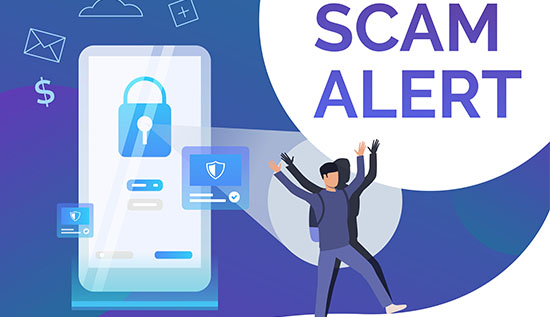
Avoid scam apps in 2026 with proven tips to protect your phone, data, and money from dangerous mobile threats.
Smartphones have become the center of modern life. Apps on phones are now used for shopping, banking, texting, games, investments, keeping track of health, online learning, working from home, and even banking.
Cybercriminals are unfortunately taking advantage of this dependence by making more and more complex cyberattacks scam mobile apps made for the purpose of stealing money, banking information and personal information.
Users are being warned by security experts in 2026 that it is getting harder to spot bogus applications because scammers are using professional designs, AI-generated interfaces, fake testimonials and cloned brand names to get people to install dangerous software also.
The rise of scam apps to avoid is no longer limited to shady third-party websites. In some cases, malicious apps have even been briefly available on official app stores before being taken down. Recently, researchers found fake Android apps that had been downloaded millions of times and claimed to give users access to call and message logs but instead charged users for fake services and made money by collecting payment information.
Also, security companies said that new malware campaigns in 2026 try to look like popular apps for streaming, protection software, loan services or even social media apps. Some of these harmful apps can record screens, steal SMS codes, get banking information and watch what users do on their devices without them knowing.
One of the biggest concerns today is the growing number of dangerous Android apps that steal data through excessive permissions. Often, fake security tools, shopping apps and loan apps ask to access your contacts, messages, storage, camera and accessible settings.
Fraudsters may use personal information collected with permission to steal identities, demand money or commit financial fraud also. Studies released in 2026 found that digital loan apps that sent private information to third parties before users finished registering were widely abused.
This article explains the most common scam apps to avoid, what scammers do, what to look out for, examples from real life and the best ways to keep your phone and personal information safe in 2026. Knowing about these threats can help you keep your money and data safe whether you use an iPhone or an Android phone.
Why Scam Apps Are Increasing in 2026
Criminals want to steal from people who own smartphones because they hold valuable data like passwords, payment information, biometric data, personal chats and social media accounts also. For bad things to happen, smartphones are easy targets because they are always linked to the internet.
The number of dangerous apps on Android attackers can quickly make fake copies of real apps, which has led to more attacks. A lot of scammers try to look like well-known brands by using copied app templates, fake business logos and edited screenshots. Some people even buy fake downloads and reviews to make bad apps look like they are real.
A major reason why scam apps to avoid in 2026 social engineering is becoming very popular very quickly. Scammers don't directly hack into devices; instead, they trick users into running harmful apps on their personal computers also. Criminals often use strategies that include:
- In contrast legitimate investment opportunities
- Fraudulent confirmations for unsecured loans
- Bogus mobile applications for online streaming
- Download commercial applications for freeware
- In addition, genuine security applications
- Chatbot applications made by artificial intelligence
- Money Wallets that are not authentic
- Changes to online social networking applications
Researchers in security also found that bad developers are taking advantage of commonly discussed subjects. Cybercriminals loved making fake AI apps and fake finance tools in 2026 because people are naturally interested in new technologies.
Fake websites that look like real app stores are another problem that is getting worse. Malware campaigns now make versions of the Google Play Store or the Apple App Store that look a lot like the real ones so they can spread infected applications.
Google and Apple regularly remove dangerous apps, scammers keep putting out new versions faster than stores can find ways to install them. Some apps stay online for so long that they infect millions of people before they are taken down also. Because of this, users shouldn't merely depend on the app store's security systems; they should also learn how to spot the indicators of danger.
Example 1: Fake Call History Apps
Researchers found 28 fake Android apps that said they could let users see private call logs and WhatsApp records. Before they were taken down, more than 7 million people downloaded them. People who were scammed paid for subscriptions but got fake information in compensation.
Example 2: Fake Antivirus Applications
A scam application called TrustBastion that was supposed to be a protection software program spread malware on smartphones. It didn't make security stronger; instead, it stole personal and business information.
These examples show why understanding fake apps warning signs is critical in 2026.
Common Types of Scam Apps You Must Avoid
Many users think that malicious apps always look sketchy, but scammers today make apps that look expert and reliable. Below are the most dangerous categories of scam mobile apps currently spreading online.
Fake Loan Apps
One of the fastest-growing threats involves fake loan apps. These apps say they can give you cash right away with few conditions. Once they're installed, though, they often ask for dangerous rights like: getting people to understand, text-based communication privileges, accessibility to microphones, permissions for microphones, access to the photograph demonstrate and keeping track of where you are located.
Scammers may use stolen information to harass borrowers, threaten family members, or blackmail victims after users give them personal information also. In 2026, research showed that a lot of loan apps broke regulations regarding privacy by sending private information before the signup process was fully finished.
Some predatory loan apps also have aggressive collection practices, hidden fees, and terms that make it hard to pay back the loan.
Fake Banking and Payment Apps
Cybercriminals often make fake banking apps that look like applications from real businesses. People enter their usernames, passwords and OTP codes straight into scam platforms without understanding the package. Banks all over the world are still telling customers about APK fraud involving fake banking apps that are sold outside of official stores.
These apps that steal money have the following characteristics: remember login information, obtain a hold of SMS codes for verification, watch what's happening on a small screen, keep records of all money transfer transactions, move money around without permission and
Fake Social Media and Streaming Apps
Another big group is fake versions of streaming services including TikTok, Netflix, Telegram and more. To encourage people to download dangerous programs, malware attempts to make it look like fun mobile applications.
These malicious Android apps may secretly: retrieve someone else's login information, put in malicious programs, show advertisements that are blocked, watch the way individuals use language proficiency, viewing passwords that you have saved and simple utility mobile applications that are not legitimate.
Fake Utility Apps
Scammers often take advantage of items like flashlights, QR readers, cleaning applications and battery boosters. While aggressively collecting data or showing irritating advertisements, many of these applications do not actually accomplish much. Malware that can take away private data is even incorporated into some beneficial applications.
Fake AI Apps
Scammers are now making fake artificial intelligence helpers and AI image generators as AI technology grows in popularity. These apps often ask for payments while collecting personal information in background mode.
A lot of people download these individuals simply because they look new and trendy. Understanding these categories helps users recognize the most dangerous scam apps to avoid before installing them.
Warning Signs of Dangerous Mobile Apps
Spotting malicious apps early can prevent identity theft, financial loss and device compromise. Many dangerous apps on Play Store and suspicious third-party apps share common warning signs.
Excessive Permissions
A simple calculator app shouldn't ask for permission to use the microphone or contacts. When an app asks for permissions that aren't needed, you should quickly be wary of doing that.
Some examples are: flashlight apps that want to read SMS, photo editors asking for names of contacts, loan apps that need full storage access, wallpaper apps that want call logs. These are common indicators of dangerous Android apps that steal data.
Poor Developer Information
Always be very careful about the app creator. Scam apps often: pick any coder name you want, do not have a company website, make up fake email addresses and not enough facts for customer service. Legitimate developers usually maintain verified online identities.
Fake Reviews and Ratings
Many scam apps to avoid in 2026 use fake 5-star reviews that were made by bots or review farms that get paid to do this. Keep an eye out for long comments like: "Great app!" "It works great!" and "The best app ever!" If reviews don't seem normal or unique, the app might not be what it seems to be.
Unrealistic Promises
Apps that say they can: break into social media accounts, show private messages, seek out anyone in secret, make money for free and promise investment returns are often scams.
Millions of people were tricked by the recent CallPhantom scam, which said it would give people access to private call logs and WhatsApp records.
Downloads from Unofficial Sources
One of the biggest security risks in 2026 is still sideloading APK files. Security experts keep telling people not to install apps from places other than official mobile application shops.
Most of the time, scammers get infected apps through the following method: Telegram groups, Ads on social media, Fake web pages, Platforms for pirated apps and Phishing links in SMS.
Frequent Pop-Ups and Ads
Many dangerous apps on Android aggressively show advertisements or send people to sketchy websites. Some malicious software applications simply click on secret ads to make fake money.
Example Use Case: Fake Crypto Wallet App
Someone gets a fake cryptocurrency wallet from a scam website. The app's name looks like it came from a real brand. The attacker quickly takes all cryptocurrency funds after typing recovery phrases.
Example Use Case: Fake Shopping App
A fake shopping app says that gadgets are on sale for a very low price. People put their payment information, but the goods do not show up. After getting card information, the scammers market it online. By being aware of these obvious warning signs, you can significantly decrease your chances of falling for fake apps for mobile devices.
How Scam Apps Steal Your Data and Money
Modern scam mobile apps use sophisticated methods to sneakily get to your private information and money without you knowing.
Banking Credential Theft
Many apps that steal money aim for bank information by: getting login information, putting up fake login screens, keeping track of words and getting hold of OTP codes. Some software can even hide security alerts, which makes it hard to find.
Accessibility Abuse
Certain malicious Android apps use your phone's accessibility tools in a bad way. These things are possible: read what's on the screen, automatically click the buttons, give approval without asking for them and install more viruses.
Advertisement Fraud
In the background, some apps make fake ad clicks. Some warning signs include the following: rapidly lose power, too much heat, a lot of info use, not working well.
Theft of Identity
Many dangerous Android apps that steal data collect: contacts, names and phone numbers, pictures and data and IDs and addresses. People could sell this information or use it to trick people or threaten them.
Subscription Scams
Some mobile applications secretly charge fees that keep coming back. People often don't know until they look at their financial statements.
Cryptocurrency Theft
Not real crypto applications can: take recovery statements, change the wallet addresses and taking over bargains.
Spyware and Surveillance
Some dangerous apps on App Store and When it comes to Android devices: conserve soundtracks, finding to determine the position, access camera and take pictures of screenshots.
Understanding these tactics helps you recognize scam apps to avoid and protect your data effectively.
Best Ways to Protect Your Phone from Scam Apps
Protecting your device from scam apps to avoid in 2026 comes down to smart habits and basic security checks.
Download From Trusted Sources
Only install apps from official stores like Google Play Store and Apple App Store. Avoid APK files or links from unknown websites.
Check Permissions
Be cautious if apps request unnecessary access (contacts, SMS, storage). This is a major fake apps warning sign.
Enable Security Features
Turning on built-in protections is essential to avoid scam apps to avoid in 2026.
Enable:
- Play Protect (Android): Scans apps for threats and flags dangerous apps on Android.
- Two-factor authentication (2FA): Adds extra protection even if your password is stolen.
Automatic updates: Fix security gaps and protect against malicious Android apps.
Also use a strong screen lock (PIN, fingerprint or face ID) to secure your device.
Verify Before Installing
A quick check can help you avoid scam mobile apps and serious risks.
Always:
- Check developer info: Unknown developers are a key fake apps warning sign.
- Read negative reviews: Look for complaints about scams or apps that steal money.
- Avoid unrealistic claims: Apps promising hacking, tracking, or fast profits are usually scam apps to avoid in 2026.
You can also search the app name online to spot reports of dangerous Android apps that steal data or suspicious listings on dangerous apps on Play Store and dangerous apps on App Store.
Keep Your Device Updated
Updates fix security issues and protect against dangerous apps on Play Store and new threats.
Use Security Apps
Mobile security tools help detect dangerous Android apps that steal data and other hidden risks. Following these simple steps can significantly reduce your risk from scam mobile apps and protect your personal data.
Conclusion
The mobile threat landscape in 2026 is more dangerous than ever. Cybercriminals are creating increasingly convincing scam mobile apps that imitate trusted brands, take sensitive information from users by abusing their rights.
Scammers are always coming up with new ways to take advantage of smartphone users. They include fake loan sites and banking apps, fake streaming services and harmful utility tools.
One of the most important things for users to learn is that threats can still get into approved app stores. Google and Apple regularly remove harmful apps, but millions of users still download harmful software before it is found.
Recent news stories about fake call history apps, banking malware and fake security tools show that users should always be careful.
The rise of dangerous Android apps that steal data showing how important private information has grown. Criminals are now mainly interested in contact lists, messages, banking information, photos and identity papers. Beyond stealing money, some apps also blackmail, extort, commit ad scams or steal people's identities.
Fortunately, strong security habits can help users lower their risks by a large amount. Some of the best ways to protect yourself from current mobile threats are to carefully read permissions, stay away from unofficial APK downloads, do research on developers, turn on security features and spot app claims that aren't true.
As technology evolves, scammers will continue improving their tactics. This makes cybersecurity awareness more important than ever. By staying informed about the latest scam apps to avoid, people can better protect their phones, bank accounts and private information from online threats that are getting smarter after 2026.
Read More: How to Avoid Telegram Scams | Warning Signs & Safety Tips
More Articles
 21 Oct 2026
Low-Value Content: How to Identify and Fix It
Identify low-value content, improve content quality and fix SEO issues with practical strategies to boost website usefulness.
 20 Oct 2026
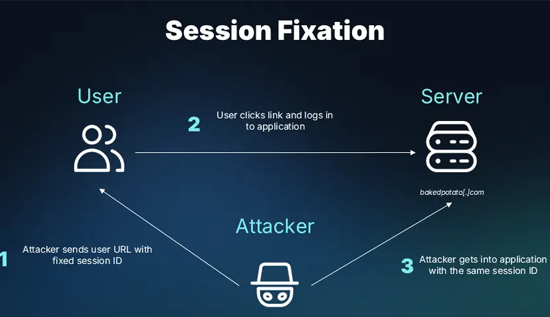
Session Hijacking: How It Works and How to Prevent It
Learn what session hijacking is, how session cookie theft works, common attack signs, and effective prevention strategies to protect accounts and web applications.
 16 Oct 2026
Orphan Pages in SEO: How to Find and Fix Them
Identify orphan pages in SEO and apply practical strategies to improve internal linking and discoverability.
 14 Oct 2026
Topical Authority vs Keyword Density: Which is Better?
Learn the difference between topical authority vs keyword density, how both affect SEO, and how to create helpful content that improves relevance, builds trust, and supports better search rankings.