IT Hardware Refresh Planning: Budget & Lifecycle Guide
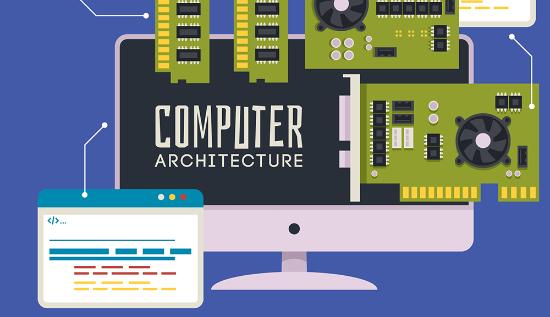
Optimize performance & cut costs with expert IT hardware refresh planning. Discover lifecycle tips, budgeting steps & refresh best practices today!
In today’s digital-first environment, organizations depend heavily on robust and high-performing IT infrastructure. However, technology evolves rapidly, and failing to update aging hardware can lead to reduced productivity, increased operational costs, and heightened security vulnerabilities. This makes IT hardware refresh planning a crucial component of any organization's long-term strategy. A well-structured refresh strategy ensures optimal performance, cost control, and strategic alignment with business objectives.
Understanding IT Hardware Refresh Planning
IT hardware refresh planning refers to the proactive process of identifying, evaluating, and replacing outdated hardware with modern, more efficient technology. This process is essential for maintaining the integrity and performance of your IT environment. It’s not merely about upgrading; it’s about strategically aligning technology investments with business needs.
Effective hardware lifecycle management ensures that each piece of equipment is monitored from procurement through end-of-life. A solid plan accounts for current usage, future growth, and evolving technology trends.
The Importance of Hardware Lifecycle Management
Hardware lifecycle management plays a foundational role in maintaining operational continuity and minimizing downtime. It includes the procurement, usage, maintenance, and eventual retirement or replacement of IT assets.
Key benefits include:
- Predictable performance: Reduces the risk of sudden hardware failures.
- Improved budgeting: Avoids the shock of emergency replacements.
- Enhanced security: Ensures compliance with the latest cybersecurity standards.
A defined IT asset refresh cycle is essential for maintaining high availability and reliability of services.
Crafting an IT Asset Refresh Strategy
Developing an effective IT asset refresh strategy begins with a detailed inventory of existing hardware, including age, warranty status, and performance metrics. Once a baseline is established, set clear policies for replacement based on type and usage—for example, laptops every 3 years, servers every 5 years.
Your strategy should include:
- Performance criteria for replacement.
- Vendor support timelines (end-of-life notifications).
- Integration with technology refresh planning processes.
- Sustainability initiatives like recycling or repurposing.
Aligning your it hardware refresh planning efforts with business goals can prevent technological obsolescence and support scalability.
Hardware Replacement Budgeting: A Tactical Approach
Hardware replacement budgeting is not just about allocating funds—it’s about financial foresight. Planning budgets across the it asset lifecycle helps organizations manage capital and operational expenditures more effectively.
Here’s how to approach it:
- Assess Existing Assets: Document lifespan, utilization, and support expiration.
- Define Refresh Intervals: Set replacement timelines based on asset type and business priority.
- Estimate Costs: Use historical pricing and vendor quotes to forecast expenses.
- Include Hidden Costs: Don’t forget licensing, labor, training, and downtime costs.
- Prioritize Investments: Use a scoring system based on business impact and urgency.
This structured process makes hardware replacement budgeting more transparent and justifiable to stakeholders.
How to Budget for an IT Hardware Refresh Cycle Step by Step
Follow these key steps to budget for a refresh cycle:
Step 1: Inventory All IT Assets
Use asset management software to list all hardware, including purchase date, condition, and performance indicators.
Step 2: Classify Hardware by Criticality
Rank assets based on their importance to business functions to help prioritize replacements.
Step 3: Determine Refresh Cycles
Use vendor recommendations and industry benchmarks to define realistic refresh cycles.
Step 4: Calculate Total Cost of Ownership (TCO)
Factor in acquisition costs, maintenance, downtime, energy consumption, and disposal.
Step 5: Align with Fiscal Budget Cycles
Sync your it hardware refresh planning with annual or bi-annual budget cycles for seamless approvals.
Step 6: Secure Stakeholder Buy-in
Present ROI-focused arguments emphasizing productivity, security, and cost savings.
Budgeting step by step enables data-driven decisions and justifies expenditure for IT investments.
Calculating Refresh Cycle Costs for Enterprise Hardware
When calculating refresh cycle costs for enterprise hardware, it's essential to go beyond unit prices. Enterprise environments often have diverse and large-scale deployments that affect cost structures significantly.
Breakdown of typical cost elements:
- Direct costs: Hardware, installation, shipping.
- Indirect costs: Downtime, retraining, disruption.
- Support contracts: Warranty extensions and maintenance.
- Lifecycle management tools: Software for asset tracking and updates.
Tools like TCO calculators and depreciation models help in estimating long-term costs. Incorporating refresh timelines into the financial model gives you a clearer picture of annual capital and operating expenditures.
Aligning IT Asset Lifecycle with Business Objectives
The it asset lifecycle involves five stages: procurement, deployment, maintenance, retirement, and disposal. Integrating lifecycle thinking into your it hardware refresh planning ensures assets are retired and replaced at optimal times.
Benefits of aligning lifecycle with business goals include:
- Better capacity planning
- Minimized service disruptions
- Improved end-user experience
Make sure lifecycle policies are standardized across departments to avoid fragmented hardware ecosystems.
Technology Refresh Planning for Competitive Advantage
Technology refresh planning ensures you don’t just keep up with trends—you stay ahead. By planning proactively, companies can leverage new capabilities, boost performance, and reduce technical debt.
Top benefits:
- Keeps IT aligned with innovation
- Supports digital transformation initiatives
- Facilitates better vendor negotiations
Use data from current usage trends, business forecasts, and industry updates to drive technology refresh planning.
Hardware Refresh Best Practices
To maximize value, follow these hardware refresh best practices:
- Set Policy-Driven Schedules: Establish clear rules on refresh intervals.
- Use Data Analytics: Monitor performance and failure rates for smarter timing.
- Centralize Procurement: Avoid shadow IT and gain volume discounts.
- Decommission Securely: Wipe data and comply with regulations during disposal.
- Evaluate ROI: Assess refresh impact on productivity and efficiency.
These practices ensure consistency in your it asset refresh cycle and reduce risks.
Common Challenges in IT Hardware Refresh Planning
Despite its benefits, it hardware refresh planning can encounter several obstacles:
- Budget constraints: Especially in smaller or legacy-heavy organizations.
- Change resistance: Users often resist transitioning to new systems.
- Resource limitations: Inadequate personnel for large-scale deployments.
- Data migration complexities: Ensuring continuity across new platforms.
Overcoming these challenges requires executive sponsorship, comprehensive training, and transparent communication.
Conclusion
A well-executed IT hardware refresh planning initiative is not only about replacing old equipment—it’s a strategic endeavor that ensures business continuity, security, and competitiveness. Incorporating effective hardware lifecycle management, rigorous hardware replacement budgeting, and structured technology refresh planning enables companies to maintain a future-ready infrastructure.
Whether you’re defining your it asset refresh strategy, preparing for an it asset lifecycle review, or figuring out how to budget for an IT hardware refresh cycle step by step, a disciplined and informed approach is the key to long-term success.
Begin today by auditing your hardware environment and creating a repeatable model for calculating refresh cycle costs for enterprise hardware. Future-proof your operations with strong hardware refresh best practices that scale with your business.
More Articles
 05 Jun 2026
Custom Software vs Off-the-Shelf Software: Which Is Better?
Custom software vs off-the-shelf software explained with pros and examples to support better technology decisions in business.
 03 Jun 2026
TypeScript vs JavaScript: Which Language Should Choose?
Compare TypeScript vs JavaScript differences and use cases to choose the right language for your development projects.
 02 Jun 2026
Model Context Protocol (MCP): How It Works & Benefits
Model Context Protocol (MCP) explained: learn what Model Context Protocol is, how it works, its benefits, architecture, use cases, and why MCP matters for AI agents in 2026.
 30 May 2026
AI Phishing Scams Explained – How to Avoid AI Attacks
AI phishing attacks use advanced tactics to steal data. Spot warning signs and reduce your risk from evolving cyber threats.