Link Grabber Chrome Extension Download for Image and Video

Make web browsing easier with a Link Grabber Chrome Extension. Effortlessly collect image and video links for faster downloads!
Managing links to pictures, videos, and other online resources can quickly become too much to handle in today's fast-paced digital world, where the internet is full of a huge amount of different types of multimedia material. Luckily, there are tools like Link Grabber that make this process easier by making it easy to remove and organize URLs. Link Grabber is a must-have tool for easily managing multimedia links, whether you're a researcher, a content maker, or just a regular user. This article goes into great detail about the Link Grabber Chrome Extension's features, benefits, and usefulness. It shows how it makes it easy for everyone to grab the image Link Grabber extension and the video Link Grabber extension from web pages.
What is Link Grabber?

The Chrome browser extension known as Link Grabber is capable of scanning any webpage and displaying all hyperlinks in a separate tab or panel. This allows you to rapidly copy, filter, or export the hyperlinks inside the webpage. The fact that it is open-source and lightweight makes it particularly useful for search engine optimization (SEO) chores, link audits, research, and the collection of URLs for projects.
Why Download Link Grabber?
If you often need to remove links for different reasons, downloading a Link Grabber extension is a good idea. The Link Grabber Download makes it easy to grab, organise, and save links, whether you're a coder, a marketer, or just someone who wants to save your favourite media to watch later. Most of the people who use the tool are involved with:
- Downloading a lot of pictures or videos.
- Looking up information online or "scraping" it for projects.
- Putting together multimedia materials for artistic projects.
One of the best things about the Link Grabber Download is that it can quickly find and list all the URLs on a site, so you don't have to go through the source code by hand.
Key Features of Link Grabber Chrome Extension
- Interface That's Easy to Use: The Link Grabber Extension has a simple layout that even people who aren't tech-savvy can use.
- Fast Link Extraction: You can get all of a webpage's obvious and hidden links in seconds instead of hours of work by hand.
- Customizable Filtering: Please Make sure you only get the links you need by filtering them by file types like.jpg ,.png ,.mp4, and more.
- Compatibility Across Platforms: The tool is made to work seamlessly on all platforms, whether you're using Chrome on a computer's desktop or the Link Grabber Extension Android.
- Help with multimedia links: It is made to help users who work with media because it has Image Link Grabber Extension and Video Link Grabber Extension features.
Benefits of Using Link Grabber Online
Link Grabber Online tools offer an alternative to the Chrome extension for extracting links without having to run any software. These web-based tools are great for:
- You can't install apps on public computers where you need to do quick work.
- Customers who want a simple, no-download option.
- Cross-browser support for people who don't use Chrome.
Online tools are useful, but the Link Grabber Download gives regular users a better and more complete experience.
Popular Use Cases for Link Grabber
- Academic Research: get quotes, references, and other useful information from academic websites.
- Content Creation: Get links to media files that you can use for editing videos, writing, or social media campaigns.
- Web Development: To test and build, and scrape website elements like images, CSS files, and JavaScript files.
- Entertainment: You can download movie clips, music videos, or other high-resolution pictures to watch when you're not online.
Alternatives to Link Grabber
Even though the Link Grabber Extension is great, here are some other tools you might want to check out:
- Video DownloadHelper: a well-known add-on for getting links to videos.
- Picture Downloader: This program's only job is to get picture links from websites.
- Scraper Tools: These are advanced tools for coders who want to get structured data along with URLs.
Every other option has its good points, but the Link Grabber Chromes Extension is the best because it is easy to use and also can do many things.
Troubleshooting Common Issues with Link Grabber
- Links Not Showing: Make sure the page is fully loaded and that the app has the right to do what it needs to do.
- Filters Not Working: Check the file type filters you've used again.
- Extension Is Not Working: If your browser isn't working right, restart it or reinstall the app.
Online forums and the developer's help page have more information and solutions for users who are having problems that won't go away.
Conclusion
When you work with a lot of URLs especially for pictures and videos, the Link Grabber Chromes Extension is a must-have. This add-on makes it easier to remove and manage links which saves you time and effort whether you're a casual user or a professional. The tool can be used for many things because it has choices like Link Grabber Extension Android for mobile users and Link Grabber Online for tasks that need to be done in a browser.
Don't wait any longer download the Link Grabber Chromes Extension right now to improve your viewing experience and enjoy how easy it makes your work.
Read More: Why You Need to Get Token Cookie for Better Web Experiences
FAQs
Q1: What if I'm not online? Can I still use the Link Grabber Extension?
A1: Not at all. The extension needs to be online in order to read site content.
Q2: Does the Link Grabber Chrome Extension cost anything?
A2: The Link Grabber Extension is always free to get. But sometimes you have to pay to use stronger tools.
Q3: What browsers can I use the Link Grabber Add-on on?
This add-on was mostly made for Chrome, but it might also work on Edge or other Chromium-based browsers.
Q4: Is there a version that only works on Android?
A4: No, the Link Grabber Extension for Android doesn't work on Chrome for Android phones or tablets.
Q5: Can I get rid of more than one kind of file at once?
A5: Yes, you can set up the add-on to grab text, video, and picture links all at that same time.
More Articles
 27 Oct 2026
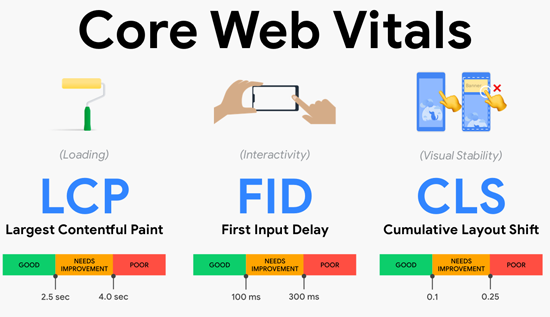
Core Web Vitals Explained: Metrics & How to Fix Them
Learn what Core Web Vitals are, how LCP, INP, and CLS affect user experience and SEO, and practical ways to fix performance issues and improve your website.
 23 Oct 2026
Website Audit Score: How to Check and Improve It
Check your website audit score, identify SEO issues, improve technical performance, site health and search visibility.
 21 Oct 2026
Low-Value Content: How to Identify and Fix It
Identify low-value content, improve content quality and fix SEO issues with practical strategies to boost website usefulness.
 20 Oct 2026
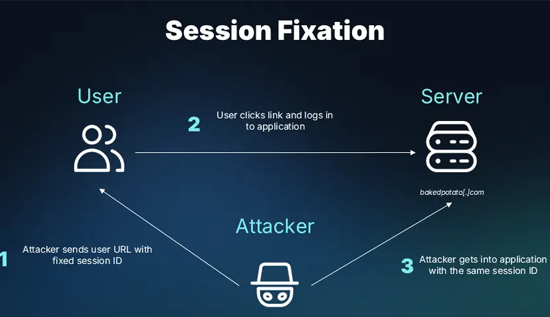
Session Hijacking: How It Works and How to Prevent It
Learn what session hijacking is, how session cookie theft works, common attack signs, and effective prevention strategies to protect accounts and web applications.