What Is an Infostealer? How It Steals Your Passwords
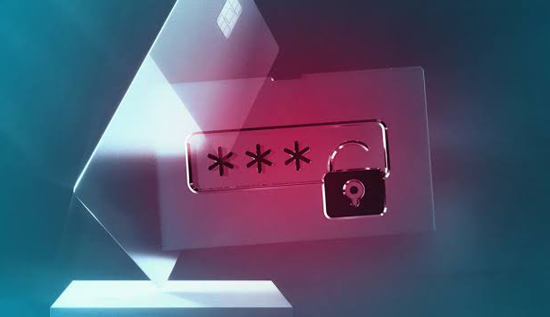
What is infostealer malware? Learn how infostealers steal passwords, browser cookies and personal data, how to detect an infection, and how to protect your devices.
Cybersecurity threats are becoming more sophisticated, and one type of malware that has gained significant attention is the infostealer. Unlike malware that focuses mainly on damaging files or locking devices, an infostealer is designed to quietly collect valuable information from an infected computer or device.
But what is infostealer, exactly? An infostealer is a type of malicious software created to steal sensitive data. This can include passwords, browser cookies, saved login details, financial information, cryptocurrency wallet data, personal files, and other information that can be useful to cybercriminals.
The danger is that many victims may not immediately realize they have been infected. An infostealer malware infection can operate quietly in the background, collecting information and sending it to criminals. By the time suspicious activity is noticed, stolen passwords or account sessions may already have been used or shared.
Understanding what is infostealer malware, how it works, and how attackers use it can help individuals and organizations reduce their cybersecurity risks. This guide explains how does infostealer malware work, what does an infostealer steal, how do infostealers steal passwords, and what you can do to detect, remove, and prevent this threat.
What Is an Infostealer?
So, what is infostealer malware?
An infostealer, also called information-stealing malware, is malicious software designed to collect sensitive information from an infected system. Its primary purpose is data theft rather than obvious system destruction.
Different types of infostealer malware may target different kinds of information. For example, one infostealer may focus heavily on browser passwords and cookies, while another may also search for cryptocurrency wallet information, documents, messaging application data, or saved credentials.
In simple terms, an infostealer typically follows a process like this:
- The malware reaches a victim's device.
- The victim accidentally runs or installs it.
- The malware collects selected information.
- The stolen information is packaged.
- The data is transmitted to infrastructure controlled by criminals.
- The stolen information may then be used for account theft, fraud, further attacks, or unauthorized access.
The key danger is that an infostealer may not need to know a victim's password directly if it can steal existing authentication information from a browser. This is why browser data, saved credentials, and cookies are valuable targets.
What Is Infostealer Malware and Why Is It Dangerous?
What is infostealer malware compared with other forms of malicious software?
The main difference is its purpose. Some malware is designed to encrypt files for ransom. Other malicious programs may display unwanted advertisements or disrupt a computer. An infostealer malware infection is primarily focused on gathering information that attackers can exploit.
The consequences can be serious because one infected device may contain access to many different accounts. A single computer can potentially hold login information for:
- Email accounts
- Social media accounts
- Online banking services
- Business systems
- Cloud storage platforms
- E-commerce websites
- Gaming accounts
- Messaging applications
- Work collaboration tools
If a criminal obtains access to an important email account, for example, that account could potentially be used to reset passwords for other services. This means one stolen credential can sometimes lead to a larger chain of account compromises.
Infostealers can also create risks for organizations. If an employee's device is infected, attackers may attempt to use stolen work credentials to access company systems. For this reason, businesses increasingly focus on endpoint security, strong authentication, and monitoring for stolen credentials.
How Does Infostealer Malware Work?
A common question is: how does infostealer malware work?
Although individual malware families differ, the general process usually involves infection, execution, data collection, and data theft.
1. The Malware Reaches the Victim
Infostealers can be distributed through several common attack methods. Criminals may disguise malicious files as legitimate software, documents, installers, updates, or other downloads.
Common delivery methods include:
- Phishing emails with malicious attachments
- Fake software downloads
- Pirated or unauthorized software
- Fake application updates
- Malicious advertisements or websites
- Compromised websites
- Social engineering messages
- Files shared through untrusted channels
Attackers often rely on deception. A file may look useful or harmless, but running it can install malware in the background.
2. The Malware Executes on the Device
Once the victim opens the malicious file or program, the infostealer may begin running. Some threats try to avoid immediate detection by security software or delay certain activity.
The malware may also attempt to gather basic information about the device, such as the operating system, installed applications, browser information, or user details.
3. It Searches for Valuable Data
The next stage is information collection. The exact targets depend on the infostealer, but browser data is often especially valuable.
The malware may search for stored credentials, cookies, autofill data, browser history, cryptocurrency-related information, application data, and selected files.
4. The Data Is Collected and Exfiltrated
After collecting information, the malware may organize the stolen data and transmit it to infrastructure controlled by attackers.
This stolen information can then be reviewed, abused directly, or used as part of larger criminal operations. Some attackers may attempt account takeovers themselves, while others may use stolen data to support additional attacks.
That is the basic answer to how does infostealer malware work: it quietly enters a device, searches for valuable information, collects it, and sends it to an attacker.
What Does an Infostealer Steal?
Another important question is: what does an infostealer steal?
The answer depends on the specific malware, but infostealers may target many categories of data.
Passwords and Saved Login Credentials
One of the most obvious targets is stored login information. Modern browsers and applications may save usernames and passwords for convenience. If malware gains access to this information, it can place multiple accounts at risk.
Browser Cookies
A frequent question is: can infostealer malware steal browser cookies?
Yes. Certain infostealers are designed to target browser cookies and other session-related information. This can be particularly dangerous because cookies may contain data associated with an authenticated session.
In some situations, stolen session information can create risks even when a password itself is not directly available. This is one reason why changing passwords alone may not always be sufficient after a confirmed infection. Other security steps, such as ending active sessions and reviewing account activity, may also be necessary.
Autofill Information
Browsers may save information to make online forms faster to complete. Depending on browser settings and the malware's capabilities, this information could potentially include names, email addresses, phone numbers, or other personal details.
Cryptocurrency-Related Data
Some infostealers search for information associated with cryptocurrency wallets or related applications. This can include wallet files or other locally stored information that attackers consider valuable.
Personal and Business Files
Certain threats may search for documents, spreadsheets, text files, and other data. The goal may be to find financial details, account information, business documents, or other useful information.
System Information
Infostealers can also collect information about the infected device itself. This may help attackers understand the environment or decide what further actions to take.
So, when asking what does an infostealer steal, the safest answer is that it depends on the malware, but passwords, browser data, cookies, personal information, and valuable files are common targets.
How Do Infostealers Steal Passwords?
How do infostealers steal passwords from a computer?
Infostealers use several techniques depending on their capabilities and the environment. However, the general goal is to locate information that is already available to the user or stored on the device.
One common target is a web browser. Many people save passwords in browsers so they can sign in quickly. This improves convenience, but malware running with sufficient access may attempt to collect those stored credentials.
Infostealers may also target:
- Password data stored by browsers
- Application login information
- Password manager data where accessible
- Information entered through compromised applications
- Authentication-related data stored locally
It is important to understand that attackers do not always need to capture a password while a person is typing it. In some cases, malware attempts to collect credentials or session information that is already stored on the device.
This is one reason why keeping devices secure is just as important as choosing strong passwords. A strong password can still be exposed if the device storing or using it becomes compromised.
Can Infostealer Malware Steal Browser Cookies?
Yes, can infostealer malware steal browser cookies is an important cybersecurity question, and the answer is that capable infostealers may target browser cookies.
Cookies are small pieces of data used by websites and browsers to support functions such as remembering preferences and maintaining sessions. When you sign in to a website, certain cookies or related session data may help the site recognize an authenticated session.
If attackers obtain usable session information, they may try to exploit it for unauthorized access. The exact risk depends on the website's security controls, the type of data stolen, session expiration rules, and other protections.
For this reason, after a suspected infostealer infection, users should consider more than simply changing a password. It may also be appropriate to:
- Sign out of important accounts on other devices
- End active sessions where the service allows it
- Change passwords from a clean device
- Enable multi-factor authentication
- Review recent login activity
- Remove unknown connected applications
These steps can help reduce the risk of attackers continuing to use previously stolen authentication information.
How to Know If Your Computer Has an Infostealer
A difficult question is how to know if your computer has an infostealer. Unfortunately, there is no single sign that confirms every infection.
Infostealers are often designed to operate quietly. A device may appear to function normally even while malware is collecting information.
However, some warning signs may suggest that further investigation is necessary.
Unexpected Account Activity
You may receive notifications about logins, password resets, or account changes that you did not make. This can be a warning that credentials or session information have been compromised.
Security Software Alerts
Your antivirus or endpoint security tool may detect suspicious files, unusual processes, or known malware. Never ignore legitimate security warnings without investigating them.
Unknown Programs or Extensions
Unrecognized applications, browser extensions, or unexpected changes to browser settings can indicate a potential security problem.
Unusual System Behavior
A sudden decline in performance does not automatically mean an infostealer is present, but unexpected crashes, unfamiliar processes, or unusual network activity can justify a security check.
Multiple Accounts Become Compromised
If several unrelated accounts show suspicious activity around the same time, the problem may be broader than one weak password. A compromised device could be one possible explanation.
Knowing how to know if your computer has an infostealer often requires combining warning signs with proper security scanning and account monitoring.
How to Detect Infostealer Malware
Learning how to detect infostealer malware requires a practical and layered approach.
Run a Reputable Security Scan
Use trusted and up-to-date security software to scan the system. Make sure the software's detection database is current before running a complete scan.
A quick scan can be useful, but a more thorough scan may provide a better opportunity to identify hidden threats.
Check Recently Installed Software
Review applications that were installed around the time suspicious behavior started. Pay special attention to software downloaded from unofficial or untrusted sources.
Do not remove important system components unless you understand what they are. When in doubt, use reputable security tools or seek help from a qualified IT professional.
Review Browser Extensions
Check your installed browser extensions and remove extensions you do not recognize or no longer use. Extensions should only come from trusted sources.
Monitor Important Accounts
Review security pages for your email, financial, social media, and work accounts. Look for:
- Unknown devices
- Unfamiliar locations
- Unexpected login attempts
- Password changes you did not make
- New recovery information
- Unrecognized connected applications
Watch for Breach and Credential Alerts
Security services and account providers may warn users about suspicious activity or exposed credentials. Treat these alerts seriously, particularly if several accounts are affected.
The best approach to how to detect infostealer malware is not to depend on a single method. Use security scans, software reviews, account monitoring, and good cybersecurity hygiene together.
How to Protect Against Infostealer Malware
The most effective cybersecurity strategy is prevention. Understanding how to protect against infostealer malware can significantly reduce your risk.
Download Software Only from Trusted Sources
Avoid downloading programs, browser extensions, games, or tools from suspicious websites. Be especially cautious about files advertised as free premium software, unofficial patches, or unexpected updates.
Keep Your Operating System Updated
Software updates often fix security vulnerabilities. Delaying updates for long periods can leave devices exposed to known problems.
Keep your operating system, browser, security software, and major applications updated.
Use Strong, Unique Passwords
Every important account should have a unique password. Reusing the same password across multiple websites increases the damage if one account becomes compromised.
A password manager can help generate and organize strong, unique passwords.
Enable Multi-Factor Authentication
Multi-factor authentication adds another layer of protection. It cannot prevent every form of account compromise, but it can make unauthorized access more difficult when passwords are stolen.
Be Careful With Unexpected Files and Links
Treat unexpected attachments, software installers, and links with caution. Verify the sender and destination before interacting with them.
Use Reputable Security Software
Keep antivirus or endpoint security software active and updated. No security tool is perfect, but modern protection can identify many known and suspicious threats.
Limit Unnecessary Browser Extensions
Every extension adds potential security exposure. Install only extensions you genuinely need, and periodically review what has access to your browser.
Back Up Important Data
Regular backups can help protect important files from many different cybersecurity incidents. Keep backups secured and separate from your main device where practical.
These habits are central to how to protect against infostealer malware and other common online threats.
How to Remove Infostealer Malware
If you suspect an infection, you may wonder how to remove infostealer malware safely.
The exact process depends on the type and severity of the infection. However, a cautious response is important because the main concern is not only removing the malicious program but also protecting information that may already have been stolen.
1. Stop Using the Device for Sensitive Activities
If you strongly suspect an active infection, avoid signing in to additional sensitive accounts from that device until it has been checked.
2. Run a Full Security Scan
Update your security software and perform a thorough scan. Follow the software's recommended actions for detected threats.
3. Update the Operating System and Applications
Install important security updates. Outdated software can create additional risks or leave known vulnerabilities unpatched.
4. Remove Suspicious Software and Extensions
Review recently installed applications and browser extensions. Remove items you know are untrusted or malicious.
5. Change Important Passwords From a Clean Device
This is critical. If the computer may still be infected, changing passwords on that same device could expose the new passwords.
Instead, use a different device that you trust, then change passwords for important accounts. Start with your primary email account because it is often used for password recovery.
6. End Active Sessions
Where available, sign out of other devices and revoke active sessions. This can help invalidate existing sessions that attackers may be attempting to use.
7. Enable or Review Multi-Factor Authentication
Make sure multi-factor authentication is active for important accounts and verify that recovery methods have not been changed.
8. Consider a Professional or Full System Recovery
For a serious or uncertain infection, professional assistance may be appropriate. In some cases, a complete system reset or clean operating system installation may provide greater confidence than manually removing individual suspicious files.
Understanding how to remove infostealer malware means remembering that malware removal and account recovery are two connected but separate tasks. Even after the malicious software is removed, passwords and other data stolen before removal may still be at risk.
What to Do If Your Passwords Were Stolen
If you believe an infostealer has stolen your credentials, act quickly but calmly.
Prioritize your accounts in this order:
- Primary email account
- Financial and payment accounts
- Password manager account
- Work or school accounts
- Cloud storage
- Social media
- Other online services
Change passwords from a trusted, clean device. Use unique passwords for each account, and enable multi-factor authentication where possible.
Also review:
- Recent login history
- Password recovery email addresses
- Phone numbers associated with accounts
- Active sessions and connected devices
- Connected third-party applications
- Recent financial activity
If you notice suspicious financial transactions, contact the relevant provider through its official support channel as soon as possible.
Why Infostealers Are a Growing Cybersecurity Concern
Infostealers are especially concerning because digital life is highly interconnected. A single device may contain access to dozens of services, while one email account can often help reset passwords for many others.
The value of stolen information can also extend beyond the original victim. Attackers may use compromised credentials for additional phishing attempts, business attacks, identity fraud, or other forms of cybercrime.
This is why users should avoid thinking about cybersecurity only in terms of “my computer is working” or “my files have not disappeared.” A device can look completely normal while an information-stealing threat operates quietly.
Knowing what is infostealer malware and recognizing its risks helps people adopt a more proactive approach to security.
Best Practices for Long-Term Protection
To reduce your long-term risk, make cybersecurity a regular habit rather than something you consider only after an incident.
A strong routine includes:
- Keeping software updated
- Using unique passwords
- Using a reputable password manager
- Enabling multi-factor authentication
- Downloading software only from trusted sources
- Reviewing browser extensions
- Checking account security activity regularly
- Using reputable and updated security software
- Being cautious with unexpected messages and attachments
- Backing up important files
- Teaching family members and colleagues about common scams
Businesses should also consider stronger security measures, including employee cybersecurity awareness training, endpoint protection, access controls, least-privilege policies, and monitoring for suspicious account activity.
Final Thoughts
So, what is infostealer? It is malicious software designed to steal valuable information from an infected device. Infostealer malware can target passwords, saved credentials, personal data, browser information, and other sensitive information that criminals may use for unauthorized access or fraud.
Understanding how does infostealer malware work is essential because these threats are often designed to operate quietly. The malware may enter through a deceptive download or malicious file, collect information stored on the device, and send that information to attackers.
If you are asking what does an infostealer steal, the answer can include passwords, browser cookies, autofill information, personal files, and system data. And yes, can infostealer malware steal browser cookies is a legitimate concern because certain malware can target session-related browser data.
The best defense is prevention. Learn how to protect against infostealer malware by keeping software updated, using strong and unique passwords, enabling multi-factor authentication, avoiding suspicious downloads, and maintaining reputable security protection.
Finally, if you are concerned about how to know if your computer has an infostealer, watch for suspicious account activity, security alerts, unknown programs, and multiple compromised accounts. Learn how to detect infostealer malware through thorough security scanning and careful system checks. If an infection is confirmed or strongly suspected, take prompt action to understand how to remove infostealer malware, secure your accounts from a clean device, and end potentially compromised sessions.
Cybersecurity cannot eliminate every risk, but awareness makes a major difference. By understanding how infostealers steal passwords and how to respond to an infection, you can make it much harder for cybercriminals to turn one compromised device into access to your entire digital life.
More Articles
 21 Aug 2026
How AI Search Is Changing SEO: Things You Must Know
See how AI search is changing SEO, from AI Overviews and AI Mode to content optimization and search visibility.
 19 Aug 2026
Unsafe Websites to Avoid: 10 Warning Signs of a Scam
Spot unsafe websites to avoid with 10 key scam warning signs, including fake URLs, suspicious payments and fraudulent offers.
 18 Aug 2026
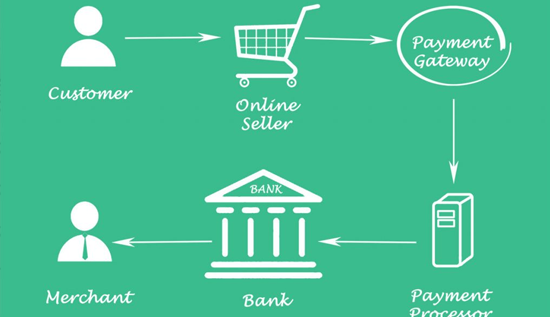
Payment Gateway Fees in Cambodia: Costs & Comparison
Compare payment gateway fees in Cambodia, transaction charges, processing costs, setup fees, and key factors businesses should consider when choosing a payment gateway.
 14 Aug 2026
How to Tell If a Video Is AI-Generated: Signs to Check
Detect AI-generated videos and practical examples, verification methods and reliable AI video detection techniques.