What Is Indexing? How Google Finds Your Website

Clear guide to what is indexing, covering Google indexing and methods to improve website visibility in search engines.
You're not the only one who has put up a website and then wondered why it doesn't show up in search results. One of the most common reasons is that your site hasn't gone through something very important called "indexing."
Anyone who works in digital marketing, blogging or website development needs to know what indexing is because it directly affects how search engines like Google show your information.
In simple terms, indexing is the process by which search engines store and organize your website’s content so it can be displayed in search results also. Without proper Google indexing, other people have also made websites and then asked why they didn't show up in search results.
Your site hasn't been "indexed" which is a very important process. This is one of the most common reasons. Knowledge of indexing is important for people who work in digital marketing, writing or building websites as it has a direct impact on how search engines like Google portray your content.
When people ask, what is indexing in SEO? how Google indexing works, what they really want to know is how search engines find, sort and rank information. The truth is that sorting doesn't happen by itself. Google uses bots, which are sometimes called "crawlers" to look at websites, read their content and decide if they should be added to its collection of indexed pages.
Many website owners struggle with issues like website not indexed, delays in indexing, or pages being ignored altogether also. That’s why understanding how indexing works and learning how to get a website indexed by Google can make a huge difference in your online visibility.
In this comprehensive guide, we’ll break down everything you need to know from the basics of search engine indexing to advanced strategies for ensuring your content gets discovered quickly.
You’ll also learn how long does Google take to index a website? there are useful tips to speed up the process and real-life cases to show you how to use these ideas correctly.
What Is Indexing in SEO?
To fully understand what is indexing, you need to see it through the eyes of a search engine. After searching, the next step is indexing. When Google's bots visit your site, they read the material, figure out what it means and then store it in a huge database called the Google Index. This process is called Google indexing also.
So, what is indexing in SEO? how Google indexing works this is how it works: Google crawls your site and then checks the pages for relevance, quality and organization before adding them to its searchable database. Pages that are listed are the only ones that can show up in search results.
Key Components of Website Indexing
- Crawling: Bots find your web page through sitemaps or connections.
- Processing: Keywords, organization and the standard of the content are checked.
- Storing: Pages are saved in Google’s index as indexed pages.
- Ranking: Search queries decide how to rank material that has been indexed.
Understanding search engine indexing makes sense of why some websites show up and others don't even show up.
Why Indexing Matters
Without proper website indexing, The SEO work you do won't pay off. It doesn't matter if you improve the design, build backlinks or optimize keywords on your pages if they aren't found.
That's why indexing is so important:
- It helps people find your creations.
- That decides how visible it is on Google.
- On-site business is hampered.
- It makes your page look less trustworthy.
Example 1: Blog Website
Let's say you write a blog post with trip tips. People who look for "best travel tips" won't be able to find your page if Google hasn't indexed it at this point. This is a classic case of website not indexed.
Example 2: E-commerce Store
An online store launches a new product page. Without Google indexing, customers won't be able to find it through search, which means sales will be missed.
Understanding what is indexing keeps you from missing these chances and helps you build a strong SEO foundation.
How Indexing Works in Google
To truly grasp what is indexing, knowing precisely the steps that culminated in something is important for how indexing works also. Knowing what happens at every phase makes it easier to understand why some pages show up quickly in search results while others don't show up for days or even weeks.
Step 1: Discovery
Other websites' backlinks, XML sitemaps and direct submission through Google Search Console are all ways for Google to discover your web page. This is the first step in how to get a website indexed by Google.
In many cases, when another website links to yours, people will find it on their own, but new websites often need a little help to get seen faster.
Step 2: Crawling
Googlebot reads the text on your site's pages, looks at pictures, internal links and metadata. At this step, you check to see if your content is useful and easy to find. If your pages are blocked, take a long time to load or are hard to get around, crawling may be limited. This can make the whole search process take longer.
Step 3: Indexing
After crawling, Google decides whether your content should be added to its database. This is where Google indexing happens also. Google checks the quality, uniqueness and importance of each page it crawls before storing it in its system, so not every page that is crawled is assured to be indexed.
Step 4: Ranking
Once your page becomes part of the indexed pages, relevance and quality are used to decide where it ranks also. Right now, Google is looking at your page's content along with other pages to see which ones best match a user's search query.
Factors That Affect Indexing
Structure, page speed, mobile ease, content quality and internal linking all have an impact on indexing. If these things aren't good, your site might have the problem of website not indexed. Google can better crawl and understand your pages if your site layout is clear and your technical SEO is strong.
Example Use Case
A new website with no backlinks may take longer to be discovered. By submitting a sitemap, the owner speeds up search engine indexing and makes things easier to see. Putting up useful material and adding internal links can also make it easier for Google to find and index the site.
Understanding what is indexing works assists you in finding and fixing problems that keep your website from showing up in search engine results.
How to Get Your Website Indexed by Google
Many website owners struggle with website not indexed, but the good news is there are proven strategies for how to get a website indexed by Google.
What Google needs to find, crawl and trust your pages is usually all that's needed. Early action can make a big difference in how quickly your content shows up in search results if your site is new or has just been updated.
Step-by-Step Guide
1. Submit Your Sitemap: Your XML file should be uploaded to Google Search Console as a first step. Thus, Google can easily see your website's layout and figure out which parts are the most important. Although a sitemap doesn't promise instant indexing, it does make it more likely that Google will find your pages and process them more quickly which supports better Google indexing overall.
2. Use Internal Linking: Internal links are another important part of website indexing in order to make it easy for crawlers to move from one page to the next. You can help Google find new content and figure out how different parts of your site are related when your pages are linked in a way that makes sense also. Larger websites or blogs that post new information often will find this especially helpful.
3. Create High-Quality Content: Content quality plays a major role in whether your pages become part of indexed pages. Pages with unique, useful and well-organized content are more likely to be indexed by Google. People are much more likely to find and rank highly on your content if it answers real questions, stays on topic and gives people something of value.
4. Optimize Technical SEO: Your site's ability to be crawled and listed is also affected by technical SEO. As well as being easy to use on mobile devices, your website shouldn't have any broken links or other mistakes that search engines could get confused. Google may slow indexing or skip some pages if it has technical issues while crawling your site. Fixing these issues helps improve search engine indexing and makes your site easier to access.
5. Request Indexing: You can use Google Search Console to ask for hand indexing of pages that are new or have been changed also. This is a good way to let Google know that you have new information that they can look over. Inclusion doesn't have to happen right away, but this can speed things up and is often one of the best steps for how to get a website indexed by Google.
Common Mistakes to Avoid
Some common mistakes can stop search engines from properly indexing your pages. Through robots.txt, some website owners block important pages by mistake, while others use noindex tags in the wrong places to stop Google from adding pages to its index.
Additionally, having duplicate information can lead to confusion and lower the chances of success Google indexing, especially if multiple pages compete with the same information.
Example 1: New Blog
A writer who is starting a new website might, for instance, send in the sitemap, write helpful articles and share those posts on social media to get people to notice. These things can make moving more active and help it move faster search engine indexing, what is indexing, especially when the content is original and the site structure is easy to navigate also.
Example 2: Business Website
Fixing technical mistakes, speeding up pages and making sure all-important pages are properly linked can help a business website get indexed better also. After fixing these problems, Google will be able to crawl the site more easily, which usually means that it will be indexed faster and show up higher in search results.
Doing these things will help your content get searched properly and increase the chances of your website showing up in Google search results.
How Long Does Google Take to Index a website?
One of the questions that people raise most frequently is the following: how long does Google take to index a website?
The answer varies depending on several factors.
1. Typical Timeframes: In some cases, it can take up to a week for new websites to be uploaded. Search engines usually index newly changed pages within a few hours to a couple of days also. Pages from websites with a lot of authority can be searched within just a matter of hours.
2. Factors That Affect Indexing Speed: The speed with which Google analyzes a page is affected by how authoritative the website is, the frequency with which it is updated, how good the content appears to be and how many backlinks it possesses.
3. Why Delays Happen: If your site experiences website not indexed, it could be because the information isn't adequate enough, there aren't enough backlinks, there are issues with the website or the crawling budget is insufficient.
Tips to Speed Up Indexing
Publishing regularly, building backlinks, sharing material on social media and improving your website perform better can all help speed up indexing also.
Understanding how long does Google take to index a website? helps you be more pragmatic and make your search engine optimization approach stronger.
Conclusion
Understanding what is indexing is one of the most important steps in mastering SEO. Without proper Google indexing, no matter how hard you try to use search engine optimization and create content for your website also, it will not show up in the results.
So, learning the basics of website indexing and search engine indexing is essential for long-term success.
Throughout this guide, we explored what is indexing in SEO? how Google indexing works, taking the whole process apart, ranging from crawling to scoring. Congratulations, you now know how Google finds your web pages and grades them and stores them as indexed pages in its database.
More importantly, you’ve learned practical strategies for how to get a website indexed by Google, to make sure that the right people see your work.
We also addressed common concerns like website not indexed and explained how long does Google take to index a website? giving you reasonable deadlines and ideas you can use to speed up the process of indexing. These suggestions can help you avoid making common SEO mistakes and build a stronger customer platform.
Awareness is very important in today's modern world, which is extremely competitive. You can greatly improve your chances of getting indexed by using the methods we talked about, like submitting web pages, optimizing your content and upgrading your technical SEO also.
Ultimately, mastering what is indexing it's not enough to just understand an idea; you need to take charge of how well your website does in search engines also. If you take the right marches, you can make sure that your pages are searched quickly, ranked correctly and discovered by people who are actively looking for your content.
Read More: Business Website ROI: Is It Worth the Investment?
More Articles
 24 Jul 2026
Browser Security Tips: How to Browse the Web Safely
Learn the best browser security tips to protect your privacy, block cyber threats, and enjoy secure web browsing. Discover how to make your browser more secure and browse the internet safely.
 22 Jul 2026
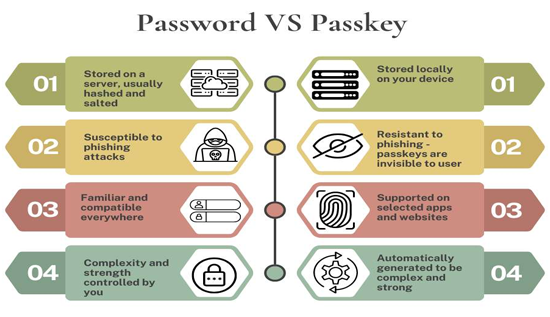
Passkeys vs Passwords: Security Comparison
Discover how passkeys compare to traditional passwords, learn how passwordless authentication works, and find out which option offers better security for protecting your online accounts.
 17 Jul 2026
Rust vs Go: Which Language Is Better in 2026?
Compare Rust vs Go in 2026, including performance, backend development, memory safety and the best language for your projects.
 15 Jul 2026
What Is Synthetic Data? Benefits, Uses & Examples
Understand synthetic data explained, its benefits and real-world AI examples that improve privacy and machine learning.