Best Privacy Browsers in 2026: Brave, Tor & More

Compare the best privacy browsers 2026 and DuckDuckGo for stronger tracking and fingerprint protection.
Every time you browse the internet, some services can keep track of what you do. Technology like cookies, advertising trackers, browser fingerprints, IP addresses, scripts and more can be used to make profiles of you based on what you like and how you act also.
Websites, advertisers, internet service providers and other third parties may still be able to see or figure out some of your online behavior even if you use your browser's private or incognito mode.
That is why choosing one of the best privacy browsers 2026 has become increasingly important for people who want more control over their digital footprint. These days, privacy browsers are made to do more than just clear your history when you close a window.
Depending on the browser, they can stop third-party trackers, separate cookies, lower fingerprinting, switch links to HTTPS, limit advertising scripts and give you more control over the data websites can gather.
However, not every privacy browser works in the same way. While keeping the same browser experience as before, Brave puts a lot of effort into blocking trackers and ads. Tor Browser goes a lot further with privacy by sending data through the Tor network and using a lot of anti-fingerprinting features.
Firefox has strong privacy settings built in and its defenses against fingerprinting are getting better all the time. Mullvad Browser is a regular browser that can be used with a VPN that takes many of Tor Browser's ideas about how to hide your browsing history and applies them to a VPN. It's important to DuckDuckGo Browser that regular users have easy, automatic privacy protections.
The important question is therefore not simply, "Which browser has the most privacy features?" The better question is: What do you need to protect, and how much convenience are you willing to sacrifice?
In this article, we examine the best privacy browsers 2026, compare their pros and cons, explain how privacy works in browsers and give real-life examples to help you pick the right one. This comparison can help you make an informed choice, whether your main goal is to stop trackers, lower browser fingerprinting, protect your IP address or just browse the web more privately every day.
What Makes a Browser Private in 2026?
Before you look at different browsers side by side, you should know that privacy is complicated. One browser might hide your IP address but block trackers, while another might give you more privacy but slow down or not work with other applications.
The best privacy browsers 2026 should be evaluated across these areas:
1. Tracker Blocking: Technologies like cookies, pixels, scripts and others that track behavior across websites are called trackers. Some privacy browsers can stop tracking by blocking tracking requests, third-party cookies and tracking websites. When it comes to blocking trackers, Brave, Firefox, DuckDuckGo and Tor Browser all have differences also.
2. Browser Fingerprinting: Users can be identified by browser fingerprinting by looking at things like: internet browser and computer system, monitor size and fonts, ability to create graphics, locale and time zone, details about the hardware and what JavaScript does.
When combined, these details can create a distinctive fingerprint. This is why the best browser for fingerprint protection is not always the one with the strongest ad blocker.
Standardized settings, letterboxing, first-party isolation and other anti-fingerprinting measures in Tor Browser make it less unique. Firefox also limits who can see things like fonts, hardware information and screen properties.
3. IP Address Protection: Your IP address can tell people about your network and where you are roughly. A normal browser that protects privacy doesn't hide it for you. Usually, you need a VPN, Tor or another network-level option to protect your IP address better. It makes a big difference that this: Browser privacy ≠ complete anonymity.
For extra safety, use a reliable VPN along with Mullvad Browser, since hiding your IP address doesn't stop fingerprinting or other forms of tracking.
4. Cookie Isolation: Cookies let websites know who you are and what you like but they can also be used to track you. Customers who value their privacy can set cookies for each website separately or delete them when the session ends. Advertisers can't easily connect site visits with Firefox's Total Cookie Protection and Mullvad Browser's cookie separation.
5. Private Browsing vs. Privacy Protection: Using private or "incognito" mode does not hide your identity. Local browsing data is mostly deleted when a session ends. Furthermore, Tor Browser adds extra security by sending data through the Tor network and blocking fingerprinting attempts. Therefore, when comparing the best private browser 2026 options, do not judge them simply by whether they offer an incognito window.
Brave Browser: Best Overall Privacy Browser for Everyday Use
Many people find Brave to be one of the best options for privacy without having to make big changes to how they browse the web also.
Since Brave is based on Chromium, users who are used to Chrome will find its interface and ability to work with websites easy to use. Its best feature is that many privacy protections are built right into the browser, so users don't have to install a bunch of extra ones also.
Brave's approach to privacy is based on stopping annoying ads and tracking technologies while still letting you browse quickly and easily.
Brave says that it does not collect or store users' browsing data, as stated in its current browser privacy policy also. The policy also says that some features may process information like an IP address when they need to in order to work.
Why Brave is a strong choice
This book is especially appealing to people who want to: built-in blocking of trackers, Ad blocking built in, a browser based on Chromium, strong protection for everyday use not as dependent on add-ons from outside sources, good connection with other sites, easy to use and privacy settings that are not too hard to understand.
This makes Brave a strong candidate for the best browser for privacy and security for everyday users who want a balance between privacy and convenience.
Example use case: Everyday browsing
Let's say you read the news, watch movies, shop online and use social media for several hours every day. Tor's privacy benefits might not be something you need all the time. But you probably don't want as many bots following you from one website to the next.
Brave might be a good choice because it has built-in defenses that can stop tracking and ads without making you change the way you browse the web.
Brave and tracker blocking
The built-in blocking system is a big reason why people choose Brave. Users don't have to add multiple privacy extensions right after downloading the browser; instead, they can start with protections that are already built in. That makes Brave especially useful for someone searching for the best browser for blocking trackers without wanting to spend hours configuring privacy extensions.
Where Brave is not the best
If you want to stay anonymous online, Brave is not necessarily the website for you. As its name suggests, Tor Browser is not the best choice if you want to hide your IP address and make it harder for people to connect your online activity to your network. Most people expect Brave to be easy to use too. Something else might be a better choice if you need complete privacy, fingerprints that are very similar or Tor network routes.
Brave verdict
Popular with regular people who want strong privacy features without giving up ease of use. Standard level of privacy for normal browsing. Lower level of privacy than Tor. Highly recommended for ease of use. Building-in tracker and ad blocker are the best features.
For many mainstream users, Brave is one of the strongest answers to what is the best privacy browsers 2026 when the goal is practical daily privacy rather than maximum anonymity.
Tor Browser: Best for Anonymity and Strong Anti-Fingerprinting
If privacy is more important to you than ease of use, Tor Browser is worth looking into.
Instead of sending traffic straight from your connection, Tor Browser sends it through the Tor network and a number of volunteer-run relays. It's not like other privacy browsers because its goal isn't just to block trackers; it's also to make it harder to connect your browsing history to your real name.
1. Tor's anti-fingerprinting approach: Instead of letting users have very unique fingerprints, Tor Browser tries to make them look like other users. Some of its protections are: putting letters in boxes, normalization of user agents, isolating the first party, protection for canvas, don't use and standardized features of browsers.
Letterboxing puts users into groups based on their screen size, which makes screen measurements less useful for finding people. This makes Tor a leading choice for the most private browser 2026 for anonymity-focused browsing also.
Example use case: Sensitive research
If a reporter is looking into a private subject, they might need to browse the web without giving out their real IP address. This kind of private view might not be enough. Tor Browser protects your privacy on both the browser level and the network level, making your anonymity greater. However, Tor does not promise complete privacy. Users should still be careful when they browse and not give out personal information.
2. Tor is not perfect for everything: It's possible for Tor to be slower, cause verification problems, block some websites or break interactive functions. Websites may not work as well if they have stricter security settings.
3. Important Tor warning: Don't think that just connecting another browser to the Tor network will protect you like Tor Browser does. Fonts, plugins, DNS information or WebRTC data may be shown in other browsers. If you need Tor's anonymity protections, use Tor Browser itself.
Tor verdic
Best for privacy, anti-fingerprinting, anonymity, and not being able to be tracked. When used properly, privacy level is very high. Compared to regular browsers, anonymity is very good and moderately easy to use. Tor network and design that doesn't leave fingerprints are the best features also.
When anonymity is the highest priority, Tor Browser is usually the strongest answer to which browser is best for privacy.
Firefox: Best Privacy-Focused Mainstream Alternative
Firefox remains a strong choice for users who want advanced privacy controls in a mainstream browser also. Mozilla has expanded Firefox's protections, including Enhanced Tracking Protection, Total Cookie Protection, fingerprinting defenses, HTTPS-Only Mode, DNS over HTTPS and Global Privacy Control.
One major advantage is configurability. Users can choose how aggressively Firefox blocks trackers and other invasive technologies.
1. Firefox and fingerprinting: The anti-fingerprinting features in Firefox make it harder to get to information like: fonts, more on the graphics, details about the processor, features of the screen and web browser APIs. In their study, Mozilla says that these defenses make it much harder to identify individual users. This makes Firefox a strong best browser to avoid tracking option for people who still want a conventional browsing experience.
2. Firefox's privacy advantage: Firefox's most important privacy features are: better protection against tracking, complete Cookie Safety, protection with fingerprints, DNS over HTTPS in HTTPS-Only Mode and global controls for privacy. Cross-site tracking is less likely with Total Cookie Protection and DNS over HTTPS encrypts DNS calls between the browser and resolver.
Example use case: Work and personal browsing
Firefox does a good job of balancing privacy and usability. You can set up strong tracking protection and still use normal websites without having to give up some of your anonymity or usability also. This makes Firefox a strong privacy focused browsers 2026 choice for users who want control rather than fully automated protection.
3. Firefox limitations: More restrictive privacy options may sometimes get in the way of: text that is embedded, websites that make money from ads, some websites and apps and services that are sensitive to fingerprints. Firefox doesn't offer Tor's network-level privacy either.
Firefox verdict
This browser is best for people who want a regular one with privacy features that they can change. High amount of privacy. Level of anonymity: Moderate without any extra tools. Extremely simple to use. The flexible tracking and fingerprinting security is the best thing about it. For users seeking the best browser for privacy when it comes to staying in a traditional browser ecosystem, Firefox is still one of the best options.
Mullvad Browser: Best for Anti-Fingerprinting Without Tor Routing
According to Mullvad Browser, Tor Browser's privacy approach can be used in a regular browser that doesn't use the Tor network by default also. Built by Mullvad and the Tor Project, it's meant to make tracking and browser fingerprinting less common. It's especially helpful for people who want secure browser privacy along with a VPN.
1. Why Mullvad Browser stands out: The Mullvad Browser gives you: against fingerprinting, protection against third-party trackers, separation of cookies, browsers that are private by default and open-source building. There is no data VPN compatibility. Users' fingerprints are made to look more alike and third-party cookies aren't shared between websites.
2. Mullvad Browser vs. Tor Browser: Mullvad Browser and Tor Browser are both built with privacy in mind, but they are not meant to do the same things. Both want to make it harder to track people and identify browsers but only Tor Browser automatically sends your traffic through the Tor network. This difference can help you pick the best browser for your personal needs.
Tor Browser = privacy-focused browser + Tor network
Mullvad Browser = privacy-focused browser designed to work with or without a VPN
Mullvad Browser does not offer Tor's network privacy also. You need a separate tool, like a VPN, to hide your IP address. But it can work better and be more compatible than Tor while still making tracking and fingerprinting less likely.
Example use case: VPN users
Mullvad Browser can give you extra security if you already use a reliable VPN. Your VPN hides your IP address and the browser helps keep cookies, trackers, and fingerprints from being used against you. This makes it a strong choice for users seeking the best browser for fingerprint protection without using Tor.
3. Mullvad Browser limitations: Because it is set to protect privacy, some websites may act differently. A VPN and a private browser also protect you from different threats and neither one can promise you'll be completely anonymous.
Mullvad verdict
This is the best VPN for people who care about their privacy and want strong anti-fingerprinting protection. A very high amount of privacy. Anonymity: It depends on how your network is set up. Good for ease of use. Best feature: fingerprint protection based on Tor that doesn't need the Tor network.
Mullvad Browser is a compelling privacy focused browsers 2026 option between mainstream browsers and Tor Browser.
DuckDuckGo Browser: Best Simple Privacy Option for Beginners
The DuckDuckGo Browser is made for people who want to protect their privacy without having to deal with a lot of settings.
For Windows, Mac, iOS and Android, it blocks trackers, cookies, fingerprints, ads and cookie pop-ups, and it gives you other privacy controls as well.
Its best feature is that it is easy to use; many protections work automatically, so users don't have to worry about a lot of settings.
1. Tracking Protection: DuckDuckGo protects you in a number of ways, such as: stopping third-party trackers, protection for third-party cookies, CNAME defense for hiding, protection with fingerprints, protection for tracking links and referrers, built-in safety against social media tracking and global Controls for Privacy.
This makes it a practical best browser to avoid tracking choice for less technical users.
2. The Fire Button: After pressing the "Fire" button, local browsing data like cookies, website storage, session information and viewed URLs are deleted. Furthermore, Fire Windows and Fire Tabs allow for private browsing experiences. In situations where you share a device or don't want temporary browsing history to be saved locally, this can be helpful.
3. DuckDuckGo Limitations: There is no Tor-level privacy or IP address hiding on DuckDuckGo. It works best as a regular privacy browser, not as a way to stay anonymous.
DuckDuckGo verdict
Perfect for: Beginners who want privacy safety that happens automatically. Standard level of privacy for normal browsing. Limited privacy compared to Tor. Highly recommended for ease of use. Best feature: Data deletion and automatic tracking security.
For users seeking the best private browser 2026 with minimal configuration, DuckDuckGo is a strong option.
Privacy Browser Comparison: Which One Should You Choose?
There isn't just one browser that is best for privacy. The right answer depends on what's most important to you.
There isn't much to set up with Brave and it has a built-in tracker and ad stopping feature. It also works with Chromium and lets you browse quickly and easily.
People who need more privacy, want to hide their IP address through the Tor network, are worried about being watched or censored or think fingerprint security is very important should use Tor Browser.
Firefox is a good choice if you value privacy, want a popular browser, need strong protections against tracking and fingerprinting and want a lot of options.
If you already use a VPN, want strong anti-fingerprinting protection, don't want to use the Tor network, and want a privacy-focused browser with little tracking, Mullvad Browser is the best choice for you.
DuckDuckGo Browser is a good choice if you are new to privacy tools, want automatic protection, want to block trackers simply and want to delete your browsing history quickly.
Your danger model will tell you which browsers are the safest in 2026. For everyday use, Brave is best, Tor is best for privacy, Firefox is best for customization, Mullvad is best for blocking ads with a VPN and DuckDuckGo is best for ease of use.
Practical Privacy Guide: How to Get More Privacy from Any Browser
Choosing the best privacy browsers 2026 is only the first step. Your browsing habits matter too.
1. Make sure you update your browser: Updates make security and privacy better also. Allow automatic updates to lower your risk of being hit by known security holes.
2. Don't allow extensions: Extensions can see your browsing history, so only install the ones you need from sites you know you can trust also.
3. Make use of HTTPS: With HTTPS, the link between your computer and a website is encrypted. When it's enabled, Firefox's HTTPS-Only Mode can force HTTPS.
4. Think about a VPN: Trackers can't see your IP address even if you use a secure browser. If you want to hide your IP address, use a reliable VPN. However, keep in mind that a VPN does not stop fingerprinting.
5. Don't sign in to everything: Even if you're using Tor, logging into accounts can still be used to find you. When privacy is important, don't log into personal accounts also.
6. Keep browsing activities separate: For work, personal accounts, shopping, private research, and short-term browsing, use different profiles or browsers. This can limit the information that can be linked to a single browsing identity.
Evidence Guide: Evaluating Privacy Browsers
When researching the most private browser 2026, look beyond marketing claims. Check these five areas:
- Rules about privacy: Take a look at what the browser files, shares and stores also.
- Code that is free to use: Researchers can look at the privacy features of open-source computers.
- Protection against fingerprinting: Even if a computer blocks cookies, it can still show a unique fingerprint. Check to see if it makes browsers less special.
- Stopping trackers: Check to see if the browser only cuts down on cookies or blocks trackers before they load also.
- Ease of use: Some websites might not work with the strictest privacy settings. You should pick a browser that protects you well and is easy to use every day.
So, What Is the Best Privacy Browser in 2026?
There is no universal winner. For most everyday users, Brave is one of the best combinations of privacy, speed, compatibility and convenience. For maximum anonymity, Tor Browser is the clear specialist. For customizable mainstream privacy, Firefox is an excellent choice.
For users who want strong anti-fingerprinting protection with a VPN, Mullvad Browser is particularly compelling. For beginners who want simple automatic protection, DuckDuckGo Browser is a practical choice.
If someone asks what is the best privacy browsers 2026, the most accurate answer is therefore: it depends on what you are trying to protect.
Conclusion
The search for the best privacy browsers 2026 is not about becoming invisible online. It is about choosing privacy protections that match your needs.
These days' browsers can stop trackers, separate cookies, stop fingerprinting, encrypt links, and limit the data that websites can gather also.
As a general browser, Brave is a great choice. It has built-in protections that stop tracking and ads without requiring much setup. The experience stays fast and familiar.
Tor Browser is better for people who care about privacy and not being watched. Its anti-fingerprinting and Tor network make it a good choice for private browsing. However, logging into personal accounts or giving out personal information can still put your privacy at risk also.
Firefox is a good compromise because it protects against tracking, fingerprinting, and cookies while still being compatible with most browsers. Because it is based on Tor and doesn't leave fingerprints, Mullvad Browser is also a good choice, especially when used with a reliable VPN.
DuckDuckGo Browser is the easiest option for first-timers because it protects against tracking automatically and lets you easily manage your privacy also.
Ultimately, the best privacy browsers 2026 depend on your browsing habits and threat model. For everyday privacy, use Brave. For anonymity, use Tor Browser. For customization, use Firefox. For privacy with a VPN, use Mullvad Browser. For simple protection, use DuckDuckGo.
There is more than one way to set privacy. Know the difference between private viewing, tracker protection, fingerprint protection and anonymity. Keep your software up to date, limit the number of extensions you use and share less personal information.
If you use the right browser and behave wisely, you can lessen the tracking and gain more control over your digital record in 2026.
Read More: Browser Security Tips: How to Browse the Web Safely
More Articles
 25 Aug 2026
What Is an Infostealer? How It Steals Your Passwords
What is infostealer malware? Learn how infostealers steal passwords, browser cookies and personal data, how to detect an infection, and how to protect your devices.
 21 Aug 2026
How AI Search Is Changing SEO: Things You Must Know
See how AI search is changing SEO, from AI Overviews and AI Mode to content optimization and search visibility.
 19 Aug 2026
Unsafe Websites to Avoid: 10 Warning Signs of a Scam
Spot unsafe websites to avoid with 10 key scam warning signs, including fake URLs, suspicious payments and fraudulent offers.
 18 Aug 2026
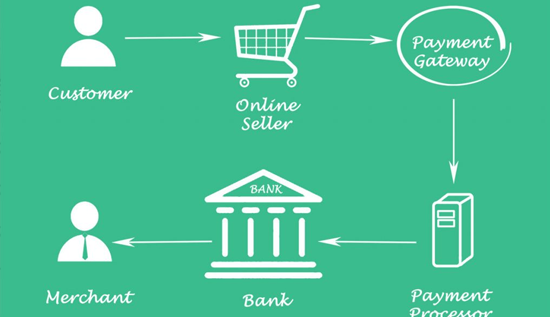
Payment Gateway Fees in Cambodia: Costs & Comparison
Compare payment gateway fees in Cambodia, transaction charges, processing costs, setup fees, and key factors businesses should consider when choosing a payment gateway.