Mobile Banking Security: How to Protect Your Money
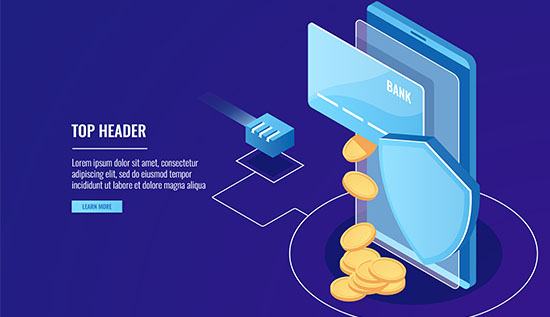
Protect your finances with practical mobile banking security tips covering scams, strong passwords, safe apps and account monitoring.
Mobile banking has changed the way people handle their finances also. Customers may now check balances, transfer funds, pay bills, receive payments and manage financial accounts directly from their smartphones, eliminating the need to visit a bank branch or stand in line at ATMs.
This convenience has made banking faster and easier but it has also introduced new security dangers. As more financial transactions go to mobile devices, how to secure your mobile banking app and personal information becomes increasingly crucial.
Mobile banking security refers to the practices, technologies and habits for safeguarding mobile banking accounts, financial information and transactions from unwanted access, fraud, malware, phishing and other cyber threats also. A solid security approach blends bank protections with customer-driven decisions.
Phishing messages, phony websites, harmful programs, social engineering, stolen passwords and fraudulent calls are all frequent tactics used by cybercriminals to target mobile banking consumers also. Some scams require victims to willingly provide one-time passwords or approve transactions. Others seek to install malicious software that can collect sensitive information or disrupt financial transactions.
The good news is that most mobile banking threats may be mitigated with basic safeguards. Using a strong device passcode, updating your operating system, installing banking programs from authorized sources, enabling biometric authentication and avoiding suspicious links are practical steps that can significantly improve mobile banking safety.
Understanding common dangers is just as crucial. Understanding how scammers work makes it easier to identify strange requests before money is stolen also. For example, a thief could mimic a bank employee and say that your account has been compromised. The caller may then request a verification code. In practice, the code could give the offender access to your account.
This article explains practical mobile banking security tips, common dangers, secure banking practices, fraud protection measures and what to do if you suspect your account has been hijacked. Whether you frequently transfer money, pay bills, shop online or simply check your balance using a banking app, changing your security practices can help protect your money and personal information.
Why Mobile Banking Security Matters
Smartphones are appealing targets for cybercriminals because they hold a lot of personal data. Banking apps, email accounts, stored passwords, contact details, payment apps, photos and messages can all be found on one device. A number of services could be compromised if a thief manages to access the device or account.
This is why mobile banking security should not be viewed as the bank's responsibility alone. Banks make significant investments in fraud detection, transaction monitoring, authentication, encryption and other security measures. However, customers are also crucial to the security of their accounts.
1. Common mobile banking threats: Threats to mobile banking users can take several forms, such as:
- Phishing: In order to get login credentials, scammers send phony emails or messages. Smashing is the term for phishing using SMS or messaging apps.
- Fake banking apps: Malevolent programs mimic trustworthy financial apps. Criminals use social engineering to trick victims into disclosing private information.
- Account takeover: Unauthorized access to an online banking account is obtained by attackers.
- Malware: Malicious software has the ability to monitor behavior and steal data. Risks associated with public Wi-Fi: Attackers may be able to intercept data on unprotected networks.
- SIM-related attacks: Cybercriminals may try to obtain the victim's mobile number.
- Unauthorized transactions: Fraudulent transfers may be caused by stolen credentials or users who have been tricked.
Understanding these risks is one of the most useful mobile banking security tips because awareness makes suspicious activity easier to recognize.
2. The importance of strong authentication: Authentication verifies that the individual gaining access to an account is, in fact, the account owner. Passwords, PINs, biometric authentication, one-time passwords, security questions, trusted devices and transaction verification are all options available to banks.
Think about turning on stronger authentication options whenever your bank offers them. If a password is obtained through phishing or another attack, it might not be enough security.
An extra degree of security can be offered by biometric authentication such as fingerprint or facial recognition. However, as biometrics are just one component of the total security system, users should still keep a secure device passcode.
3. Keep your smartphone protected: The security of the device that runs your banking application has an impact on its security. If a smartphone is lost or stolen, it is significantly simpler for someone to access it without a screen lock.
Utilize: a secure passcode or PIN, screen locking that happens automatically, when suitable, facial recognition or fingerprint authentication, updates for the current operating system, updates on security from the maker of the device and updates for applications from official app stores. Keep your device passcode private, especially if you use your phone for financial activities.
Example: A stolen smartphone
Let's say a smartphone with a banking app is misplaced. The phone is secured with a strong passcode and biometric authentication, making it difficult for the person who finds it to access the banking account. Using the device-management service offered by the phone maker, the owner can also remotely lock or wipe the device.
This example highlights a crucial idea: security is most effective when multiple preventative measures are employed in tandem.
How to Secure Mobile Banking on Your Smartphone
Learning how to secure mobile banking starts with protecting the smartphone itself. Even the most sophisticated banking application cannot fully protect an account if the device is compromised or the user willingly provides confidential information to a scammer.
1. Download banking apps carefully: Only download your bank's official application from a reputable app store or the bank's official website. Before installing an application, check the developer’s name, number of downloads, reviews and other identifying information.
Criminals sometimes create applications with names, icons and logos that resemble legitimate banking services. Never install an application simply because someone sends you an APK file or an unknown download link.
2. Keep your operating system updated: Software updates often include security fixes. Delaying updates can leave known vulnerabilities unpatched. Turn on automatic updates whenever possible for: your smartphone operating system, banking applications, web browsers, security software and other frequently used applications.
3. Use a unique banking password: Your banking password should not be reused for social media, Email, shopping accounts or other services. A strong password should generally be: long and difficult to guess, unique to your banking account, free from obvious personal information and different from passwords used elsewhere. A password manager can help users create and store unique passwords without needing to memorize everyone.
4. Enable biometric authentication: If your bank supports fingerprint or facial authentication, consider enabling it. Biometrics can make unauthorized access more difficult while also making secure login more convenient. However, do not rely on biometrics alone. Keep your device's passcode private and secure.
5. Activate transaction notifications: Banking notifications can provide an early warning when something unusual happens. Depending on your bank, you may receive alerts for: transfers, withdrawals, card payments, login attempts, password changes and new device registrations. Review these notifications rather than automatically dismissing them.
6. Avoid banking on unsafe networks: Public Wi-Fi can create additional security risks, particularly when users do not know who controls the network. When performing sensitive financial transactions, using a trusted mobile connection or secure private network is generally preferable.
7. Review application permissions: Some applications request access to contacts, messages, files, location, cameras, microphones or other device functions. Review whether permissions are reasonable for the application's purpose. An application that requests excessive permissions should be treated cautiously.
How to Keep Mobile Banking Safe
Knowing how to keep mobile banking safe also requires avoiding risky behavior. Never provide your password, PIN, or one-time verification code to another person simply because they claim to represent your bank. Legitimate banks generally have established procedures for verifying customers. If you receive an unexpected request for confidential information, independently contact your bank through its official customer-service number or application.
Mobile Banking Scams and Fraud Prevention
One of the biggest challenges in mobile banking cybersecurity is that criminals do not always need to break into a banking system. Instead, they may manipulate users into giving away information or approving transactions themselves.
1. Common mobile banking scams: Mobile banking scams are designed to trick users into revealing sensitive information, installing malicious software, or authorizing fraudulent transactions. Scammers often impersonate banks and use urgent messages, fake websites or convincing phone calls to create panic and pressure victims into acting quickly. Understanding the most common tactics can help you recognize warning signs and protect your accounts.
Fake bank messages
A user may receive an SMS saying: "Your account has been suspended. Click this link immediately to verify your identity."
The message may contain the bank's logo and professional-looking language. However, the link may lead to a fake website designed to steal login credentials.
Do not click unexpected banking links. Instead, open your bank's official application directly or type the official website address yourself.
Fake customer-service calls
A scammer may call and say: "We detected suspicious activity on your account."
The criminal may then request your password, PIN, card information or one-time verification code. Even if the caller knows some information about you, do not assume the call is legitimate. End the call and contact your bank using an official number.
Fake prizes and promotions
Another common tactic involves fake rewards. A message might claim that you won money or received a special promotion and ask you to pay a small fee or provide banking information. Unexpected financial rewards should be treated with skepticism.
How to identify suspicious messages
Watch for warning signs such as: urgent language, threats of account closure, unexpected links, requests for passwords or PINs, requests for one-time passwords, unusual payment requests, spelling or grammar mistakes, unknown phone numbers and pressure to act immediately.
A particularly important rule is: never share a one-time verification code with someone who contacts you unexpectedly.
Example: The urgent transfer scam
Consider a customer who receives a phone call from someone pretending to be a bank employee. The caller says that a fraudulent transaction has been detected and instructs the customer to transfer money to a "secure account." The customer becomes worried and follows the instructions.
How to protect mobile banking from hackers
People often search for how to protect mobile banking from hackers, but protection is not only about sophisticated technology. Basic security habits can prevent many common attacks.
Avoid: Rooting or jailbreaking your device unless you fully understand the security consequences, installing applications from unknown sources, clicking suspicious banking links, sharing authentication codes, using simple passwords, leaving your phone unlocked, banking on suspicious websites and ignoring security alerts.
If your bank supports additional security controls, use them.
Read More: Scam Apps to Avoid in 2026 | Protect Your Phone & Data
Best Practices for Long-Term Mobile Banking Safety
Effective security is ongoing. Your accounts, devices, apps and threats can change, so consistent habits are essential for improving mobile banking fraud prevention.
1. Monitor your accounts regularly: Review statements and transaction history for unfamiliar: purchases, transfers, withdrawals, fees, new beneficiaries and device registrations. Early detection allows you to contact your bank quickly.
2. Use separate accounts when appropriate: Some people separate everyday spending from savings to limit potential losses if an account is compromised. Account options vary, so consider your circumstances before making changes.
3. Protect your email account: Your email may receive password resets and security alerts. Use a strong, unique password and enable multi-factor authentication whenever available.
4. Be careful when changing phone numbers: Phone numbers may be used for authentication and recovery. If you lose access to your number or suspect it has been taken over, contact your mobile provider and bank promptly.
5. Never ignore unusual alerts: If you receive an alert for an unfamiliar login, password reset, or transaction, contact your bank through a verified channel and investigate.
6. What to do if you suspect fraud: If your account may be compromised: Contact your bank immediately. Use its official phone number or app. Change your banking password. Review and report unauthorized transactions. Secure your email account. Check your smartphone for suspicious apps. Contact your mobile provider if you suspect SIM fraud. Follow your bank’s recovery instructions. Report the incident to authorities if necessary.
Recovery depends on the bank, country, payment method and type of fraud.
7. A simple security routine: Make mobile banking security tips part of your monthly routine by: updating your smartphone and how to secure your mobile banking fraud prevention, reviewing account activity, checking security settings, removing unused apps, confirming transaction notifications are enabled and reviewing connected devices when available. These small actions make security easier to maintain over time.
A Practical Mobile Banking Security Checklist
Use this checklist to review your current banking habits:
1. Smartphone security: strong screen lock enabled, biometric authentication enabled where appropriate, automatic updates enabled, device recovery or remote-lock features configured and unknown applications removed
2. Banking app security: official banking application installed, unique banking password used, multi-factor authentication enabled when available, transaction notifications enabled and unused banking sessions or devices reviewed.
3. Scam protection: suspicious links avoided, banking passwords never shared, one-time codes never shared with unexpected callers, unexpected requests independently verified and urgent financial requests treated cautiously.
4. Account monitoring: transactions checked regularly, unrecognized payments reported quickly, account alerts reviewed and contact information kept updated with the bank.
This checklist provides a simple foundation for improving mobile banking safety without making everyday banking unnecessarily complicated.
For More infor: Mobile App Data Privacy and Security: Tips to Protect User Data
What Banks Do to Protect Customers
Customers are responsible for their own security habits, but banks also use multiple technologies and procedures to protect accounts.
Depending on the institution, security measures may include: Encryption, Multi-factor authentication, Biometric login, Transaction monitoring, Fraud detection systems, Device recognition, Login alerts, Transaction limits, Risk-based authentication, Account-locking mechanisms and Suspicious-transaction investigations.
Banks may analyze unusual patterns, such as an unexpected login location, unfamiliar device, unusual transfer amount or unusual transaction behavior.
However, no security system can eliminate every risk. Attackers continuously develop new social-engineering methods, and criminals may target customers directly rather than attempting to attack a bank's technical infrastructure.
For this reason, mobile banking security works best as a shared responsibility between financial institutions and customers.
If your bank provides security settings or educational resources, take time to review them. Features differ between institutions, so check the bank's official documentation for the controls available on your account.
Conclusion
Mobile banking offers great convenience, but it also connects your finances to smartphones, apps, passwords and online accounts. Protecting these systems helps reduce fraud and unauthorized access.
Strong mobile banking security relies on consistent habits. Use a strong device passcode, download apps only from trusted sources, keep your phone updated, enable biometric or multi-factor authentication and monitor account alerts.
It is also important to recognize scams. Criminals may impersonate bank employees, send fake messages, create fraudulent websites or use social engineering to obtain sensitive information. Never share your password, PIN or one-time verification code because someone demands immediate action. When in doubt, stop and contact your bank through an official channel.
The most effective mobile banking security tips are simple: protect your device and credentials, verify unexpected requests, monitor transactions and report suspicious activity quickly. Regularly reviewing permissions, updates and security settings provides stronger long-term protection.
If you suspect unauthorized access, contact your bank promptly, secure related accounts, change compromised credentials, and follow its instructions. Ultimately, mobile banking security combines technology, awareness and responsible behavior, helping you enjoy mobile banking while reducing unnecessary risks.
Read More: Mobile Security in Cambodia: How to Protect Your Phone
Read More: Central Bank Digital Currency: Benefits, Risks & Use Cases
More Articles
 21 Oct 2026
Low-Value Content: How to Identify and Fix It
Identify low-value content, improve content quality and fix SEO issues with practical strategies to boost website usefulness.
 20 Oct 2026
Session Hijacking: How It Works and How to Prevent It
Learn what session hijacking is, how session cookie theft works, common attack signs, and effective prevention strategies to protect accounts and web applications.
 16 Oct 2026
Orphan Pages in SEO: How to Find and Fix Them
Identify orphan pages in SEO and apply practical strategies to improve internal linking and discoverability.
 14 Oct 2026
Topical Authority vs Keyword Density: Which is Better?
Learn the difference between topical authority vs keyword density, how both affect SEO, and how to create helpful content that improves relevance, builds trust, and supports better search rankings.